Addy
Addy  Addly
Addly  Goalify
  Monet
Monet  Reviso
Key takeaways
- A cart that "does not update" is usually two carts, a button pointed at the wrong one, or an embed that was never saved on the live theme.
- Dawn's drawer and an app drawer cannot share one add-to-cart button.
- Fix the live theme, not the unpublished duplicate you customised by mistake.
- Addy is an app embed. Uninstall does not leave a Liquid cart behind to go stale.
When a Shopify cart drawer does not update, the item usually did get added. The drawer you are looking at is not the one that changed. Eight checks, in the order that fixes the most stores.
1. The app embed is off on the live theme
Online Store, Themes. The published theme, not the duplicate named "Dawn copy". Customize, App embeds, the cart app, on, Save. An embed enabled in preview and never saved does not exist for customers.
2. Dawn's drawer and the app drawer are both on
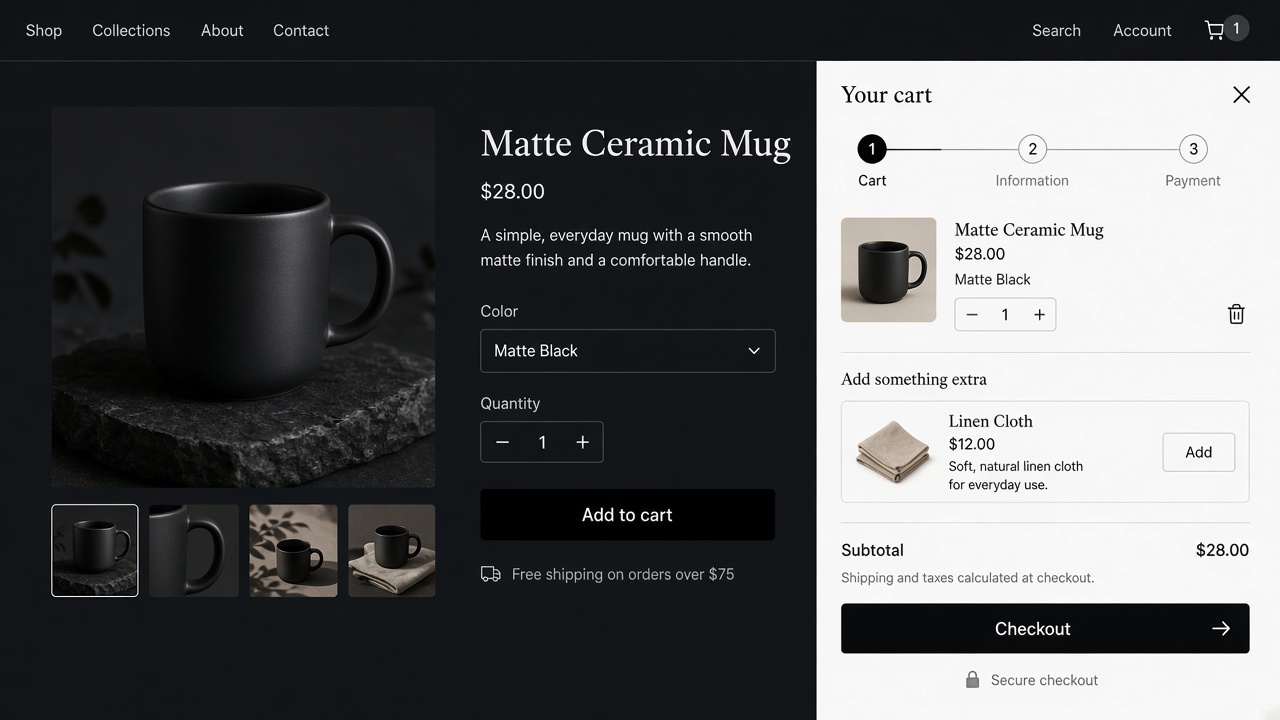
Dawn opens its own drawer on add to cart. The app opens another. One of them has the new line. The other still shows the previous cart. Disable the theme drawer, or stop the product form from calling it. One button, one drawer. The install steps are in how to add a slide cart on Dawn.
3. The header icon opens a different cart
The add button opens the drawer. The bag icon goes to /cart, or to the theme drawer. After an add, the shopper opens the icon and sees an old page. Point the icon at the same drawer.
4. A second cart app is still installed
Upcart, a page-builder cart, and the theme drawer can all listen for "add". Uninstall or disable every cart embed except the one you intend to keep. Two listeners are a race. The loser looks like a cart that did not update.
5. You tested inside the theme editor
The editor preview is not the storefront. Open the published URL in a normal window, add a product, and watch the drawer. If it works there, the editor was the stale view.
6. The product form does a full reload
Some older product forms submit the cart and reload. The drawer script never hears the add, because the page went away. On Online Store 2.0 themes the product form should add with Ajax and let the drawer refresh. If a custom product form or a page builder replaced it, the drawer is waiting for an event that never fires. Put the buy button back on the theme form, or on a form the cart app is built to hear.
7. Quantity buttons inside the drawer are the theme's
You added the item. The drawer opened. Plus and minus still call Dawn's quantity input, so the line on screen does not move. The drawer that owns the lines has to own the quantity controls. A hybrid, theme buttons inside an app drawer, goes stale on the first tap.
8. Markets and currency
A cart rendered in the wrong currency looks "wrong" rather than empty. The threshold and the line prices should follow the shopper. Addy renders prices in the presentment currency and can run a different cart per market. A single drawer with the home-market currency on a French storefront is the bug people describe as "not updating" after they switch country.
Prove the add happened
Before you edit a file, separate "the cart rejected the item" from "the drawer is showing an old picture".
Add the product. Do not close the drawer. Open the store in a second tab and go to /cart. If the line is on that page, Shopify has the item. The drawer that still looks empty is a view. Fixes 1 through 4 are about which view you are holding. If /cart is also empty, the product form never reached the cart. That is fix 6, or the variant was unavailable.
Then change the quantity in the drawer only. Refresh /cart. If the quantity on the page moved and the drawer did not, the plus button is the theme's. That is fix 7.
Write down which theme is published. Online Store, Themes, the one with the live label. A "Dawn copy" you customised last Tuesday is a different theme. App embeds do not copy themselves across themes when you hit publish on the wrong one.
A map from what you see
| What you see | What it usually is |
|---|---|
Drawer opens empty, /cart has the line | A second drawer, or the icon bound to the theme cart |
| Nothing opens, and the page reloads | The product form is a full submit |
| Desktop updates, the phone does not | A different header icon at the mobile breakpoint |
| Quantity taps do nothing | Theme buttons inside the app drawer |
| Prices look like the home currency abroad | One cart, no market rule |
| It fails only inside the theme editor | Preview. Check the published URL |
| It failed the morning after a theme update | A Liquid edit was overwritten. The embed is the install that survives |
| Two drawers flash | Two apps, or Dawn plus the app |
Page-builder product forms are a frequent version of the reload. The button looks like the theme button and posts the cart the old way. Put the buy button back on the theme's product form, or on a form the cart app is built to hear. Quick-add buttons on collection cards are a second form. Test those too. A drawer that works on the product page and fails on the collection is that second form.
After it updates, keep it to one cart
Leave one embed. Addy is that embed: a drafted slide cart, no Liquid left behind if you remove it, A/B tests if you want two versions without forking the theme. It is free to install. It loads when the cart opens.
If you are coming off a builder and a theme drawer at the same time, disable both, then enable Addy, then save, then test. The order matters. Enabling the new embed first gives you three listeners for an afternoon. The migration notes are in Upcart alternatives. The Dawn steps are in how to add a slide cart.
A ten-minute regression
Run this after any theme publish or any new app that mentions "cart".
- Add from the product page.
- Add from a collection, if you use quick add.
- Change quantity. Remove the line.
- Open the header icon on desktop and at a narrow width.
- Switch country, if you have more than one.
- Confirm
/cartand the drawer show the same lines if both exist. Preferably only the drawer exists.
If the drawer updates and the offer is wrong, that is merchandising. One upsell. The list is in in-cart upsells that convert.
Install Addy once the live theme has a single embed.
The cart count, the note, and the discount field
Three small pieces get blamed on "the drawer" and belong to a different render.
The header bubble can update on a delay, or not at all, while the drawer is right. Click the bubble. If it opens a different surface from the add button, rebind the bubble. A correct drawer with a wrong bubble still trains people to think the add failed.
The order note and the discount field have to be the app's, if the app owns the drawer. A theme note box pasted into the drawer will submit into nothing, and the shopper will tell you the note "didn't save". That is the same hybrid as the theme's quantity buttons.
A discount code that applies on /cart and fails in the drawer is a field that never called the cart. Use the drawer field. Apply a real code. The total should match checkout. If the code is refused because of combination rules, that is a discount setup, not a stale drawer. The distinction is in discount stacking.
After any of those fixes, repeat the ten-minute list. One pass on desktop, one at a narrow width, one from a collection quick-add. The drawer is done when those three agree with /cart.
Frequently asked questions
Why does my Shopify cart drawer show the old quantity?
The drawer on screen is not the cart that received the add. A second app, Dawn's own drawer, or the cart icon opening /cart while the button opens a drawer will all look like a stale cart.
I edited the theme and the cart still fails. Why?
You may have edited an unpublished theme. Online Store, Themes, the published one, Customize, then the app embed. Save.
Do I need to clear the cache?
After the embed is right, yes, once, on the device that failed. Cache is the last fix. It is not the reason two drawers exist.
The drawer updates on desktop and not on mobile. Why?
The mobile header often uses a different cart icon. Point that icon at the same drawer. Test at 390px, not only in the theme editor.
Should I edit cart.js?
No. Theme updates replace it, and a patched cart.js is how the drawer breaks again next month. Use one app embed.
The cart count in the header is wrong, but the drawer is right. What is that?
The bubble is a separate render. Open the drawer, then the bag icon. If they disagree, the icon is still bound to the theme cart.
How do I prove the item was added?
Open /cart in a second tab after you add. If the line is there, the add worked and the drawer you are staring at is the stale one.