Addy
Addy  Addly
Addly  Goalify
  Monet
Monet  Reviso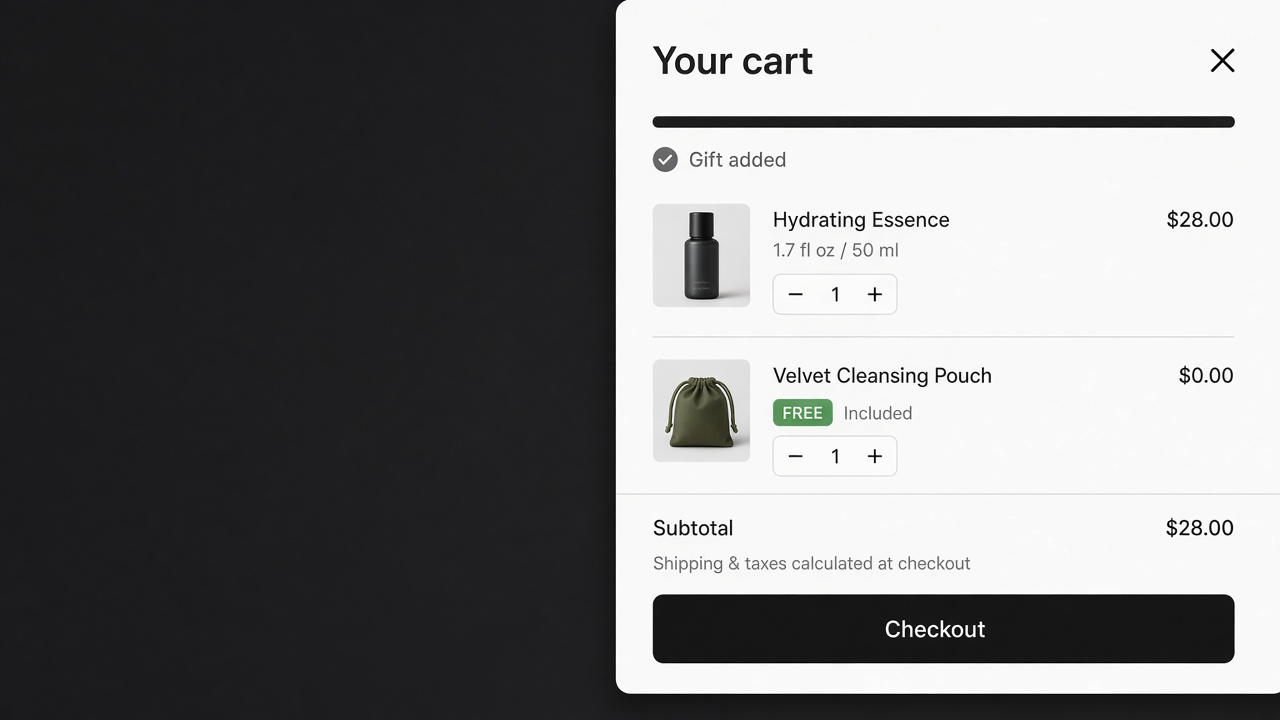
Key takeaways
- A cart link adds one known variant when the shopper clicks. It does not watch the cart and add a gift by itself.
- Auto-add belongs on a rule: cart value, item count, or a product already in the bag. Goalify adds the gift when that rule is met.
- Show the gift in the cart the shopper is looking at. A gift that appears only on a later page feels like a surprise charge in reverse.
- One gift. A second auto-add is how the cart fills with products nobody chose.
Automatically adding a product to the cart means two different jobs. One is a link that puts a known variant in the bag when someone clicks. The other is a gift that appears on its own once the cart qualifies. Stores mix them up, then wonder why a "free" item never shows, or why a paid item showed up without a yes.
The click method
Shopify can add a variant from a URL. You need the variant ID, not the product handle. A button, a banner, or a post-purchase email can point at that link. The shopper clicks. The variant is in the cart.
That is not automatic. Nothing watches the subtotal. Nothing swaps the gift when the season changes. Use it for a campaign landing page where the click is the decision. Do not use it as the free-gift system.
The rule method
A free gift should add itself when the cart crosses a line you set: a subtotal, an item count, or a specific product already in the bag. Goalify does that. You pick the gift, the condition, and where the progress bar sits. When the cart qualifies, the gift is added. When it no longer qualifies, the gift should leave with it. A gift that sticks after the shopper removes the qualifying item is a support ticket.
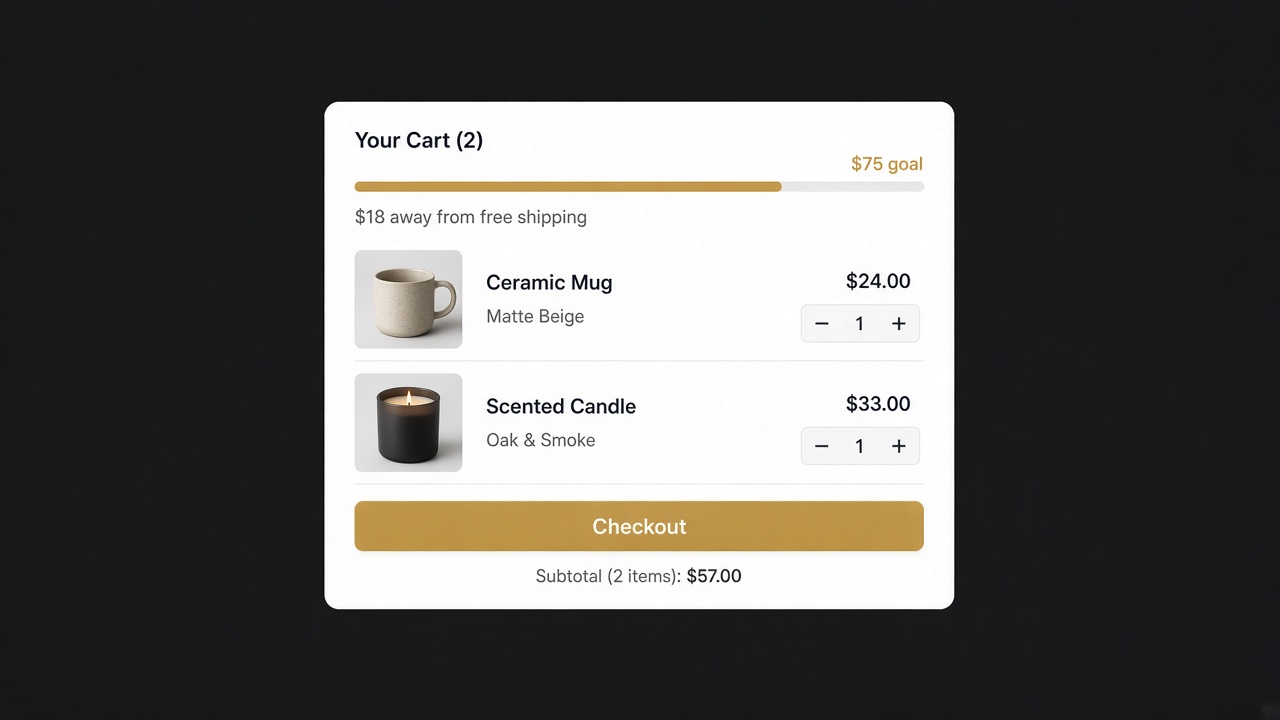
The bar is the warning. "You are $18 from a pouch" is a task. A gift that materialises on the checkout page, with no bar on the product page, feels arbitrary. Put the bar in the cart, and on the product page if the threshold should be visible before the first add.
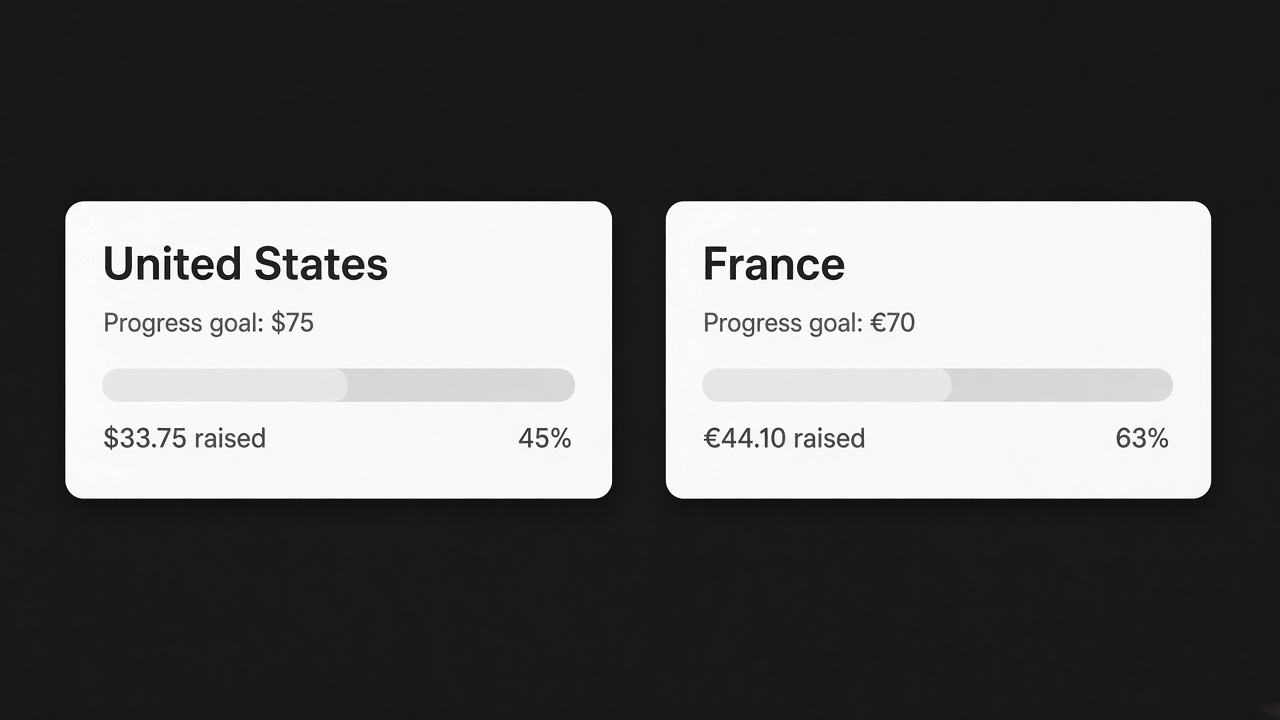
Country thresholds matter here. A $75 gift in the home market is a different gift abroad. Goalify sets the number per country. One global rule auto-adds the gift for the wrong carts.
What not to auto-add
| Line | Add it automatically? |
|---|---|
| Free gift at a threshold | Yes, with the rule visible on a bar |
| Sample the shopper already agreed to | Yes |
| A paid complement | No. One click, in the cart or a popup |
| A second gift "while you are here" | No |
| Shipping protection | No, unless the toggle is on the cart and off by default |
Paid upsells belong on a button. Addy can show the complement in the drawer with a one-click add. Monet can ask after add to cart. Neither should insert a priced line the shopper did not confirm.
A worked cart
This is an example you can copy with your own prices. It is not a result from a store.
The serum is $32. The pouch costs you $2.10 landed. Recent orders sit around $48, so a gift at $75 asks for about one more full-size item. A shopper adds the serum ($32) and a cleanser ($28). The subtotal is $60. The bar says "$15 away from a pouch". They add an $18 toner. The subtotal is $78. The pouch appears at $0.
They remove the toner. The subtotal is $60 again. The pouch has to leave with it. A gift that stays after the qualifying item is gone is a $2.10 giveaway, and the next shopper will learn to add, collect the gift, and remove. Goalify adds the gift when the condition is met. The same condition has to be able to take it back.
Money rules and unit rules
A subtotal rule follows price. A quantity rule follows units. They split as soon as a code is applied.
Three soaps at $12 are $36. A 20% code makes the cart $28.80. A rule that says "spend $30 and the gift adds" just failed, with three units still in the bag. If the offer is really "any three", use the item count. If the offer is "this order is large enough to afford the pouch", use the subtotal. Place one test order with a code on it and write down which figure checkout used. The bar and the gift have to use that same figure. A bar that celebrates, and a cart that then removes the gift, is the bug shoppers describe as the gift "not working".
Goalify can trigger on cart value, on item count, or on a product already in the bag, and those conditions can be combined. "Spend $75 and the order contains the serum" stops the pouch attaching to a cart of accessories that never included the product the pouch belongs with.
The gift is a variant
A product with sizes cannot be added until a variant is chosen. Pick the variant you will actually pack. If that variant hits zero, the rule should fail quietly. A line that says the gift was added, then shows sold out, is worse than no gift. Keep a second variant only if you are willing to pack either one, and say which one on the bar. "A pouch" and "the travel pouch, 30 ml" are different promises.
Price the line at $0 through the gift rule. A 100% code the shopper has to remember will miss the carts that qualified in a hurry. Goalify resolves the gift with the cart. You do not also need a code.
When a link is still the right tool
Use a link when the decision is the click. A campaign page for a kit. A button under a guide. An email to people who already own the device and should add the case. You need the variant ID. In admin, open the product, open the variant, and use that variant. The product handle is the wrong ID, because one handle can be four sizes.
The link does not know the subtotal. It adds the variant when it is clicked, including on a cart that already has it, depending on how the theme merges identical lines. It will not remove itself when the cart shrinks. Publish it as a button. Keep the automatic gift on the rule.
Paid lines stay on a button
A $14 case that appears because the phone was added is a charge nobody confirmed. Show the case in the Addy drawer as one row with a price and an add button. Or ask once in Monet after add to cart. Shipping protection belongs on a toggle that starts off. A second gift at a higher threshold can wait until the first gift has been packed for a week without support tickets.
Selling plans are a different cart shape. If you sell subscriptions, place one test with a plan selected before you promise the gift on that product. A rule written against the one-time variant does not automatically describe the plan.
What to check before you announce it
| Check | A pass looks like this |
|---|---|
| Under the threshold | The bar shows a remaining amount. There is no gift line |
| Cross the threshold | The gift is $0. The bar completes |
| Remove a unit | The gift leaves. The remaining amount comes back |
| Apply a code | The bar and the gift still agree |
| Gift variant sold out | There is no broken $0 line |
| Another country | The threshold is that country's number. Country rules are on Goalify's paid plans, from $3.99 after the free band under 10 orders |
| A phone | The gift line is smaller than checkout |
The threshold itself uses the same percentile idea as a free-shipping threshold. One global $75 will add the pouch on carts that never reached a sensible local goal, and withhold it on carts that did. Per-country numbers are in thresholds per country.
A clean setup
- Pick one gift whose landed cost you can afford at the threshold. In the example, $2.10 against the margin on the extra toner.
- Publish the bar before auto-add, so the pouch is expected.
- Remove the gift when the cart falls back under the line.
- Read it on a phone. If the gift is louder than checkout, shrink the line.
Install Goalify when the product should enter the cart because the cart earned it.
Frequently asked questions
Can Shopify automatically add a product to the cart without an app?
A link can add a specific variant when someone clicks it. Shopify does not, on its own, watch the cart and drop in a gift at a spend threshold. That rule is an app.
How do I auto-add a free gift on Shopify?
Set the condition and the gift in Goalify. The gift is added when the cart qualifies, and the progress bar shows the distance left before it does.
Will an auto-added product surprise the shopper?
It will if the cart never said it was coming. Put the remaining amount on the bar, name the gift, and show the line at $0 when it lands.
Can I auto-add a paid upsell?
Does the gift need its own discount code?
No. Goalify resolves the gift with the cart rule. A code the shopper must type is a second step, and most people will not take it.
Should the rule use the subtotal or the item count?
Use the subtotal when the gift depends on order size. Use the item count when the offer is buy any three. A code can drop the money under the line while the units stay put, so test both.
What if the gift variant is sold out?
Choose a variant you can pack. A sold-out gift should not appear as a broken $0 line. Hide it until stock returns, and say so on the bar if the gift was the whole promise.