Addy
Addy  Addly
Addly  Goalify
  Monet
Monet  Reviso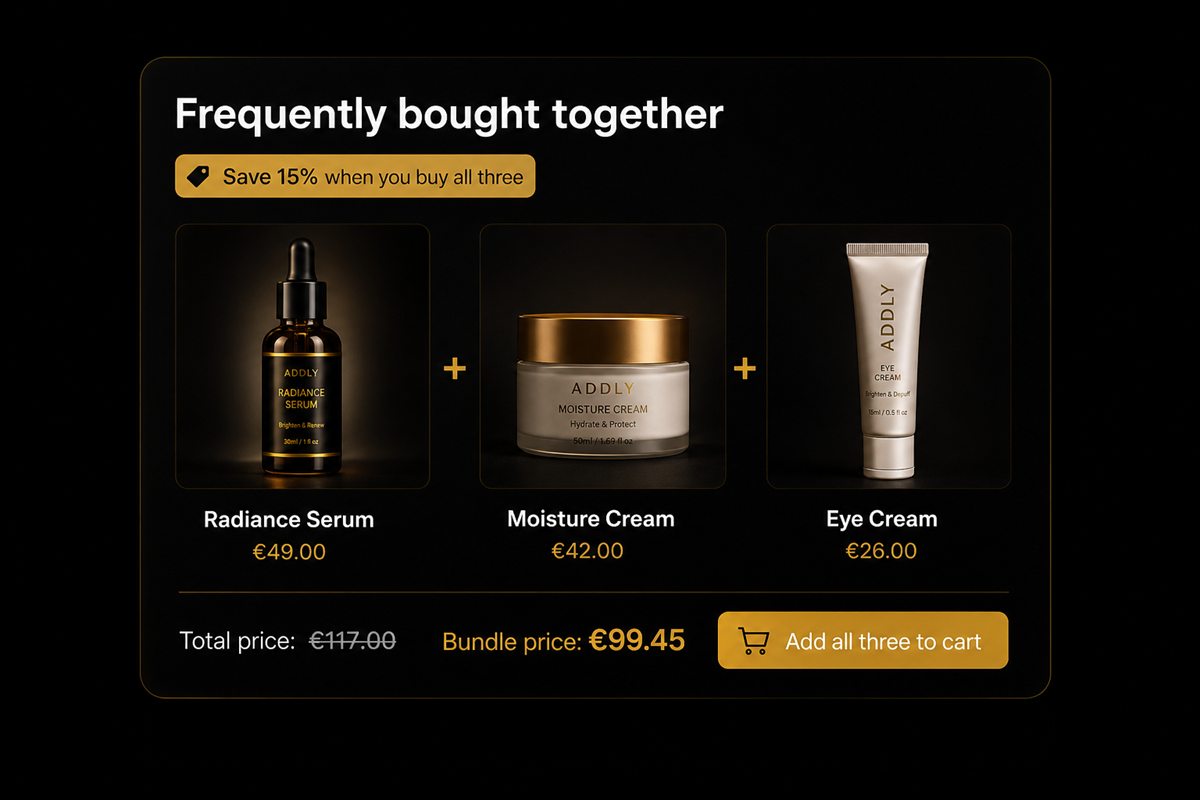
Key takeaways
- Category-based recommendations produce the classic failure of suggesting a substitute instead of a complement. Only order history reliably distinguishes the two.
- Lift, not raw co-occurrence, is the metric that finds real pairs. Your bestseller co-occurs with everything and is almost never the right suggestion.
- Keep the suggested item between fifteen and forty percent of the anchor price. Above that it becomes a second purchase decision.
- Two or three suggestions maximum. Every extra option reduces the take rate of the ones already there.
The frequently-bought-together widget is one of the oldest patterns in ecommerce and one of the most reliably profitable, which is exactly why it is worth doing properly rather than switching on with default settings.
Almost all of the performance difference between two stores running the identical widget comes from one decision: which products get suggested. Layout, badge colour and button copy are rounding errors next to it.
Complements, not substitutes
The single most common failure is suggesting an alternative rather than an addition.
A shopper looking at a pair of running shoes does not want a second pair of running shoes. They want socks, insoles, a gel pack, a reflective band. The shoes are a substitute for each other; the accessories are complements.
This distinction is obvious when stated and constantly violated in practice, because the default logic in most systems is "other products in the same collection" — which is a substitute generator by definition.
| Anchor product | Substitute (wrong) | Complement (right) |
|---|---|---|
| Espresso machine | Another espresso machine | Descaler, tamper, milk jug |
| Running shoes | Another running shoe | Socks, insoles, laces |
| Serum | Another serum | Cleanser, SPF, applicator |
| Desk lamp | Another desk lamp | Bulbs, dimmer, cable clip |
Substitutes have a place — on collection pages, in search results, in out-of-stock states. They do not belong next to a buy button, where their effect is to reopen a decision the shopper had already made.
Deriving pairs from your own data
The reliable method takes an afternoon and beats every heuristic.
Step 1: Export order line items
Last 90 days minimum, longer if your order volume is modest or your category is seasonal.
Step 2: Count co-occurrence
For each product A, count how many orders containing A also contain product B, for every B.
Step 3: Convert to lift
This is the step most people skip, and it is what separates a useful pairing list from a list of your bestsellers.
Lift = P(B in order | A in order) ÷ P(B in order)
In words: how much more likely is B to appear when A is present, compared to how often B appears generally?
Raw co-occurrence will always rank your bestseller first, because your bestseller appears in a large share of all orders. Lift corrects for that. A lift of 1.0 means no relationship at all. A lift of 3.0 means B is three times more likely to appear when A does — that is a real pattern.
Step 4: Filter
- Drop anything with a lift below roughly 1.5. That is noise.
- Drop anything in the same substitutable category as the anchor.
- Drop anything out of stock or on the way out of the catalogue.
- Drop anything priced above 50% of the anchor.
Step 5: Rank by price fit
Of what survives, prefer the item closest to 25% of the anchor price.
When to override the data
Data-derived pairs are the right default, not the right answer in every case. Override when:
- The product is new. No history exists. Use the closest analogue product's pairs, or your own product knowledge.
- The pairing is an artefact. Two products bought together during one promotion where they were both discounted are not a real pattern.
- Margin says otherwise. A pair with strong lift but terrible margin on the suggested item may not be worth the slot. The best-converting suggestion is not always the most profitable one.
- Inventory says otherwise. Never promote your way into a stockout on a component you need for other bundles.
How many to show
Two or three. Not eight.
Every additional option reduces the take rate of the ones already present. This is well documented in choice research and matches what happens in practice: a widget with three suggestions produces a higher attach rate than one with eight, and a much higher one than a scrolling carousel where most items are never seen.
If you genuinely have five good complements, that is a signal to rotate them or to segment by customer, not to show all five.
Presentation that helps
- Show the anchor product in the set. "This item + socks + insoles" makes the addition concrete. A bare list of two other products loses the connection to what the shopper is looking at.
- Let each item be deselected. Forcing all-or-nothing lowers the take rate. Most shoppers who decline the full set will still take one item.
- Show the total for the selected combination, updating live. Making the shopper do the arithmetic loses them.
- One-click add, no navigation. If accepting the suggestion navigates away from the product page, you have introduced the exact friction the widget exists to remove.
- Place it below the buy button. Above it competes with the primary action; at the bottom of a long description it is never seen on mobile.
Rules vs learned recommendations
Once you have enough volume, a system that recalculates pairings continuously will outperform a static list — not because the algorithm is smarter on any given day, but because your catalogue and your seasons move and a hand-built list does not.
The honest threshold: below a few hundred orders per product, a well-chosen manual pairing usually wins. Personalisation is a scale advantage, and pretending otherwise leads to widgets that recommend confidently from six data points.
A reasonable progression:
- Start manual. Pick complements using product knowledge. Two per anchor.
- Move to data-derived static pairs once you have 90 days of meaningful volume. Refresh quarterly.
- Move to continuously learned recommendations when refreshing quarterly starts to feel like it is always out of date — which is the signal that your catalogue is moving faster than your process.
Measuring it
- Attach rate — orders containing a suggested item ÷ orders where the widget was shown. The primary metric.
- Incremental attach — attach rate minus your pre-widget baseline co-occurrence. This is the honest version, and it is always lower than the headline.
- Revenue per product page view. Catches the case where the widget lifts attach rate but suppresses the main add-to-cart.
- Add-to-cart rate on the anchor product. The guardrail. If it drops, the widget is competing with the buy button rather than supporting it.
The incremental number is the one to defend in a meeting. A widget showing a 30% attach rate on a pair that already co-occurred in 24% of orders has added six points, not thirty.
Frequently asked questions
How does frequently bought together work on Shopify?
The widget shows products that commonly appear in the same order as the product being viewed, usually with a small discount for taking the set. The quality depends entirely on how the pairs are selected. Order-history-derived pairs consistently outperform pairs chosen by category or by manual guesswork.
How many orders do I need before recommendations are reliable?
A few hundred orders on a given product is usually enough to see a real signal for its top pairing. Below that, a manually chosen complement based on product knowledge will beat anything derived from data, because the sample is too small to distinguish a pattern from noise.
Should I discount the frequently bought together bundle?
A small discount helps because it gives the shopper a reason to decide now rather than later. Ten to fifteen percent on the added item is usually plenty. Deeper discounts start to cannibalise customers who would have bought both anyway.
Where should the widget go on the product page?
Below the add-to-cart button and above the long-form description. Placing it above the buy button competes with the primary action, and placing it at the very bottom means most mobile visitors never see it.
What is the difference between frequently bought together and related products?
Related products are usually substitutes - other items in the same category that the shopper might prefer. Frequently bought together are complements - items that go with the one being viewed. Substitutes belong on collection pages and in empty-state recommendations. Complements belong next to the buy button.