Addy
Addy  Addly
Addly  Goalify
  Monet
Monet  Reviso
Key takeaways
- A progress bar only works when the first goal sits just above a typical order. Too low and nobody adds. Too high and they ignore it.
- Ecommerce starting points: free shipping at 1.2× AOV, a free gift at 1.5×, 10% off at 2×. Then check postage so you do not give away the order.
- Find AOV in Shopify Analytics: sales divided by orders for a normal window, not a holiday spike.
- The calculator sets the dollars. A cart app paints the bar. The dummy product should sit just under the first goal so the remaining amount is a real add-on.
- One extra item that still leaves contribution after postage is a good first goal. Copying a competitor’s $75 bar copies their offer, not your shipping cost.
Merchants search for a free shipping bar, then type a round number that feels close to their average order value (AOV — sales divided by orders). That is how a $50 store ends up with a $150 threshold nobody reaches, or a $48 store that already clears $45 and gives away postage on half the carts.
A Shopify progress bar calculator turns AOV into three goals you can paste into a cart app: free shipping at 1.2× AOV, a free gift at 1.5×, and 10% off at 2×. Those multiples are the usual ecommerce starting points. The first goal is close enough to hit with one extra item. The later goals sit further up the same bar.
The calculator does not install anything. It does not quote carrier rates. It sets the reward the shopper sees. You still need your real postage cost before you waive shipping at that total.
Why the first goal has to sit just above a typical order
A cart progress bar is a remaining-amount message. It is not a conversion feature by itself.
If most carts already clear the line, nobody adds a second item. You subsidised behaviour you already had. If the remaining amount looks like a second full order, people ignore the bar and you trained them to ignore the next one too.
The working first goal is one extra item they already sell, with contribution (the money left after product cost) still larger than the postage you will pay. The dummy product in a good preview sits around 0.85× AOV so a typical order is close to free shipping, not over it.
Example (labelled as an example): AOV is $80. Free shipping at 1.2× is $96. A $68 tote leaves $28 to go. A $28 pouch is a real add. A $90 second tote is not.
Get AOV from a normal window
In Shopify: Analytics → Reports, or the overview card that shows total sales and orders. Divide sales by orders for the period you sell in now.
Skip a holiday spike unless you are setting a holiday bar. Include discounts the way Shopify reports sales, so you do not set a goal on a number shoppers never paid.
Write the currency you charge in. A bar in the wrong currency is not a goal.
Run the three multiples, then check postage
Type AOV into the progress bar calculator. You should see three dollars.
| Reward | Multiple | What it is for |
|---|---|---|
| Free shipping | 1.2× AOV | First add-on. Most of the work. |
| Free gift | 1.5× AOV | Second rung if the gift is cheap to you. |
| 10% off | 2× AOV | Stretch. Easy to give away margin if you are not careful. |
Then do the only maths that matters on the first line: gross profit on the extra item must beat average shipping cost on the orders you move. If it does not, raise the dollar goal in the app, pick a cheaper gift, or do not promise free shipping.
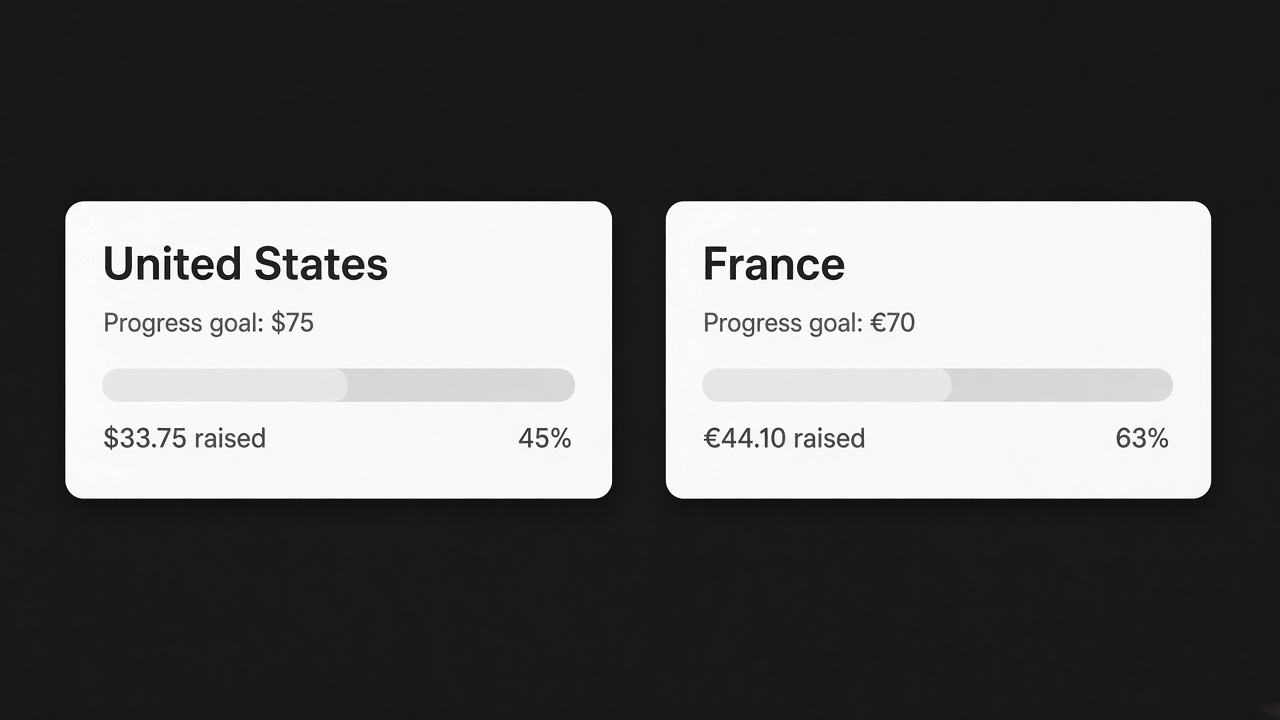
Per-country thresholds exist because both sides of that equation change at the border. One global $75 bar is wrong for most shops that sell in more than one market. Set the number per country when you can.
Preview both layouts
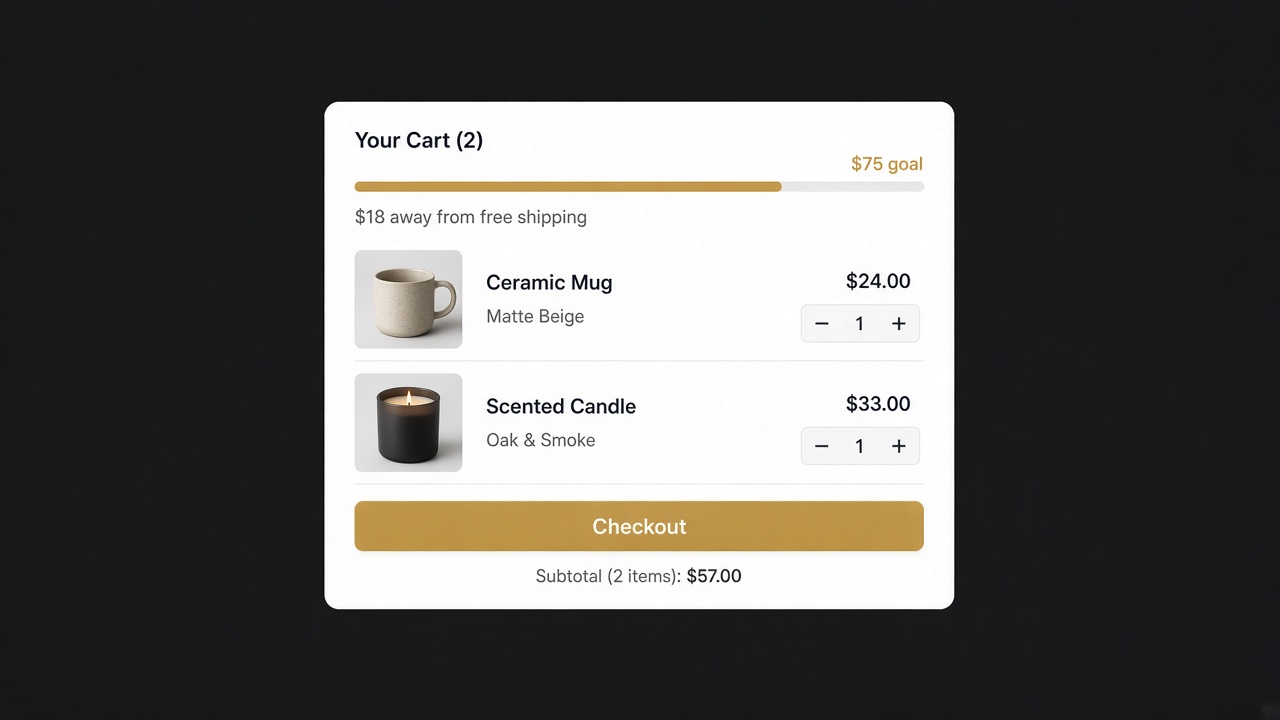
The calculator’s dummy page is there so you can see the two layouts cart apps usually ship.
Stacked sentences. Each reward and its remaining amount, on the product page or in the drawer. Clear when the gifts are different.
One track with milestones. Shipping, gift and discount on a single bar. Quieter. Fits a slim drawer.
Upsells in the preview should be priced to finish the first or second goal — not random bestsellers. If the suggested add-on does not close the gap, it is decoration.
Copy the dollars into the app you already use. Goalify paints a stacked or milestone free shipping bar and can hold a different number per country on paid plans. Addy can put that bar in the cart drawer with the add-ons that close the first two goals. The app detector shows which cart and bar apps a competitor already loads, if you want a second reference.
Put the bar where the basket is evaluated
The cart drawer is the highest-value place. That is where they see the running total and can add one more thing without leaving. The cart page is second. The product page can help when people add one item and checkout — but a bar at 0% before anything is in the cart is discouraging.
Copy should be the remaining amount, second person, in their currency: “You are $28 away from free shipping.” A rule (“Free shipping over $96”) makes them do arithmetic. When they cross, celebrate it, then show the next goal if you run a ladder.
We already wrote the longer copy and placement guide for the free shipping progress bar, and the percentile method if 1.2× AOV is the wrong first cut. This page is the calculator and the three locked multiples.
A worked pass (example)
AOV from the last 60 days is $80. Postage you absorb is about $7. The calculator prints $96, $120 and $160.
You sell a $28 pouch with about $18 contribution. One pouch at $96 still leaves you money after $7 postage. You set free shipping at $96. The gift at $120 is a $4 sample you already pack. You skip 10% off at $160 until you see whether anyone climbs that far.
You type $96 / $120 / $160 into Goalify, enable the bar at the top of the Addy drawer, and leave the homepage alone. After two weeks you look at attach rate on the pouch, not at AOV in isolation.
Mistakes
Copying a competitor’s $75 bar. That is their postage and their AOV, not yours. Export their prices if you want, but do not import their threshold.
Setting the bar at AOV. Half of orders already clear it.
Promising free shipping you cannot pay for. Raise the number or charge shipping under the line.
Three rewards on day one. Get the first goal honest. Add the gift when the first one is hit often enough to believe.
When 1.2× is the wrong first cut
The multiples are a start, not a law.
Heavy or low-margin goods. Postage is a large share of the order. 1.2× can still lose money. Raise the dollar goal or use a gift instead of free shipping.
Almost every cart already sits above 1.2×. The bar is not doing work. Try 1.3–1.4×, or add the gift as the first visible goal.
AOV is pulled up by a few huge orders. Use a typical order (the median — the middle cart — if you can get it) instead of the average. Averages lie when one wholesale invoice sits in the same report.
You sell in three countries. Run the calculator once per market’s AOV and postage. Do not convert $96 and hope.
If you want the percentile method (60th–75th of the order list) instead of a multiple, use that and still paste the resulting dollars into the same bar.
Copy you can paste
Use the remaining amount. Keep it short.
- “You are $28 away from free shipping.”
- “Add $28 to unlock free shipping.”
- After the cross: “Free shipping unlocked.” Then the next line if you have a gift.
Avoid “almost there” with no number. Avoid stating only the threshold. Avoid a second language that still shows the first currency.
Put the same number in the shipping policy so the bar and checkout do not disagree. A bar that completes at $96 while checkout still charges $9 at $94 is how you teach people not to trust the next goal.
This afternoon
- Write AOV from a normal window, and your average postage.
- Open the progress bar calculator and type AOV.
- Check the $28-style add-on still leaves contribution after postage.
- Paste the first goal into your bar. Put it in the drawer.
- Recrawl the product URL with the CRO Audit for Shopify stores if the bar fights add-to-cart.
You now have dollars you can defend. The bar is just how the shopper sees them.
If you change AOV after a catalogue price update, run the calculator again. A bar set last spring on $64 AOV is the wrong bar on $80 AOV. The multiples stay. The dollars do not.
A weekly glance is enough: AOV up, leave the bar or nudge it. AOV down after a sale, do not drop the goal just to keep the bar “winning.” A cheap bar that already qualifies every cart is decoration. Decoration trains people to ignore the next message you put in the drawer.
Frequently asked questions
How do I calculate a Shopify free shipping threshold?
Take average order value and multiply by a number a little above 1. A common start is 1.2× so a typical cart is close, but not already there. Raise the dollar goal if free shipping would wipe your contribution.
What is a good free shipping goal for a Shopify store?
One a shopper can hit with one extra item you already sell, that still leaves money after you pay postage. Use your AOV and your delivered cost.
What is a Shopify progress bar?
A message in the cart — usually the drawer — that shows how close the order is to a reward: free shipping, a gift or a discount. It updates as they add items.
Should I use a stacked cart bar or a milestone bar?
Stacked goals spell out each reward. A milestone track is quieter and fits a slim drawer. Pick the layout your theme can actually show.
Where do I find average order value in Shopify?
Analytics → Reports, or the overview that shows total sales and orders. AOV is sales divided by orders. Use a recent window that matches how you sell now.
Will a free shipping bar raise AOV?
Only if people can reach it and the extra item still leaves you money. A bar that is already cleared, or that needs another $80, usually does neither.
Are the progress bar numbers saved?
On the calculator this guide uses, no. It runs in the browser. Nothing is sent away.