Addy
Addy  Addly
Addly  Goalify
  Monet
Monet  Reviso
Key takeaways
- Order Editing & Upsell lets customers change an order and see an offer after checkout.
- Reviso keeps edits open until fulfilment and can answer a cancellation with a discount or a gift.
- The edit screen can suggest products and show what they recently viewed. The app is free.
Order Editing & Upsell covers the two jobs that appear the hour after checkout: fix the order, and sell one more thing while the customer is still paying attention. Reviso is built for those jobs, with a clear stop when the order ships, and a specific answer when the customer hits cancel.
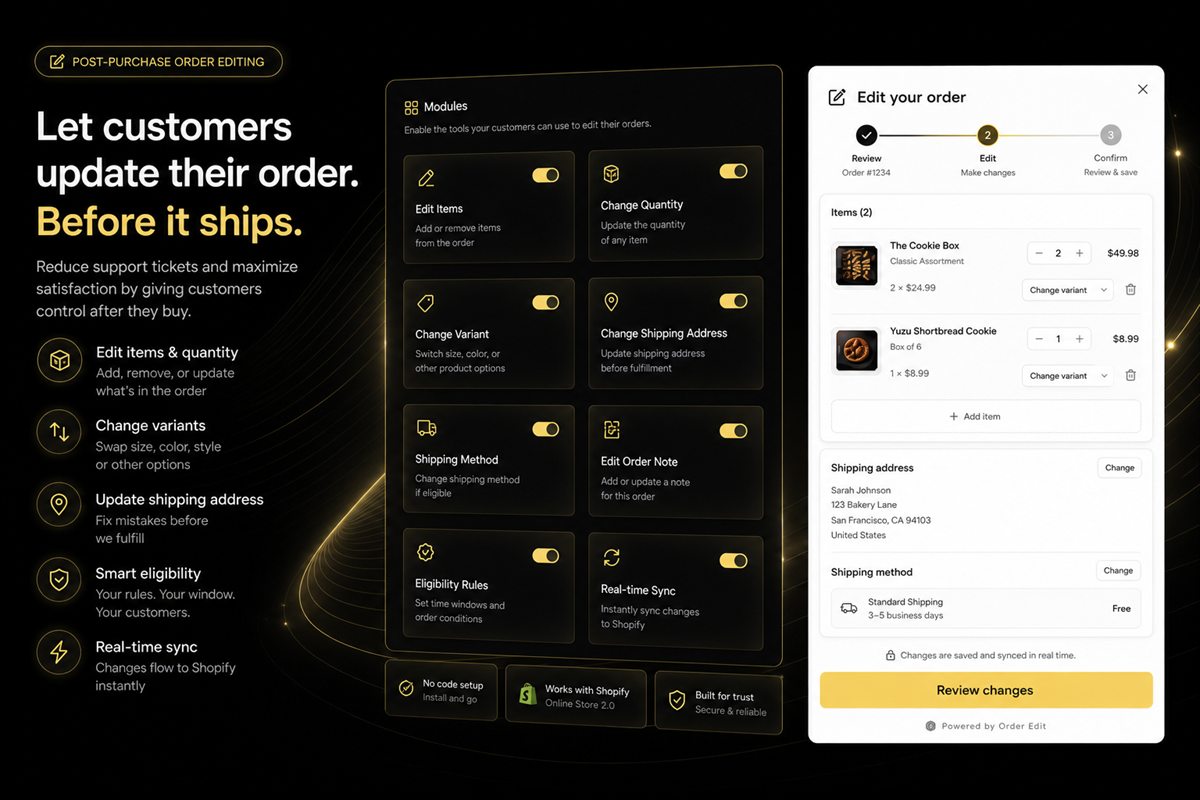
Edits after fulfilment are how support tickets and warehouse mistakes get invented. Reviso closes the edit window when the order is fulfilled. The customer can fix what is still cheap to fix. The warehouse is not asked to rewrite a label that has already been printed.
Fix it, or save it
The thank-you page and the customer account are a second storefront. The buyer can correct a mistake. The merchant can show another product. Both are cheaper than an inbox. The cancel button is the third job, and it usually waits until the refunds report.
A customer who meant "I picked the wrong size" should not walk the same path as a customer who meant "I changed my mind." Reviso can meet a cancellation with a discount or a gift. Some people take it. The order stays. The people who still cancel were not going to be saved by a slower form.
On the edit screen itself, Reviso can show suggestions and products the customer recently viewed. Recently viewed is the honest recommendation. They already looked at those products in this shop. A suggestion can sit beside that. The edit remains the task. A customer fixing an apartment number should still be able to find the address field first.
Who is allowed to touch the order
Rules can use country, customer tag and the order itself. A wholesale tag, a preorder, or a shipment you do not want rewritten can stay with your team. Everyone else gets a screen that looks like Shopify, including inside customer accounts, so it does not feel like a third-party form asking for the order number twice.
After delivery, returns, exchanges and store credit stay in the same app. The relationship does not jump to a different brand of tool the day the parcel moves. Reviso is free to install.
Reviso and Order Editing & Upsell
| Feature | Reviso | Order Editing & Upsell |
|---|---|---|
| What they can change | Address, items, quantities, variants and shipping method | Address or quantities, from a thank-you block |
| Variants | Swap size or colour before it ships | Not included |
| Shipping method | Yes | Not included |
| If they try to cancel | A discount or a free gift | Not included |
| Another product | AI suggestions and recently viewed | Not included |
| Who can edit | Country, customer tag and order rules | Not included |
| After delivery | Returns, exchanges and store credit | Not included |
| Price | Free, and edits close at fulfilment | The thank-you page block |
Write down what may change
Use Reviso when editing and the post-purchase offer are both in scope, and cancellations should be a conversation. The policy side is in the Shopify order editing guide and self-serve edits vs tickets. Open the fields your warehouse will still honour. Leave payment captures with your team.
Frequently asked questions
Can customers edit a Shopify order with Reviso?
Yes. They can change the address, line items, quantities, variants and shipping method until the order is fulfilled.
What happens if they try to cancel?
Reviso can offer a discount or a free gift before the order is lost.
Does Reviso have a monthly fee?
Reviso is free to install.