Addy
Addy  Addly
Addly  Goalify
  Monet
Monet  Reviso
  Rankly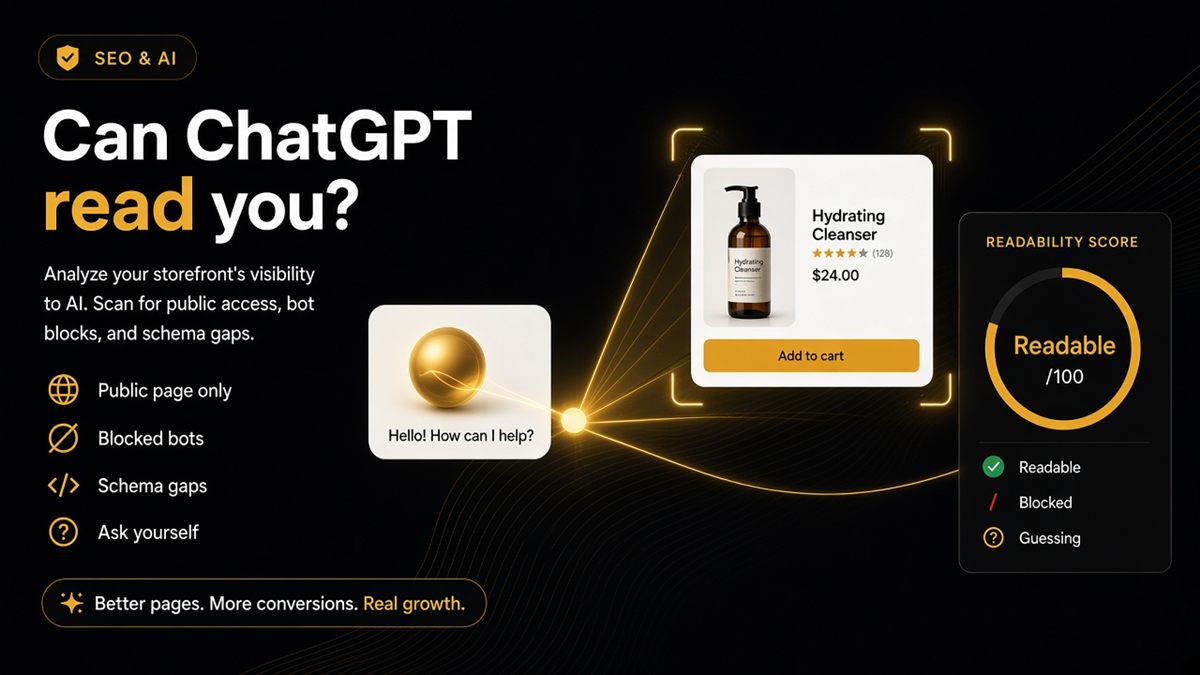
Key takeaways
- “Can ChatGPT read my store?” really means: is the public page fetchable, and are the facts on it structured?
- Blocked GPTBot, noindex, thin Product schema and missing images are the usual merchant blockers.
- A readability check does not prove ChatGPT will recommend you — only that the page can be read accurately.
- After the punch list, open ChatGPT with the URL in the prompt and compare its answer to your real catalogue.
- Re-check after every theme update, SEO app install or robots.txt edit.
ChatGPT can read your Shopify store if three things are true: the page is public and not marked noindex, robots.txt does not disallow OpenAI's crawlers, and the facts on the page — name, price, availability, shop identity — are exposed in structured data rather than buried in theme HTML. You can check all three in minutes by pasting a public URL into the free SEO & AI Audit, then asking ChatGPT about the same URL and comparing the answer to reality.
What does "readable by ChatGPT" actually mean?
For a merchant, readability has two layers. The first is fetchability: can a crawler or a user-triggered fetch load the page at all? Password protection, a noindex tag or a robots.txt Disallow all say no. The second is legibility: once the HTML is loaded, can a model find the product name, price, currency, stock status and the shop's identity without guessing from a soup of divs and app scripts?
Structured data — Product, Offer, Organization and WebSite JSON-LD — is how a page answers the second question. A visible price in a theme block is not the same as a price in an Offer that a model can parse with confidence.
Why does it matter for a Shopify store?
Shoppers increasingly ask assistants "which brand ships to Ireland" or "is this candle vegan" before they ever open your site. If the assistant cannot fetch the page, you are absent. If it can fetch but cannot parse, it may quote an old price, the wrong variant or a competitor's terms. Neither outcome shows up in Google Search Console, which is why merchants often discover the problem only when a customer says "ChatGPT told me it was cheaper".
Three reasons ChatGPT "cannot see" your store
Blocked. robots.txt turns away GPTBot or related OpenAI agents. Many stores inherit this from a copied "security" snippet or an SEO app preset — see GPTBot and robots.txt on Shopify.
Hidden. The page carries a noindex tag, is still behind the storefront password, or is an unlisted product that was never meant to be found.
Ambiguous. The theme shows a price, but there is no Offer in structured data, or two SEO apps emit conflicting Product blocks. The model either invents a value or skips the page as unreliable.
| Symptom you notice | Likely cause | Where to fix it |
|---|---|---|
| ChatGPT says it cannot access the page | robots.txt Disallow or password | robots.txt.liquid; Online Store → Preferences |
| ChatGPT describes the store but no products | Products noindex or no Product schema | SEO app settings; theme JSON-LD |
| ChatGPT quotes a wrong price or currency | Offer markup missing or mismatched | Theme Product schema; duplicate apps |
| ChatGPT uses an old product name | og:title and structured name disagree with H1 | Theme meta tags |
How to check in five minutes
- Open the ChatGPT SEO check for Shopify stores. No login is needed.
- Paste your homepage URL and submit. This checks shop identity, robots.txt and llms.txt.
- Paste your top product URL and submit. This checks offer clarity and product markup.
- Note any row that fails on both runs — that is a theme-level problem, not a one-off.
- Use the "ask ChatGPT" button and compare its answer to your real catalogue: price, stock, shipping countries.
If step 5 returns a confident wrong answer, go back to step 4. Confident wrong answers almost always trace to ambiguous markup, not to the model being contrary.
A worked example
Say you sell a £29 ceramic mug and ChatGPT tells a shopper it costs £24 and ships free worldwide. You run the audit. The product page fails "price missing in markup" and the homepage fails "GPTBot blocked". The £24 was the launch price on a third-party listing that the model could reach; your own page was never fetched, and even if it had been, no Offer told the model the current price.
Fixing both rows — one robots.txt edit and one theme schema fix — gives the model a reason to fetch your page and a price it can trust. That is the whole mechanism.
Common mistakes when checking
- Testing while logged into Shopify admin, which shows you pages a public bot cannot see.
- Checking only the homepage. The homepage almost never carries the price problem.
- Assuming a good Google ranking means AI bots are allowed. Googlebot and GPTBot are separate user agents with separate rules.
- Re-asking ChatGPT immediately after a fix. Give crawlers time to refetch, and confirm the markup change shipped by viewing the page source.
- Treating a green audit as a recommendation guarantee. Readable is the entry ticket, not the prize.
What to tell your developer
Copy this into a ticket: "Make Product and Organization JSON-LD match the on-page name and price. Do not Disallow GPTBot unless we decided to. Add /llms.txt pointing at our best collection and policies." That is enough for a competent theme developer to scope the work, and the audit gives them a before-and-after check.
When a readability check is not the answer
If your store is deliberately private, wholesale-only behind a password, or you have chosen to keep AI crawlers out for legal reasons, a red row is the correct result — document the decision and move on. And if the page is already readable but the product still does not convert, that is a conversion problem, not a discovery problem; the CRO Audit is the tool for that question.
Stop debating prompts. Check whether the store is readable, then ask.
Frequently asked questions
Can ChatGPT read my Shopify store?
Yes, if the page is public, not marked noindex, and robots.txt does not disallow OpenAI's crawlers. Whether it reads the page accurately depends on structured data: a product page with clear name, price and availability markup is far less likely to be misquoted.
I asked ChatGPT and it invented my price. Why?
Usually the live page has no clear Offer markup, or the bot never fetched a fresh copy because it was blocked or the page was cached elsewhere. Fix structured data and crawler access first, then ask again.
Does Shopify block ChatGPT by default?
Do not assume either way. Themes and apps vary, and many stores inherit robots.txt rules from SEO or security apps that disallow GPTBot. Open yourstore.com/robots.txt and read it.
Should I allow every AI bot on my Shopify store?
That is a policy choice. The audit shows which of GPTBot, ClaudeBot, PerplexityBot and Google-Extended are blocked so you can decide deliberately rather than inherit a template's rule.
Is a password-protected Shopify store invisible to ChatGPT?
To the public web, yes. Nothing behind the storefront password can be fetched until you publish the store or share the password for a one-time check.
How do I test whether ChatGPT can read a specific product page?
Paste the product URL into the SEO & AI Audit and fix any failing rows. Then paste the same URL into a ChatGPT prompt, ask for the price, availability and shipping terms, and compare the answer to the page.