Addy
Addy  Addly
Addly  Goalify
  Monet
Monet  Reviso
  Rankly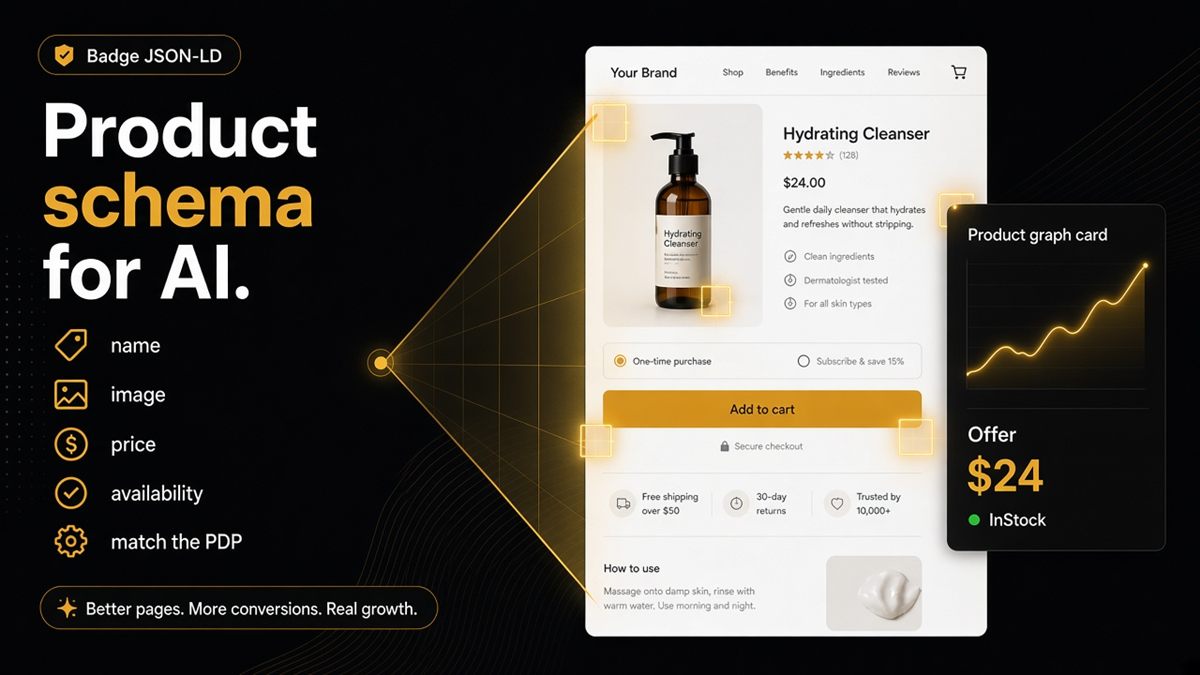
Key takeaways
- AI-readable PDPs need Product structured data that matches what shoppers see.
- Name, image, price and availability are the non-negotiables for most Shopify stores.
- Variants and reviews should appear in markup when they appear on the page.
- The ChatGPT SEO check for Shopify stores scores the product URL you paste — not a guessed bestseller.
- Visible Liquid prices are not enough if Offer markup is missing or disagrees.
Shoppers forgive a messy DOM. Models do not. Product schema — name, image, price, availability — is how a Shopify PDP becomes quotable instead of guessable. Paste the live /products/handle into the ChatGPT SEO check for Shopify stores and fix whatever fails before you rewrite the description.
What is Shopify product schema?
Product schema is structured data (usually JSON-LD) on the product page that labels the item for machines: this is a Product, this is its name, this is its image, this Offer has this price and this availability.
Your theme designer sees a pretty PDP. ChatGPT sees tokens. If price lives only in a JavaScript widget, the model invents or refuses. Schema is the label on the box; the visible price is what the shopper sees. They must match.
Modern themes often emit JSON-LD. Apps and customisations break it. Dawn is not a guarantee after three SEO apps. Always verify a live URL.
Why product schema is a merchant problem
This is not “developer trivia.” When ChatGPT invents a price, shoppers blame the brand. When Google cannot form a product result, ads and organic both suffer. The people who own the catalogue — merchandisers, founders — are the ones who notice first.
Typical causes:
- SEO app plus theme plus reviews app emitting three Product graphs
- Price in Liquid but no Offer in JSON-LD
- Variant picker on the page, one SKU in markup
- Review stars in schema, no reviews visible
The facts that matter on a product URL
Non-negotiables for most stores:
- Consistent product name across H1, og:title and structured
name - Absolute image URLs that load
- An Offer with price and availability that match the shopper view
- Breadcrumbs for category context when you show a trail
- Organization so the seller is not anonymous
SKU is helpful when you have one. The audit prioritises identity, media and offer clarity first.
Deep dive on money fields: price and availability in structured data. For the rest of the page types, use the JSON-LD checklist.
Variants without the drama
If the shopper picks Size / Colour, structured data should represent those options. The audit flags when the theme shows options but markup pretends there is one SKU.
You do not need a novel in the JSON. You need the options that exist on the PDP to exist in the graph, and the Offer to reflect the variant the URL is showing. If each variant has its own URL, audit more than one.
Reviews: markup only if reviews are on the page. Stars in schema with an empty reviews app is a mismatch.
How to verify on a live PDP
- Open
/products/handlein incognito as a customer. Note name, price, sold-out state, options. - Paste that exact URL into the SEO & AI Audit. It scores the URL you paste — not a guessed bestseller.
- If price shows on the page but Offer fails, ticket structured data, not the Liquid price span.
- Fix the theme snippet or the SEO app. Keep one Product graph.
- Re-paste until the rows you care about pass.
- Use the ask-ChatGPT button. Compare name, price and availability to the live offer.
Microdata-only setups are harder to audit and easier to mix with JSON-LD. Prefer JSON-LD as the single format.
Where the markup lives in Shopify
Most Product JSON-LD comes from a theme snippet — often a file with json, schema or product in the name — included from the product template. SEO apps inject a second graph in the head. Reviews apps sometimes inject a third.
Your job as a merchant is not to memorise Liquid. It is to insist on one Product graph that matches the PDP. In Online Store → Themes → Edit code, search the theme for ld+json or "Product". If you find more than one Product block on the live page, disable the extras in app settings rather than stacking patches.
Settings that feed the graph: product title, featured image, price, inventory policy, and variant options. If you change the title in admin, re-check that H1, og:title and JSON-LD name still agree — some apps cache an old SEO title.
Common mistakes and when not to over-mark
- Checking the theme editor instead of the live PDP
- Fixing one product and assuming every template is fixed (bundles, preorders, gift cards often use other templates)
- Faking compare-at discounts in schema
- Adding every optional schema.org property before name/image/offer work
- Marking up a placeholder image when the gallery has loaded a real photo for shoppers
If the product is unlisted or the store is password-gated, schema is for staging. Public assistants will not fetch it until you publish. If the page is noindex, fix that first.
Worked example: the PDP shows £48, In stock, sizes S–XL. JSON-LD has no Offer and a single unnamed Product. ChatGPT answers “around £40” from a blog roundup. You restore Offer (£48, InStock), list sizes, re-audit, and ask again. The description never needed rewriting.
Treat product schema like packaging: if the label is wrong, nobody trusts the box — including models. Match the PDP, then ask ChatGPT the same URL.
Frequently asked questions
Does the Dawn theme include Product schema?
Modern Shopify themes often emit JSON-LD, but apps and customisations break it. Always verify on a live product URL rather than assuming Dawn (or any theme) is still clean after app installs.
Is microdata enough for Shopify product SEO?
JSON-LD is what most merchants and the audit look for. Mixed formats — microdata plus JSON-LD plus an app — confuse everyone. Prefer one Product graph in JSON-LD.
My price shows on the page but the audit fails. Why?
Then Offer markup is missing, incomplete or disagrees with the visible price. Fix the structured data, not only the Liquid price. Models read the Offer; shoppers read the span.
Do I need SKU in Shopify product schema?
Helpful when you have one. The audit prioritises identity, media and offer clarity first: name, image, price, availability. Add SKU when it is stable and visible to operations.
What product schema do I need for ChatGPT to read a Shopify PDP?
A Product with a matching name, a loadable image, and an Offer that states price and availability. Add variants when the shopper picks Size or Colour, and add review markup only if reviews are on the page.
Should review stars go in JSON-LD if reviews are in a popup?
Only mark up reviews that shoppers can see on the page. Hidden or app-only reviews in schema without on-page reviews is a mismatch. Put the reviews on the PDP or leave them out of markup.
How do I verify Shopify product schema without a developer?
Paste the /products/handle URL into the ChatGPT SEO check for Shopify stores, fix fails, and re-paste. Then use the ask-ChatGPT button and see whether the answer matches your real offer.