 Addy
 Addly
 Goalify
 Monet
 Reviso
 Rankly
Key takeaways
- Gift cards are available on every Shopify plan, so you can add one today under Products → Gift cards → Add a gift card product.
- Online shoppers can only pick preset denominations (maximum $10,000 each), so choose three or four amounts near your average order value before December 18.
- Gift cards in medium or high risk orders are not fulfilled automatically, so someone has to check the order list on December 23 and 24 or those buyers wait.
- Shopify lets you set the expiry under Settings → Payments → Payment configuration, and an expiry you enable but never edit defaults to five years.
- Recipient fields only appear if your theme supports them, so place a test order with a different recipient email before you promise "send it to them directly".
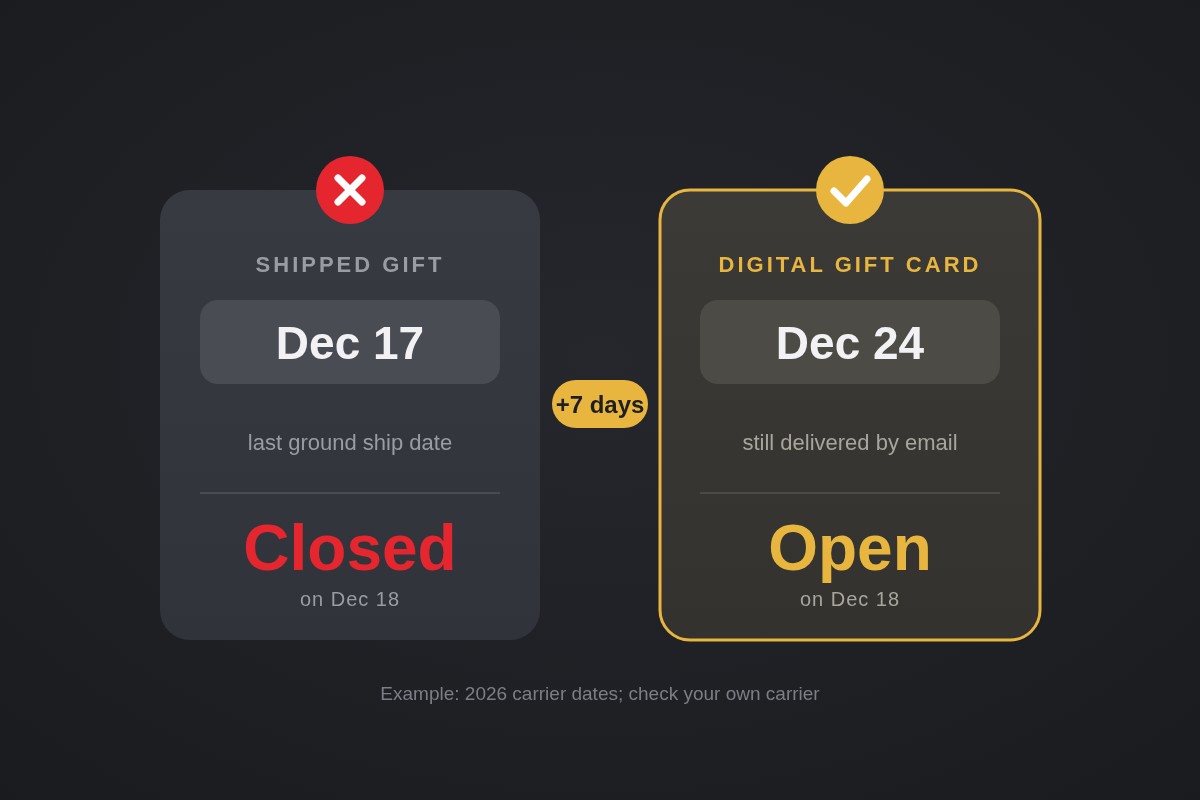
Add a gift card product under Products → Gift cards → Add a gift card product, set three or four denominations, and test the email flow before December 18. That is the day many US ground shipments stop making Christmas, and a digital gift card is the one product that still arrives on time.
Carrier dates for 2026 put the last ground drops around December 15 to 17, with expedited services running to December 23. Shoppers who arrive after that still need a gift. This guide covers the exact setup, the checks most guides skip, and a plan for the final week.
Why the last week is a gift card week
After your last ship date, every physical product page tells the shopper "won't arrive in time." That is a lost sale. A gift card has no delivery deadline, so you turn a closed door into an open one.
Work out your own dates first. Take the carrier's last date, subtract your handling days, then subtract a buffer day. If your cutoff is Monday, December 14, you could sell physical gifts until then and make gift cards the main offer from December 18 to 24, with a short expedited window in between if your margin allows it.
Set up the gift card product
Gift cards work on all Shopify plans. To create one:
- Go to Products → Gift cards.
- Click Add a gift card product.
- Add a title, description, media and currency. The cross-currency redemption setting cannot be changed after you create the product, so decide before saving.
- Set the sales channels and the search engine preview.
- Adjust the denominations, then click Save gift card product.
If you sell in a local currency, the gift card is not published to catalogs by default. Publish it to the right catalog or shoppers in that market will not see it.
Pick amounts around your average order value. If your AOV is about $60, $25, $50, $75 and $100 covers the gift-giver who wants to spend a little and the one who wants to impress. Each amount must be above zero and no more than $10,000 USD. Shoppers cannot enter a custom amount online. If one asks, you can create a draft order, take payment, then issue a card for that value, as described in Shopify's gift card product guide.
Check the email flow before December 18
The most common complaint in the community is "the code never arrived." One community thread describes a store where the admin showed the email as sent, yet neither the first customer nor the owner's own test purchase received a code. The thread never reached a confirmed cause, which is exactly why you test first.
Run this checklist with a real test order:
- Fulfillment setting. Go to Settings → General → Order processing. By default, gift cards are fulfilled automatically when an order is paid. If Don't fulfill any of the order's line items automatically is selected, nothing is sent until you do it by hand.
- Notification template. Go to Settings → Notifications → Customer notifications, open New gift card under Gift cards, click Edit code, and use Preview. Do the same for Gift card receipt.
- Recipient fields. Buyers can add a recipient on the online store only if your theme supports it. Order once with a different recipient email and confirm that person gets the "New gift card" email and the buyer gets the receipt.
- Spam folder. Send to a Gmail and an Outlook address. If either lands in spam, tell shoppers on the product page to check it.
Keep the gift card image in the email on brand. Upload an image of about 950 × 550 px in Files, then swap the file name in the gift-card/card.jpg line of the template.
Plan for risk holds on December 23 and 24
Here is the trap that nobody mentions. Gift cards in medium or high risk orders are not fulfilled automatically. The code stays unsent until you open the order and fulfill it from the order page.
On a normal day that is a safety net. On December 24, it means a legitimate buyer who ordered at 9 pm waits for a code while you are away from the admin.
Gift cards are treated like currency, and Shopify notes that value caps help reduce fraud risk. Keeping your top denomination modest, say $100 or $150, is a simple guard for a store that has never sold them.
Set expiry, terms and tax on purpose
By default, gift cards do not expire, because it is illegal in some countries for them to expire. If you want an expiry, go to Settings → Payments → Payment configuration → Gift card expiration, choose Gift cards expire, and enter the number of years, months or days. If you enable expiry and never change the value, cards expire after five years.
To change one card, open it in Products → Gift cards, click the pencil icon next to the expiry date, and save.
Two more points that belong on the product page:
- Gift cards can be redeemed only at the store that issued them.
- Shopify does not specify tax treatment for gift cards, and rules vary by region, so ask a local tax expert whether to charge tax. You are the issuer, so licensing and compliance are your responsibility, not Shopify's.
Stores created on or after May 12, 2025 also pay third-party transaction fees on the part of an order paid with a gift card. Factor that in when you look at January margins.
Scheduled delivery: what Shopify does and doesn't give you
Shopify's gift card receipt can show the date a card is scheduled to send, which is what a buyer wants for a gift they buy now and deliver on Christmas morning. Whether shoppers get a date picker on your product page depends on your theme, so treat it as something to verify, not assume.
Do not promise "choose your delivery date" until a test order proves it. If a buyer needs to change a scheduled date later, a community answer says native gift cards do not let you edit it. The workaround is to set the original card's balance to $0, issue a new card with the right date, and send the buyer the new code. Write that into your support macros now.
If you would rather not go through that, make the promise smaller: "Delivered by email within minutes of purchase." That is true by default, and it is exactly what a December 24 shopper wants.
Show it on the store from December 18
Prepare these on December 17 so the switch takes ten minutes, not an afternoon:
- Announcement bar. "Too late to ship? Send a gift card by email, ready in minutes."
- Homepage hero. One image, one button, straight to the gift card product.
- Product page banners. On every sold-out-for-Christmas product, add a line that links to the gift card.
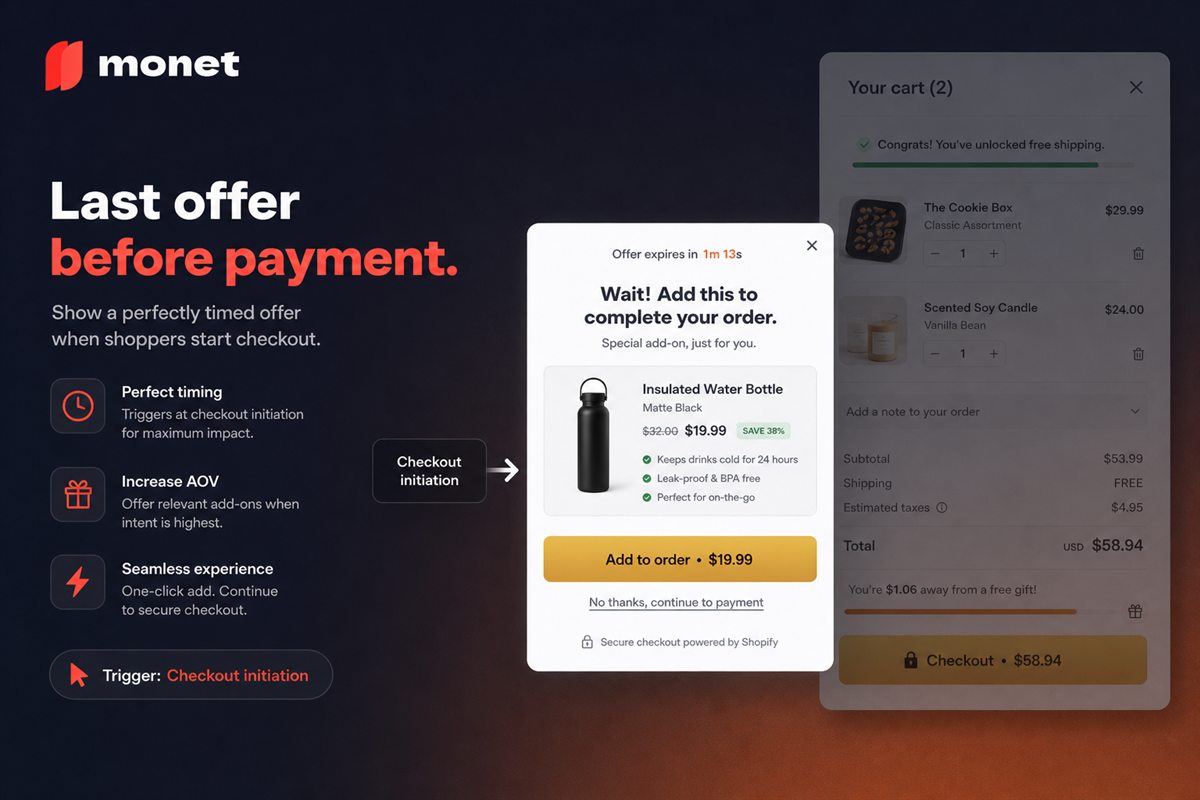
- Cart offer. A shopper who adds a product after your cutoff can still see a gift card add-on. Monet shows a popup on add to cart, or on exit intent, offering a cross-sell or add-on product, and it is free. Use it to put the gift card in front of people who would otherwise leave.
- One email. Draft the "still time" email now and schedule it for the morning of December 22.
Check the product page itself for friction. Our free CRO Audit checks a live product page, which is worth running on the gift card page too.
When the season ends, read our guide to setting a holiday return window so your January policy is ready, and remember that gift card redemptions arrive fast in the first week of January.
Frequently asked questions
Which Shopify plans can sell gift cards?
All of them. Shopify's gift card overview says gift cards are available on every subscription plan, so you do not need to upgrade to sell them.
Can customers type their own gift card amount?
Not online. A gift card product uses preset denominations, and each one can be up to $10,000 USD or the local equivalent. For a custom amount, create a draft order, collect payment, then issue a gift card for that amount.
Can I change the scheduled send date after someone orders?
A Shopify Community answer says native gift cards cannot have the scheduled date edited once it is set. The workaround it gives is to set the original card's balance to $0 in Products → Gift cards, issue a new card with the right date, and send the customer the new code.
What if the buyer says the recipient never got the email?
Check the order's gift card status and the recipient address first, then ask them to check spam. If it still has not arrived, send the code to the buyer or recipient by hand. A test order beforehand catches most email problems before December 24.
Can a gift card be used on any store?
No. Shopify gift cards can only be redeemed at the store that issued them. Say so on the product page so a recipient does not expect to spend it elsewhere.