Addy
Addy  Addly
Addly  Goalify
  Monet
Monet  Reviso
  Rankly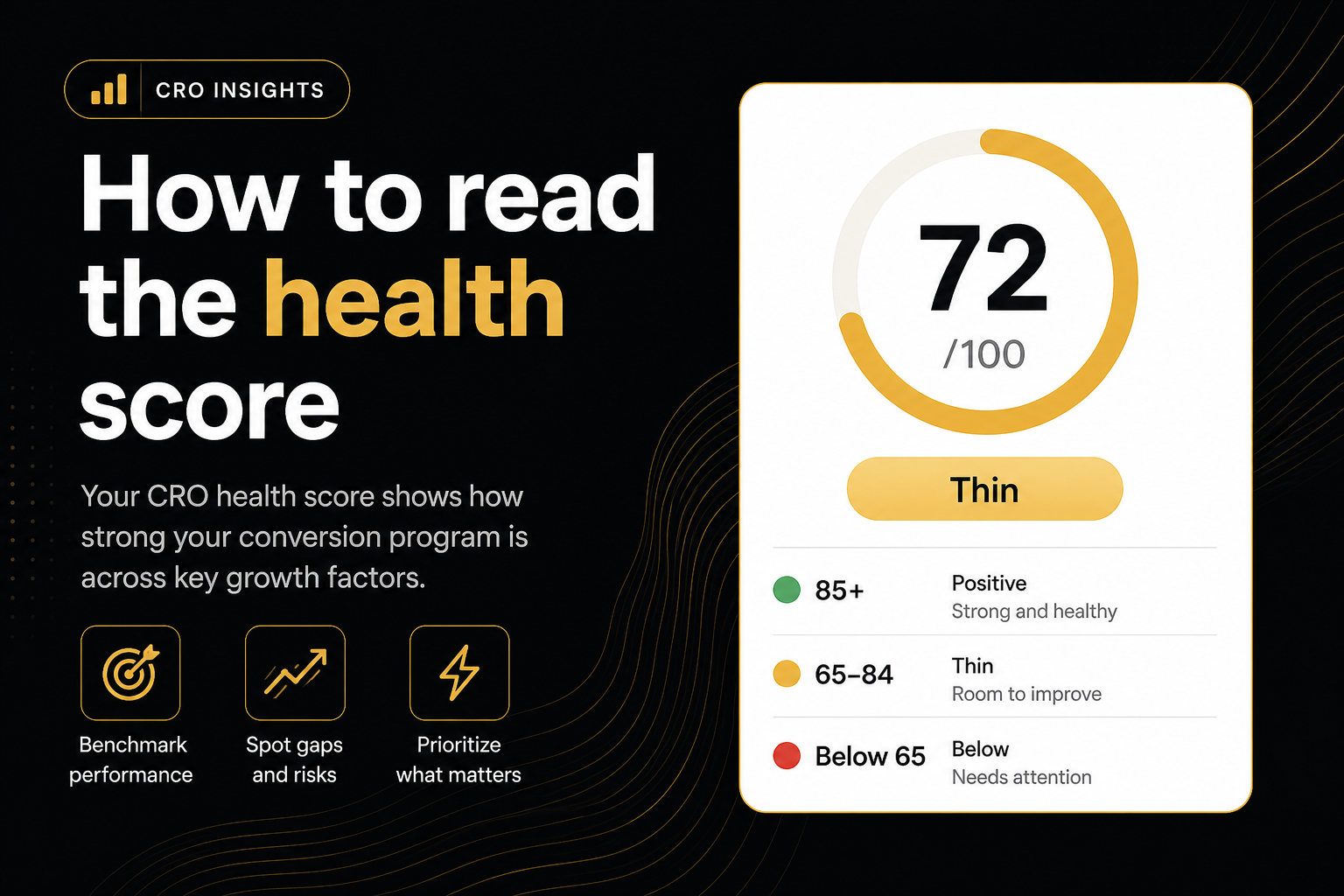
Key takeaways
- A clean scored sheet is 100. Misses lower health, and buy-path misses cost more than AOV or hygiene misses. Skipped and Next rows do not move the number.
- The status word is a score band. Positive titles start at 85. The line beside it names which rubric missed.
- A high score with a Fail in Rubric A is still a buy-path crisis. Read the diagnosis line, not only the number.
- Unread HTML is Partial so missing widgets are not invented as fails.
- Re-audit the same product URL after a fix. Do not compare two SKUs and call it a test.
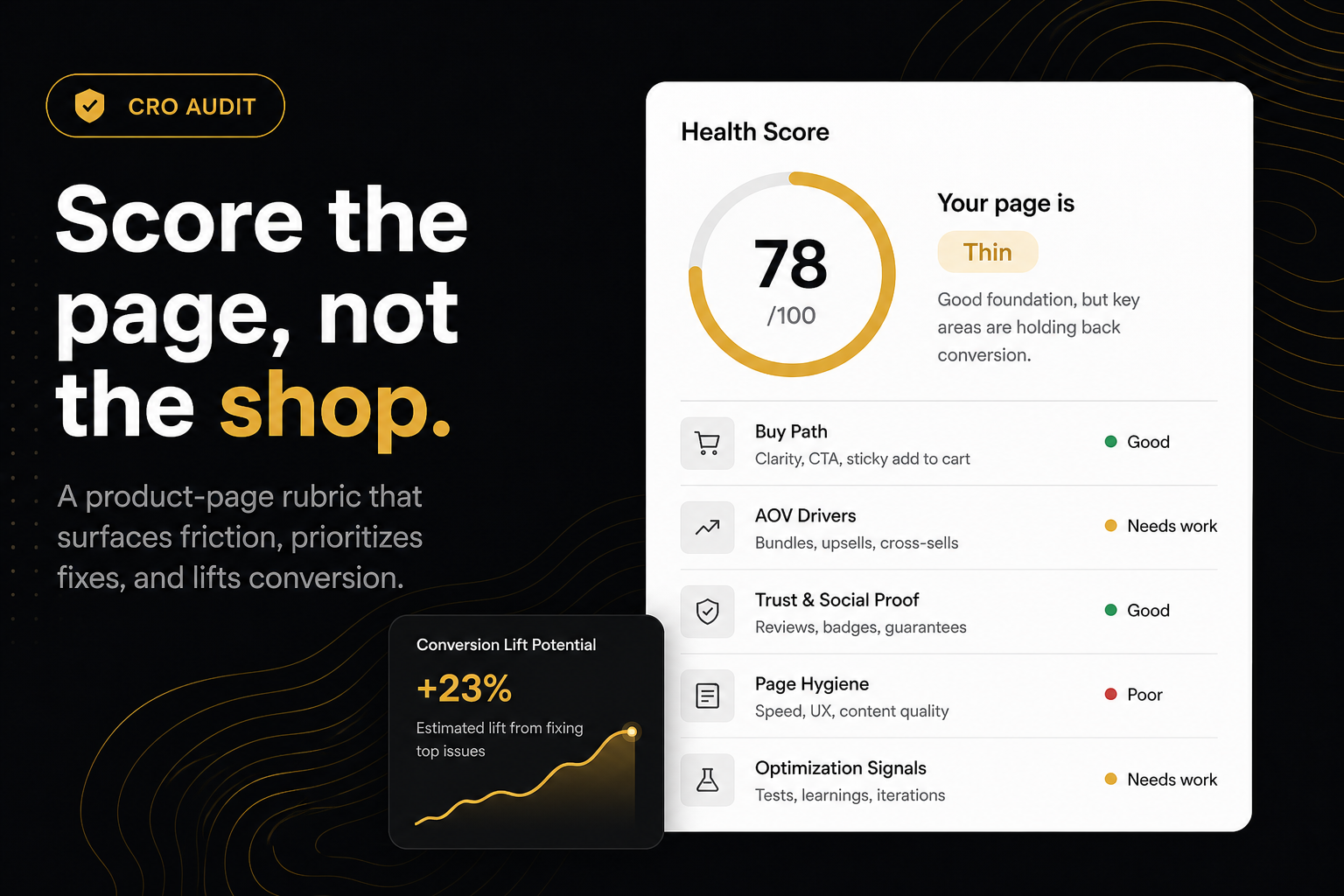
The health score on the CRO Audit for Shopify stores is a 0–100 number for one product page. A fully passing scored sheet is 100; each miss pulls it down, and buy-path misses cost more than AOV or hygiene misses. The status word beside it — Strong, Solid, Uneven, Thin and so on — is the band the score sits in, and positive titles start at 85. Treat it as a before/after on this product URL, not a grade for the brand.
What is the health score?
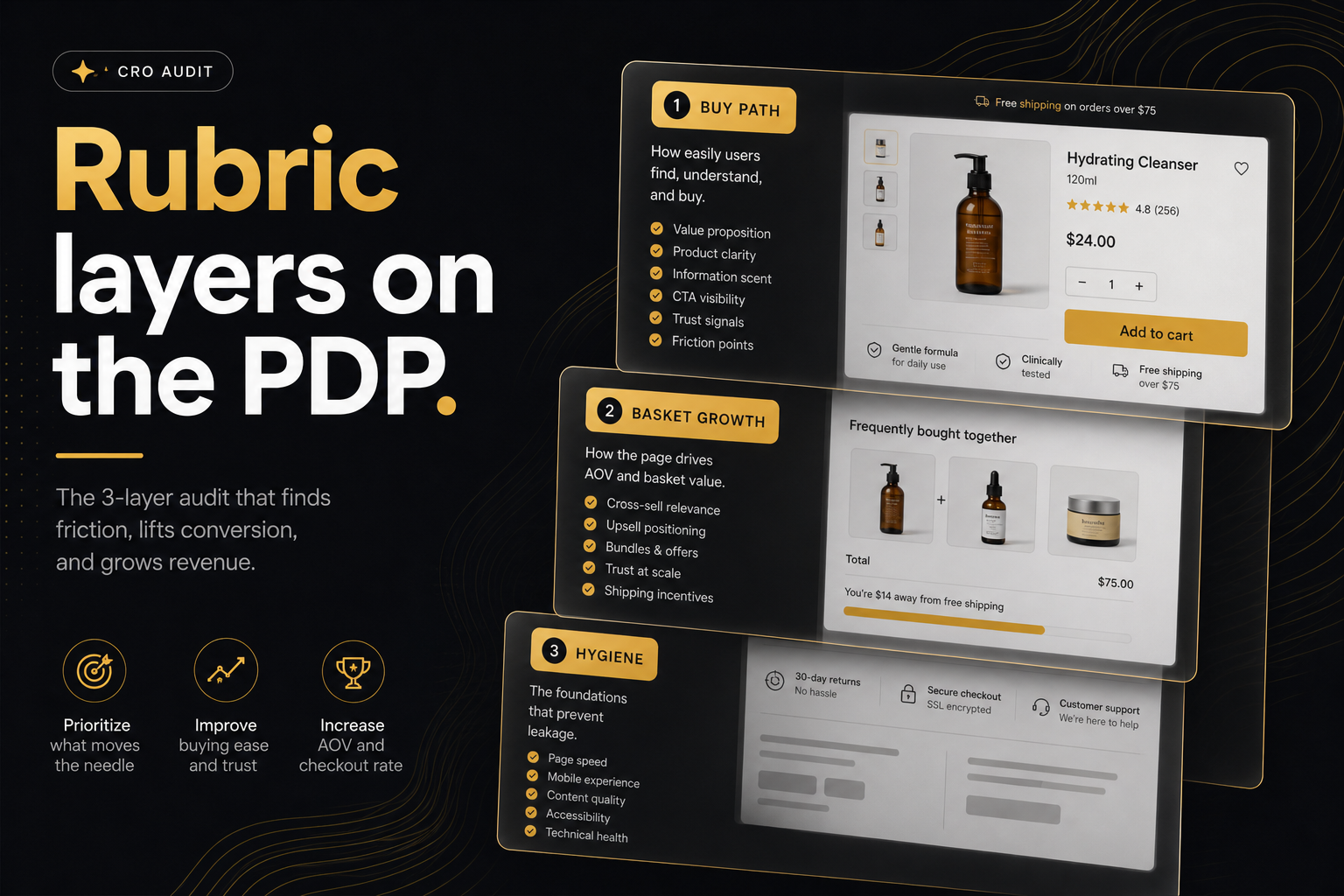
The health score is a summary of how many scored rows on the product-page rubric passed, weighted by how much each row matters to a sale. Rubric A (can they buy?) carries the most weight because a missing add-to-cart makes everything else irrelevant. Rubric B (does the basket grow?) and Rubric C (is the page fighting itself?) follow. Rows the crawl could not read are marked rather than failed, and the post-purchase Next row is informational only.
The number is the screenshot. The line beside it is the diagnosis. You need both.
How is the number calculated?
A fully passing scored sheet is 100. Each miss pulls the number down. Buy-path misses count for more than AOV or hygiene misses. Skipped rows (unread HTML) and Next rows (post-purchase) do not.
If the theme never loaded, the status is Partial. The rubric will not invent a missing offer from an empty body. Price and media can still score from catalogue JSON. Do not read Partial as a trophy 100.
What does the status word mean?
The word next to the number is the score band. It is not a pep talk.
| Score | Status | What it tells you |
|---|---|---|
| 85–100 | Solid, Strong | The range that is actually positive |
| 70–84 | Uneven, Patchy | It sells. It is not a flex |
| 62–69 | Thin | A working page with real gaps |
| Under 62 | Friction, Leaky, Drop-off | Conversion is taking a hit; the punch list says why |
| — | Partial | The theme could not be read |
A 92 is Strong. A 65 is not a good score even though the page works. The bands are set out in How we score.
Which matters more: the score or the rubric line?
The short line beside the status names the rubric that missed — Fail in Rubric A, or Fails when more than one buy-path row missed. Same pattern for B and C. That line is the diagnosis. The big word is the score.
A high score with a failed add-to-cart is still a crisis if Rubric A missed — read the sheet, not only the flex title. A page can score in the seventies on the strength of a full offer stack while the buy button vanishes on mobile scroll. The number will not shout about it. The line will.
How do I act on each band?
- Fail in Rubric A, any score. Stop reading the AOV rows. Fix the buy path in the theme — add-to-cart, variants, stock, price — and re-run the same URL.
- Thin or below, Rubric B misses. The page sells but does not ask for more. Install the owner of the top miss, or build the offer in the theme, then re-run.
- Uneven or Patchy. Usually one or two AOV misses plus a hygiene row. Pick the highest-ranked row, ship it, re-run.
- Solid or Strong. The rubric is satisfied. The remaining work is offer, price, photography and ads — things the audit cannot see.
- Partial. Check the URL resolves to a product a shopper can load, then try again.
What should I not compare?
- Two products. A gift card PDP and a bundle builder will never share a fair score.
- Before Chromium and after. Screenshots and post-add DOM can pass drawer checks that static HTML failed. Same URL, different evidence.
- Cached vs Audit again. Repeating the same product within about ten minutes may return the snapshot. Recrawl when you changed the theme.
Paste the store and you get a bestseller. That is useful for a first look. It is the wrong control if you are iterating on /products/the-launch.
A worked example
Say the launch page scores 74, Uneven, with the line Fail in Rubric B. One miss: no cart goal. You add a free-shipping threshold and a progress line in the cart, wait for the theme to publish, then hit Audit again on the same /products/the-launch URL. The score moves into the eighties and the status changes to Solid. That pair — same URL, same evidence type, one change — is a test. A jump from 74 on the launch page to 88 on a gift card is not.
How do I use the score in a meeting?
Put the number on the slide if you must. Put the status and the top three fails under it. Assign theme vs app. Re-run in a week on the same product URL.
Agencies: the badge QR is the proof the number is a real report, not a typed claim. Teachers: same. Merchants: ignore the badge until the buy-path row is green. How the badge and share link work is covered in the badge and QR guide.
How do I measure improvement over time?
Keep a simple log: date, product URL, score, status, rubric line, and the ?r= snapshot link. Re-run after each change, not on a calendar. Pair the log with your own analytics — the health score tells you the page is able to sell and asks for more; add-to-cart rate and average order value tell you whether shoppers took the invitation. When the score is Strong and the analytics are flat, the problem is the offer, and that is a different conversation from a theme ticket.
The score exists so you have a before/after. It is not a trophy for a page that still cannot add to cart.
Frequently asked questions
What is this score based on?
Ninety9’s product-page rubric — defaults we apply the same way on every public Shopify PDP. It is not a conversion-rate prediction, and it will not fit every store or situation. How we score.
What is a good health score?
On this rubric, positive titles (Strong, Solid) start at 85. A 65 is Thin — a working page, not a good score. Track your own product URL over time. Comparing a $12 impulse SKU to a $400 configurable one is noise.
Why is my score not 100 if add-to-cart works?
Basket tools and page hygiene are scored too. A working buy button with a thin offer stack will not sit at 100. A 100 means every scored row passed, not that CRO is finished.
Does Next count as a fail?
No. Post-purchase is listed so you know the job exists. It does not move health.
Why did the score change when I pasted the homepage instead of a product?
Homepage pastes resolve to a bestseller (or another product). You audited two different pages. Paste the /products/ URL when you want the same SKU twice.
How often should I re-run the CRO audit?
After every theme or app change on that product page, and on the same URL each time. Use Audit again so you skip the roughly ten-minute cache and see the live page.
Can I put the score on LinkedIn?
Yes. Get badge & flex it exports a PNG with the number and a QR to the saved report. The QR opens the snapshot; it does not recrawl.