 Addy
 Addly
 Goalify
 Monet
 Reviso
 Rankly
Key takeaways
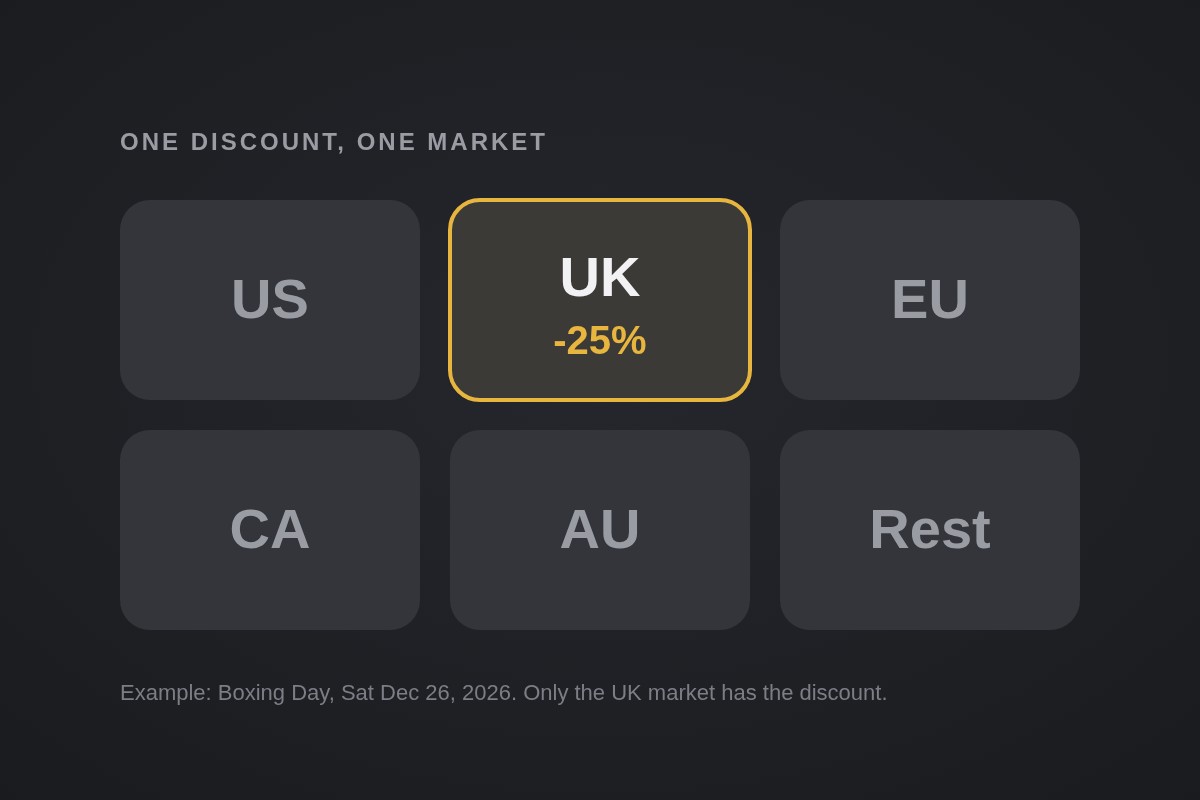
- Since May 2026 you can limit any code or automatic discount to specific markets: Discounts, open the discount, Eligibility, Markets, select, Add.
- Eligibility is one type per discount. A discount limited to the UK market cannot also be limited to a customer segment, so a subscribers-only UK sale needs a different setup.
- Boxing Day is Saturday, December 26, 2026. Schedule the UK discount to start and end at set times instead of switching it on by hand.
- Before launch, open the Discounts list, filter by Market eligibility, and preview with View as so you see what a UK shopper and a US shopper see.
You can run a Boxing Day or January sale in one market only. Create the discount in Discounts, open the Eligibility section, choose Markets, select your UK market and click Add. Everyone shopping from other markets keeps paying full price.
This matters now because Boxing Day falls on Saturday, December 26, 2026, and the sale only works in the UK, Canada, Australia and a few other places. A US shopper who sees a Boxing Day banner and no discount at checkout is a support ticket and a lost sale.
For a long time the answer on forums was "Shopify can't do that, install an app". That answer is out of date. Shopify's changelog dated May 7, 2026 announced that any code-based or automatic discount can be assigned to specific markets, on Basic plans and above, as long as the store uses the new version of Markets.
What you need before you start
Two things have to be true.
- Your store is on the new Markets. Open Markets in the admin. If you see your markets list with a Customize option on each market, you are set. If you still see the older setup, finish the migration first, because the eligibility option comes with the new version.
- You have a market that matches your audience. For a UK sale that is usually a market containing the United Kingdom, with its own currency and catalog.
Shopify's markets help page has two rules worth knowing here. A country can sit in more than one market. And markets built only from countries, or from "all of a condition type", cannot share identical conditions with another active market. If they do, the other market flips to draft when you save. Check your market list for a surprise draft before you blame the discount.
Set up the UK-only discount
Pick the discount type first. The Boxing Day shapes that hold up well are a percentage off a collection, a percentage off the order, or buy X get Y on end-of-season stock.
- Go to Discounts and click Create discount.
- Choose the type: amount off products, amount off order, buy X get Y, or free shipping.
- Choose Discount code or Automatic discount. Automatic is easier for a sitewide sale because nobody has to type anything. Codes are better when you want to put the offer in an email.
- Set the value. Use a percentage unless you have a reason not to, because it reads the same in pounds as in any other currency.
- In Eligibility, choose Markets, select the UK market and click Add.
- Under the active dates, enter the start date and time and set an end date. Do not leave the end blank on a sale that is meant to stop.
- Save.
Shopify's discount management page describes the same option: choose Markets, select them, click Add, to make a discount available to customers in only those markets. It lists three market kinds: B2B company locations, regions, and retail locations. For an online sale you want the region market.
One discount, one eligibility type
Here is the catch that most guides skip. A discount has one eligibility type: all customers, specific customers, customer segments, or markets. Shopify's help page says it plainly: you can't apply any other eligibility filter to the discount list, because a discount can have only one.
That changes how you plan a Boxing Day offer.
- UK-only for everyone: use Markets eligibility. Done.
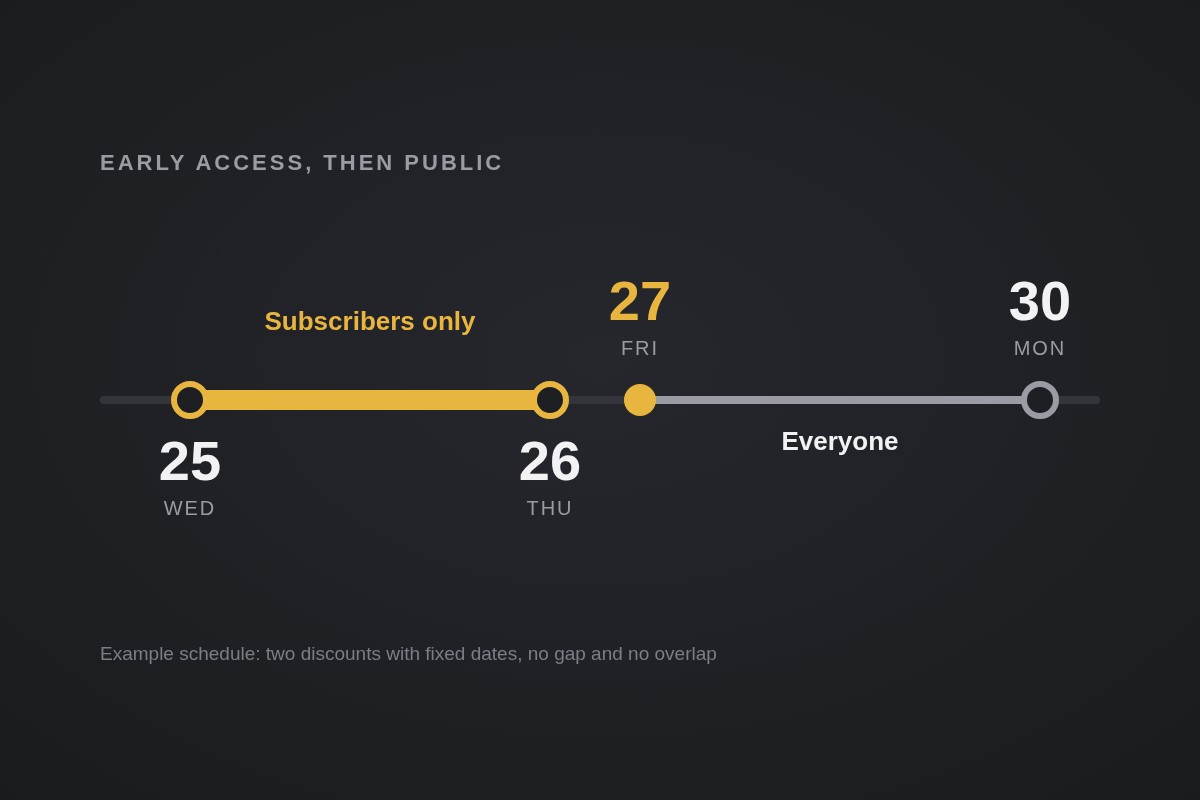
- UK subscribers only: you cannot combine segment plus market in one discount. Use the segment, and keep the link or code in UK-only emails. Our post on an early access sale for subscribers covers the segment side.
- Different values per market: the market selector controls where a discount is available, not its value. A 30% UK sale and a 15% Canada sale are two discounts, each assigned to its own market.
Assigning to a parent region covers the sub-markets under it. A market for "UK and Ireland" with a sub-market for the UK would pass the discount down. If you want the same discount in two unrelated market types, assign it to each.
Check the margin before the discount goes live
A UK sale sells in pounds, with UK shipping, VAT and returns. Run the numbers on the UK price, not the US one. Example: a $50 product that sells for £40 in the UK. A 25% discount takes £10 off, leaving £30. If product cost, shipping and fees come to £22, you keep £8, or about 27% of the sale price, against £18 (45%) at full price. Those figures are an example. Use your own costs.
If the margin looks thin, pick which products to discount rather than the whole catalog. Collections work well here: slow-moving stock, last season's colors, items with a 60-plus days of stock cover. Our guide to discount stacking on Shopify explains what combines at checkout, which matters if a UK free-shipping offer is also live.
Match the shipping offer to the market
A UK discount with a US-sized free shipping threshold will feel wrong at checkout. If you use a free shipping goal, set the UK number separately. If you want the progress bar in the cart to show the right amount per country, Goalify supports country thresholds on its paid plans, and it is free under 10 orders a month before the plans start at $3.99. We went deeper on the setup in different free shipping thresholds per country.
Tell the right shoppers
The discount only applies in the UK market, but a theme banner is visible to everyone unless you restrict it. Write the banner so it can't mislead: "UK Boxing Day sale: 25% off, UK orders" is honest in every market. Put the sale link in UK email sends and UK ad sets only.
Returns are the other thing to publish at the same time. A sale shopper bought on December 26 and will return in January. Set the window to match your offer, as in setting a holiday return window.
Test it as a UK shopper and a US shopper
Do this on Friday, December 25 or earlier, not on the day.
- Open Discounts and use the Market eligibility filter. Confirm that your sale shows up under the UK market and no other.
- Open the UK market's details page. Shopify lists the discounts assigned to that market there.
- Use View as in Markets to preview the UK and US storefronts and see how prices resolve.
- Once the start time has passed, check a cart with a UK shipping address. The discount should apply.
- Check a cart with a US address. The sale should not apply.
Fix anything odd now, while there is still time. A discount with the wrong start time or the wrong market is easy to miss until sales look flat.
Using the same setup for January
The same steps work for a January clearance. Duplicate the Boxing Day discount, rename it, change the value and the dates. Keep each sale in its own discount so you can end the Boxing Day one on schedule and leave the January one running.
Frequently asked questions
Can I make a Shopify discount code work in only one country?
Yes, if your store uses the new version of Markets. Open the discount, choose Markets under Eligibility, select the market that contains the country, and save. Older community answers saying this is impossible were written before the May 2026 update.
Does a market-limited discount apply to sub-markets?
A discount assigned to a regional market also applies to its sub-markets of the same type. If you want one discount to cover different market types, such as a region market and a retail location market, assign it to each type separately.
Can I give UK subscribers a market-limited early access discount?
Not with one discount. A discount has a single eligibility type, so it can target markets or customer segments but not both. Limit the discount to the segment, and keep the link or code in UK-only emails and ads.
Should I use a fixed amount or a percentage for a UK-only sale?
A percentage is the simpler choice, because it reads the same in pounds and in any other currency. If you use a fixed amount, check the final price in the UK storefront with View as before you schedule it.