Addy
Addy  Addly
Addly  Goalify
  Monet
Monet  Reviso
  Rankly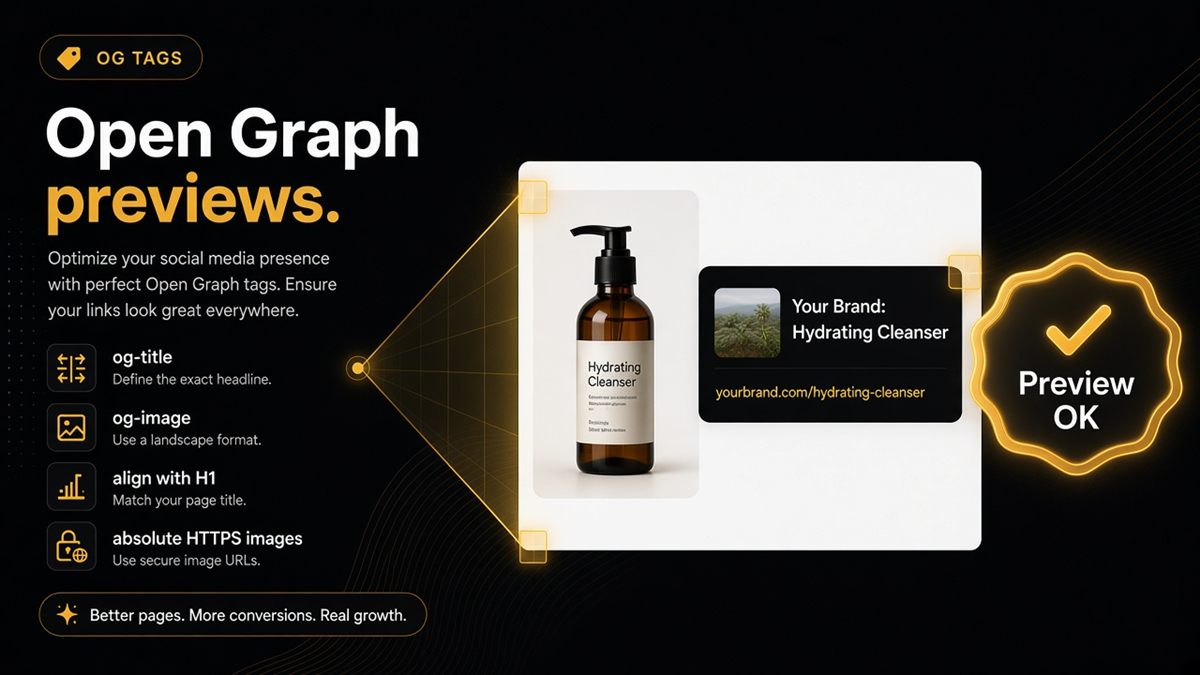
Key takeaways
- Every key Shopify template needs og:title and og:image, not just the homepage.
- Preview titles should agree with the H1 and the structured product or shop name.
- Broken or relative OG images fail merchant unfurls and confuse entity alignment.
- The SEO & AI Audit flags a missing preview title or image on the URL you paste.
- One source of OG tags beats duplicate tags from multiple SEO apps.
Open Graph is not only for Facebook unfurls. On Shopify, og:title and og:image keep the page’s name and image coherent everywhere a preview is built — Slack, WhatsApp, social posts — and they help models align on the same entity the shopper sees. If those tags are missing, relative, or disagree with your H1, humans share the wrong product and assistants describe the wrong name.
What is Open Graph on Shopify?
Open Graph (OG) is a small set of meta tags in the page head. The pair that matters for merchants is:
- og:title — the name the preview should show
- og:image — the image the preview should show (absolute HTTPS URL)
Themes emit these tags from the template: homepage, collection, product, blog post, page. Shopify does not magically invent a correct product image if the theme or an SEO app leaves the tag blank or points at a relative path.
OG is packaging. It does not replace Product JSON-LD, and it is not a substitute for a clear H1. It is the label on the box when the URL travels.
Why AI and social previews still matter
Merchant symptom: Slack unfurls show last season’s colourway. WhatsApp shows the logo instead of the product. ChatGPT describes a different name than your H1. Those failures often trace to weak or conflicting previews, not to a mysterious ranking algorithm.
Humans click (or ignore) whatever the unfurl shows. Models that fetch the HTML also see og:title as a named label next to the H1 and the structured name. When those three disagree, the safest behaviour for a model is to hedge — or to pick the wrong string.
OG is not a classic ranking factor. It is still a trust and alignment factor. Mismatched previews cost you shares and confuse entity matching.
What is the minimum viable OG setup?
For every key template:
- Unique og:title that matches the customer-facing name (not a stuffed keyword string).
- Absolute HTTPS og:image that actually loads — open it in a new tab.
- Real photography on products rather than a logo-only square when you have a product shot.
- Sensible defaults on the homepage (brand name + a brand image) so empty templates do not unfurl blank.
A single default OG image for the whole site is better than nothing on the homepage. It is not enough for PDPs. Collections should use a merchandised image, not whichever SKU the theme grabbed first.
Align the trio: H1, structured name, og:title
When names diverge, pick the customer-facing name and make all three match.
| Surface | Should say |
|---|---|
| Visible H1 | The name shoppers read |
JSON-LD name | The same string |
| og:title | The same string |
If the H1 is “Merino Crew — Navy”, do not let og:title say “Best merino jumper UK | Brand” and JSON-LD say “Crew Neck SS24”. Models and unfurls will pick at random.
The same rule applies to the homepage: shop name in Settings → Store details, Organization/WebSite name in markup, and og:title should agree.
How to add and check Open Graph on Shopify
- Open a live product URL, a collection, and the homepage in incognito.
- View page source. Search for
og:titleandog:image. - Copy the image URL. It must start with
https://and load. Relative paths (//cdn.shopify.com/...can work;/cdn/...often fails for unfurls). - In Online Store → Themes → Customize, check the template’s featured image and SEO / social preview fields if the theme exposes them.
- If an SEO app is installed, decide it is the only emitter of OG tags — or turn its OG output off and keep the theme’s.
- Share the URL in a private Slack or WhatsApp channel. Confirm the unfurl matches the H1 and the product photo.
Where the tags live: usually theme.liquid or a snippet the theme includes in <head>. Product images should pull from the product’s featured media, not a hardcoded asset.
Common Open Graph mistakes
- Duplicate OG tags from the theme plus two SEO apps. Keep one source of truth.
- Relative or broken images that 404 on the CDN after a file rename.
- One logo for every product. Fine as a last resort; weak for shopping unfurls.
- Preview titles that disagree with the H1 because someone “optimised” the social title separately and never revisited it.
- Checking only the homepage. Collection and product templates are where most unfurl complaints come from.
How to verify fast
Run the ChatGPT SEO check for Shopify stores and watch the preview row. The SEO & AI Audit flags a missing preview title or image on the URL you paste. Then do the human check: paste the same URL into Slack.
After a theme update or SEO app change, re-check one URL per template. Previews break silently; nobody gets an admin notification.
If you sell through Shopify Markets, check a URL per market you share publicly. A UK og:title with a US product image — or a translated H1 with an English og:title — is the same trio problem on a different hostname. Fix the template that serves that market, not only the primary domain homepage.
Previews are packaging. Pack them on purpose so shoppers and models see the same product you put on the page.
Frequently asked questions
What is Open Graph on a Shopify store?
Open Graph is a set of meta tags — chiefly og:title and og:image — that tell apps and crawlers the page’s display name and preview image. Shopify themes usually emit them in the document head. They power Slack, WhatsApp and social unfurls, and they give models a consistent name and image to align on.
Is Open Graph a Google ranking factor?
Not in the sense of a classic ranking signal you can chase. Mismatched or missing previews still hurt clicks when someone shares the URL, and they confuse entity alignment when the H1, schema name and og:title disagree.
Can one default OG image cover the whole Shopify site?
A default image is better than nothing on the homepage. Product pages deserve their own photography so a shared link does not unfurl as a logo square. Collections should use a merchandised image, not a random SKU crop.
Do I need Twitter or X cards as well as Open Graph?
Twitter/X cards are useful extras if you share there. The SEO & AI Audit focuses on the OG pair most themes already share — title and image — because that pair is what most unfurls and alignment checks use.
Why does Slack show the wrong product when I paste a Shopify URL?
The unfurl reads og:title and og:image. If those tags are missing, relative, pointing at a CDN 404, or copied from another product by an app, Slack will show the wrong name or image. Fix the tags on that template, then paste the URL again.
Can multiple SEO apps break Open Graph on Shopify?
Yes. Multiple SEO apps often emit duplicate OG tags. Browsers and crawlers then pick one arbitrarily. Keep a single source of truth — the theme or one SEO app — and disable the rest.
How do I check Open Graph without a developer?
View page source and search for og:title and og:image. Confirm the image URL is absolute HTTPS and loads in a new tab. Paste the shop URL into a private Slack or WhatsApp chat and confirm the unfurl. The ChatGPT SEO check for Shopify stores flags a missing preview title or image.