Addy
Addy  Addly
Addly  Goalify
  Monet
Monet  Reviso
  Rankly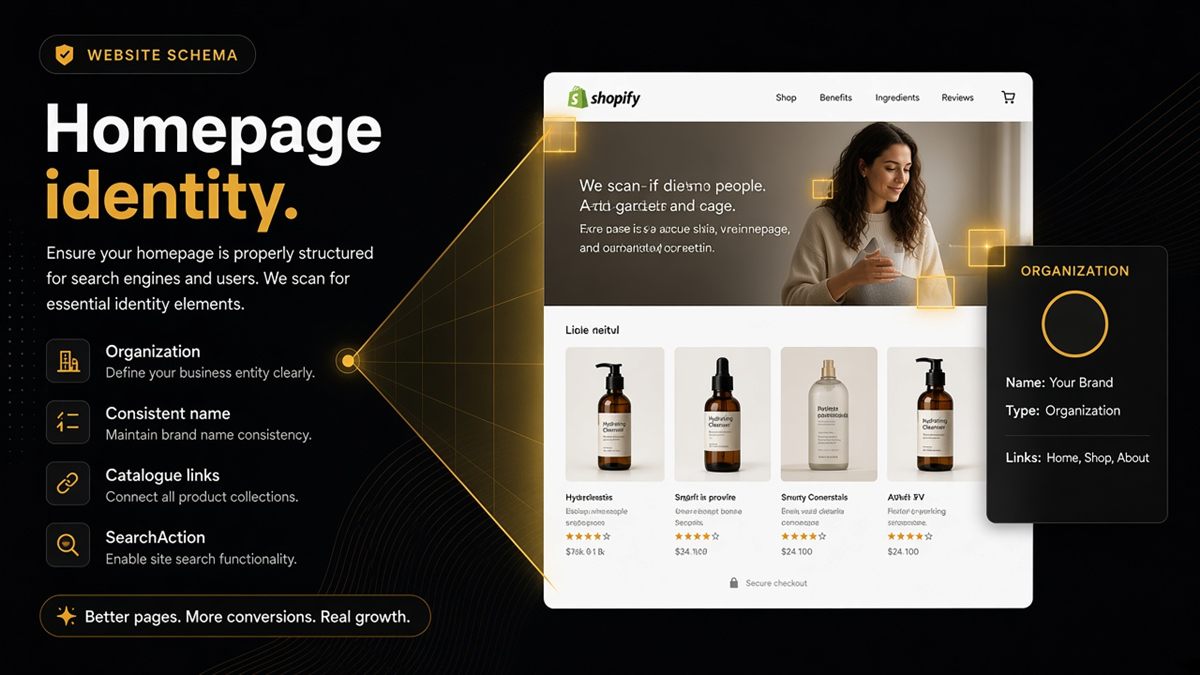
Key takeaways
- Homepage AI readiness is about two things: who you are (Organization) and how to enter the catalogue (links).
- Organization or WebSite JSON-LD plus a consistent brand name beats a video-only hero every time.
- If the H1, browser title and JSON-LD each use a different brand name, assistants hedge.
- SearchAction markup helps when on-site search exists; skip it if you have hidden search.
- Audit the homepage URL separately from products — it fails for different reasons.
Your Shopify homepage needs Organization and WebSite structured data, one consistent brand name across the H1, browser title and markup, and plain HTML links into your collections. That is how ChatGPT, Perplexity and Google learn who you are and how to walk your catalogue. A campaign video with no shop identity in structured data reads as anonymous marketing — models will describe you from someone else's page instead.
What are Organization and WebSite schema?
Both are schema.org types delivered as JSON-LD, a hidden block of code in the page's HTML that labels facts for machines. Organization describes the company: name, URL, logo, and sameAs links to official social profiles. WebSite describes the site: name, URL and, optionally, a SearchAction that tells machines how your on-site search works (/search?q={search_term_string}). Together they answer the first two questions any assistant has about a store: who is this, and how do I look things up here?
Why does homepage schema matter for AI answers?
Assistants build a picture of a brand from the most authoritative page they can fetch, and the homepage is where they start. If that page carries a clear Organization with a name and logo, everything else on the site inherits that identity. If it carries nothing — or three different spellings of the brand — the model either hedges ("a store that appears to sell…") or relies on a marketplace listing or review site to describe you.
The homepage also has to be walkable. A model needs real links to collections and products to understand the catalogue. A single "Shop now" button whose destination is set by script is a dead end for anything that does not run JavaScript.
What do models look for on the homepage?
- A stable shop name that matches the H1 or logo alt text, the browser title and the JSON-LD
name. - A description that says what you sell and for whom, not a slogan.
- A logo or image URL that loads.
- Paths into products or collections: at least a handful of plain HTML links.
- og:title, og:description and og:image so shared links preview correctly.
- A canonical pointing at the bare domain.
How do I fix homepage schema on Shopify? (step by step)
- Set the store name once. Settings → Store details → Store name. Themes and apps read from here.
- Upload a logo in Online Store → Themes → Customize → Header (or Theme settings → Logo). Many themes use this file for the Organization
logo. - Add social links in Theme settings → Social media. Themes that emit Organization use these for
sameAs. - Check what the theme emits. Open the live homepage, right-click → View page source, search for
ld+json. Look for"@type": "Organization"and"WebSite". Dawn and many recent themes emit both; some emit only one; some emit none. - Fill the gaps. If markup is missing, a developer adds a small JSON-LD block to
theme.liquid(Online Store → Themes → ⋯ → Edit code → Layout → theme.liquid) inside a condition that runs only on the homepage. If an SEO app already emits Organization, do not add a second one. - Align the names. Make the H1 or logo alt, the homepage title in Online Store → Preferences, and the JSON-LD
nameidentical. - Add catalogue links. Make sure the homepage has a visible section — featured collections, a menu in the header — that renders collection links in HTML.
How do I verify the homepage?
- Paste the bare domain into Google's Rich Results Test and check for an Organization or WebSite entity with no errors.
- In view-source, count the
/collections/and/products/links. Zero is a problem. - Paste the domain into a chat message and confirm the Open Graph preview shows your name and image — see Open Graph previews.
- Paste the bare domain into the ChatGPT SEO check for Shopify stores and fix identity and preview rows first.
- Use the ask buttons and see whether the assistant names your brand and describes what you sell.
Worked example: fixing an anonymous homepage
Say a candle brand's homepage is a full-screen video, a "Shop now" button and a footer. View-source shows no ld+json, the browser title is "Home," and the H1 is a logo with empty alt text. An assistant asked about the brand describes it from a marketplace listing. The fixes take an afternoon: store name confirmed in Settings, logo uploaded with alt text, homepage title changed to the brand name plus a short descriptor, Organization and WebSite JSON-LD added to theme.liquid, and a featured-collections section with four HTML links added under the video. Next check: the Rich Results Test shows an Organization, and the audit's identity rows go green.
What are the common mistakes?
| Mistake | Effect | Fix |
|---|---|---|
| Three brand spellings (H1, title, JSON-LD) | Assistant hedges on identity | One canonical name everywhere |
| Theme and SEO app both emit Organization | Conflicting entities | Disable one source |
| Logo URL points at a broken or tiny image | Weak identity signal | Upload a proper logo |
| Only a "Shop now" button, destination set by script | Catalogue unreachable | Add HTML collection links |
| SearchAction pointing at a search page that does not exist | Invalid markup | Match your real /search URL or remove it |
When is homepage schema not the first priority?
If your products still lack Offer markup with price and availability, fix those first — they carry the transaction and answer the questions shoppers actually ask. Homepage identity is the second job. If your brand sells only through one landing page and has no collections, the homepage effectively is the product page; treat it that way and mark it up as a Product.
Your homepage is the handshake. Make it machine-legible: one name, one logo, real links in.
Frequently asked questions
What is Organization schema on a Shopify homepage?
Organization schema is a JSON-LD block that states your legal or trading name, website URL, logo and official social profiles in a machine-readable way. It gives Google and AI assistants a single trustworthy source for who runs the store. WebSite schema sits alongside it and describes the site itself, optionally including a SearchAction.
My homepage is mostly a campaign. Is that bad for AI?
Campaigns are fine as long as structured identity still exists and shoppers can reach collections from the HTML. The problem is a homepage where the only content is a video and a single Shop now button with no Organization markup and no visible links into the catalogue.
Do I need a logo in Organization schema?
Strongly recommended. A logo URL that loads makes the Organization entity clearer and gives Google an image to associate with your brand. Use a square or wide PNG hosted on your own domain or Shopify's CDN, not a third-party link.
Should the homepage be in llms.txt?
Yes, usually as the first link with a one-line brand summary. It anchors the file: this is who we are, and here are the collections and policies that matter. Follow it with your core collections rather than campaign pages.
Does Shopify add Organization and WebSite schema automatically?
Many recent themes, including Dawn, emit basic Organization and WebSite JSON-LD on the homepage, but the fields depend on your theme settings, store name and logo upload. Verify on the live homepage with view-source or the Rich Results Test, and check that the name matches your H1 and browser title.
Can the CRO Audit replace a homepage AI check?
No. The CRO Audit resolves a homepage to a bestselling product and looks at what stops the sale there. The SEO & AI Audit scores the homepage URL itself for identity, previews and catalogue links. Use both for different questions.