Addy
Addy  Addly
Addly  Goalify
  Monet
Monet  Reviso
  Rankly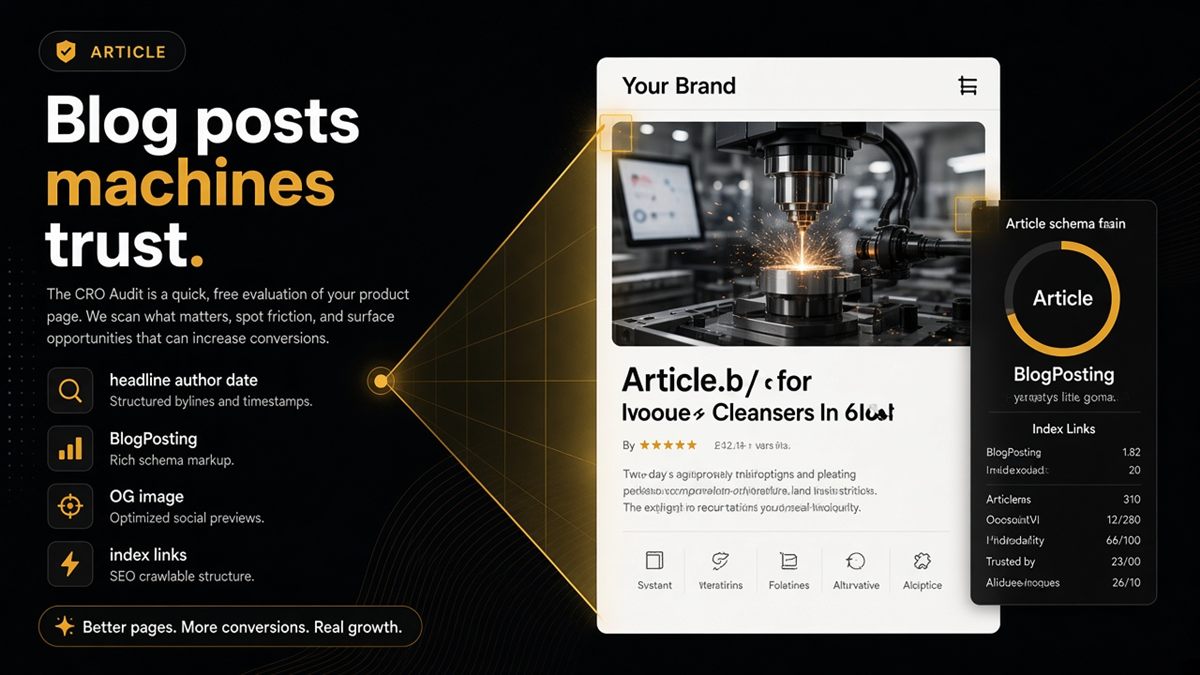
Key takeaways
- Blog posts need Article or BlogPosting markup with headline, author, datePublished and image to look like real articles to machines.
- The blog index should list posts as plain HTML links or an ItemList so crawlers can follow them without running scripts.
- Open Graph tags and a self-referencing canonical stop assistants from citing the wrong URL for your guide.
- Audit both the /blogs/ index and individual article URLs; they fail for different reasons.
- Original, evergreen guides earn citations; thin affiliate posts rarely do, whatever the markup says.
Shopify blog structured data means marking each post as an Article or BlogPosting with a headline, author, publish date and image so that Google and AI assistants recognise it as a real article rather than an anonymous page. Add a followable blog index, a self-referencing canonical and Open Graph tags, and your guides become quotable sources in ChatGPT, Perplexity and AI Overviews. Most Shopify themes get you part of the way; the rest is verification.
What is BlogPosting structured data?
BlogPosting is a schema.org type — a shared vocabulary for labelling web content — delivered as JSON-LD, a small hidden block of code in the page's HTML. It tells machines "this page is an article, here is the headline, here is who wrote it, here is when." Article is the broader type; BlogPosting is the specific version for blog posts. Either works. What matters is that the fields exist and match the visible page.
Why does blog structured data matter for AI answers?
Assistants weigh sources by how confidently they can identify them. A post with a clear headline, named author and date reads like journalism or documentation. A post with none of those reads like a template page. When two stores publish similar guides, the one with clean article markup, a real author and a date is easier to cite — and easier to attribute back to your brand, which is the point.
Structured data also feeds Google's article understanding and, when present, the dates and author shown in results.
What must every Shopify blog post expose?
- Headline that matches the H1, the og:title and the structured
headline. - Author — a real name or your brand as Organization, shown on the page and in markup.
- datePublished and, when you update, dateModified.
- Image — an absolute URL to the featured image that actually loads.
- Canonical pointing at the post's own
/blogs/<blog>/<handle>URL. - Open Graph title, description and image so shared links preview correctly. See Open Graph on Shopify.
What must the blog index expose?
The blog home at /blogs/news (or whatever you named it) should tell a crawler it is a list of articles and link to them in plain HTML. If your theme loads posts only by script or infinite scroll, the first HTML response may contain no article links at all, and a crawler that does not run scripts sees an empty page. A Blog or CollectionPage type with an ItemList of posts is ideal; plain anchor links are the minimum.
How do I fix blog structured data on Shopify? (step by step)
- Publish or open a live post and view it in an incognito window.
- Right-click → View page source and search for
ld+json. Look for"@type": "Article"or"BlogPosting"and check headline, author, datePublished and image. - Paste the URL into Google's Rich Results Test. Note missing or invalid fields.
- If fields are missing, open Online Store → Themes → ⋯ → Edit code and look in the article section or a snippet with
jsonorschemain the name. Your theme partner can add the missing properties in a few lines. - Set the Author field in Online Store → Blog posts → the article, and add a featured image and excerpt.
- Run the ChatGPT SEO check for Shopify stores on the article URL and the blog index URL.
- If the post is a flagship guide, add it to your llms.txt — see the llms.txt guide.
Where the fields come from in Shopify
| Field | Shopify source |
|---|---|
| headline | Article title |
| author | Author dropdown in the article sidebar |
| datePublished | Publish date on the article |
| image | Featured image |
| description | Excerpt (or the meta description in Search engine listing) |
Worked example: a coffee roaster's brewing guide
Say a roaster publishes "How to dial in a V60 for light roasts." Live checks show the theme emits BlogPosting with headline and image but no author and a date of the theme's build day. An assistant asked for V60 guidance may quote the page but cannot attribute it or judge freshness. The fix is a real author name, article.published_at in the date field, and a canonical that matches. After republishing, the Rich Results Test shows a valid Article, and the guide goes into llms.txt as one of five evergreen posts.
What are the common mistakes?
- Author set to "Shopify" or a staff login like "admin" instead of a person or the brand.
- Featured image missing, so the
imagefield is empty or points at a placeholder. - Duplicate article markup from a theme plus an SEO app; pick one source.
- FAQPage markup on posts that have no visible FAQ.
- Blog index that only exposes posts via JavaScript.
Link to products honestly
When a post mentions a product, link the actual /products/handle URL with plain anchor text. Assistants follow those paths to connect your advice to your catalogue, and shoppers do the same. Do not hide product links behind buttons rendered only by script.
When is blog structured data not the priority?
If your product pages still lack Offer markup with price and availability, fix those first — they carry the transaction. Article markup on a blog nobody links to will not rescue a catalogue that assistants cannot read.
Your blog is only AI-ready when dates, authors and headlines are machine-obvious and the index can be followed without a script.
Frequently asked questions
Does Shopify add Article schema to blog posts automatically?
Often partially. Many themes emit Article or BlogPosting JSON-LD from the article section, but author and date fields are sometimes missing or hard-coded. Verify on a live post with view-source or the Rich Results Test rather than trusting the theme description.
What fields does BlogPosting structured data need?
At minimum a headline that matches the visible title, an author (Person or Organization), datePublished, a representative image URL and the canonical URL of the post. dateModified and a short description are useful extras. Every value should match what the reader sees on the page.
Are FAQs on Shopify blog posts useful for AI?
Yes when the questions and answers are visible on the page and marked up as FAQPage. Hidden FAQ markup with no on-page FAQ is noise. The audit checks FAQPage when FAQs exist on the page.
Should blog posts go in llms.txt?
Add your best evergreen guides, the ones you would want an assistant to quote when someone asks about your category. Leave out news updates, seasonal announcements and thin posts.
How do I change the author shown on a Shopify blog post?
Open the article under Online Store → Blog posts and change the Author field in the sidebar, which lists staff accounts. Your theme prints that value in the article and usually in the structured data. Use a real, consistent name.
Do thin affiliate blog posts help AI discovery?
They rarely earn citations. Assistants prefer pages with original proof, such as your own tests, photos, data or expertise. Write fewer posts with substance rather than many generic ones.