Addy
Addy  Addly
Addly  Goalify
  Monet
Monet  Reviso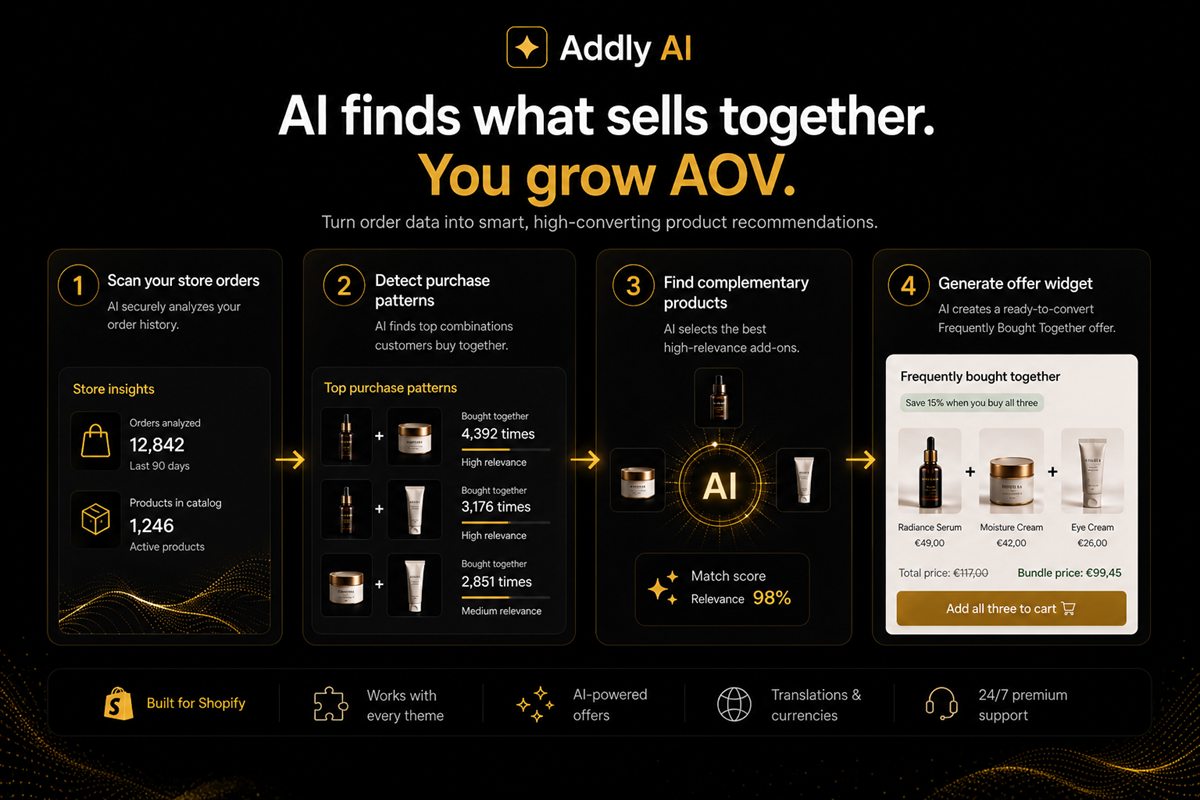
Key takeaways
- The only reliable training set for product offers is your own orders. Category-similarity engines recommend more of what is already in the cart.
- Start with frequently bought together from order history, then let a model rank within that set. Do not let a model invent pairs you have never sold.
- Exclude the parent product, its other variants, and anything already in the cart. Most "AI" failures are missing exclusions, not missing intelligence.
- Show one or two offers. A model that returns twelve candidates is a merchandising problem, not a UI problem.
- Measure attach rate and margin of the attached SKU. Clicks on a recommendation widget are vanity.
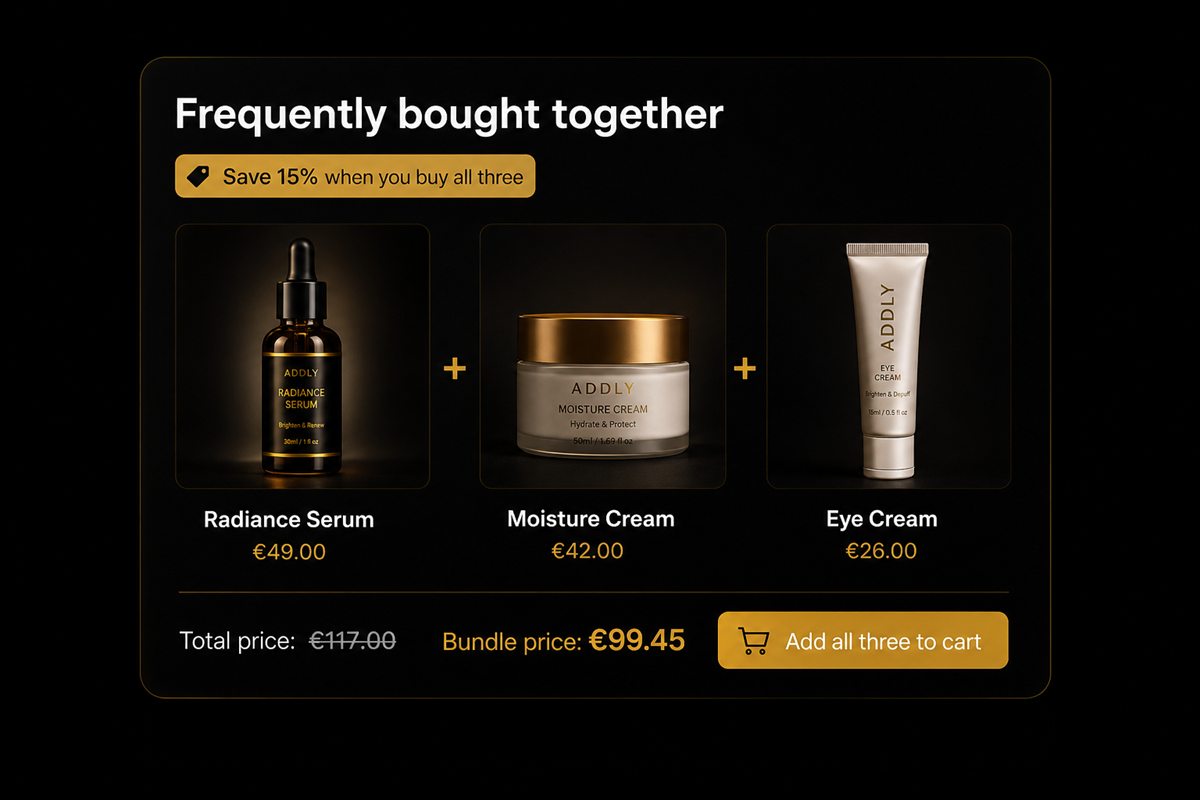
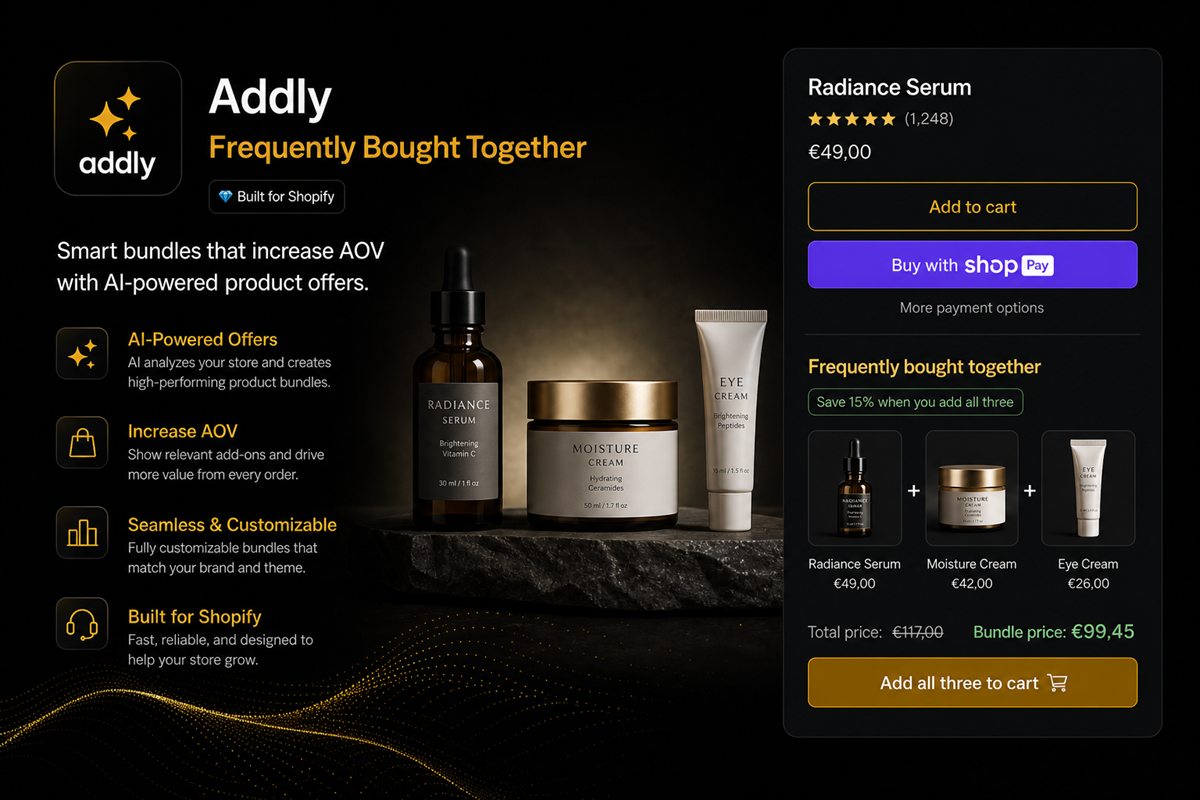
AI product offers on Shopify work when they are built from what people already bought together, then shown as the next most likely SKU at the moment the shopper is about to buy. Catalogue-similarity engines fail because they recommend more of what is already in the cart. Similar is not complementary.
"AI offers" is a vague promise. The useful version is narrow: look at paid orders, find real pairs, rank the ones that still fit this basket, and hide everything else.
What AI product offers actually are
An AI product offer is a merchandising decision with a ranking layer on top. The decision is "which SKU completes this purchase." The ranking layer chooses which historically real pair to show this shopper, given what is already in the cart, the market they are in, and the margin you will accept.
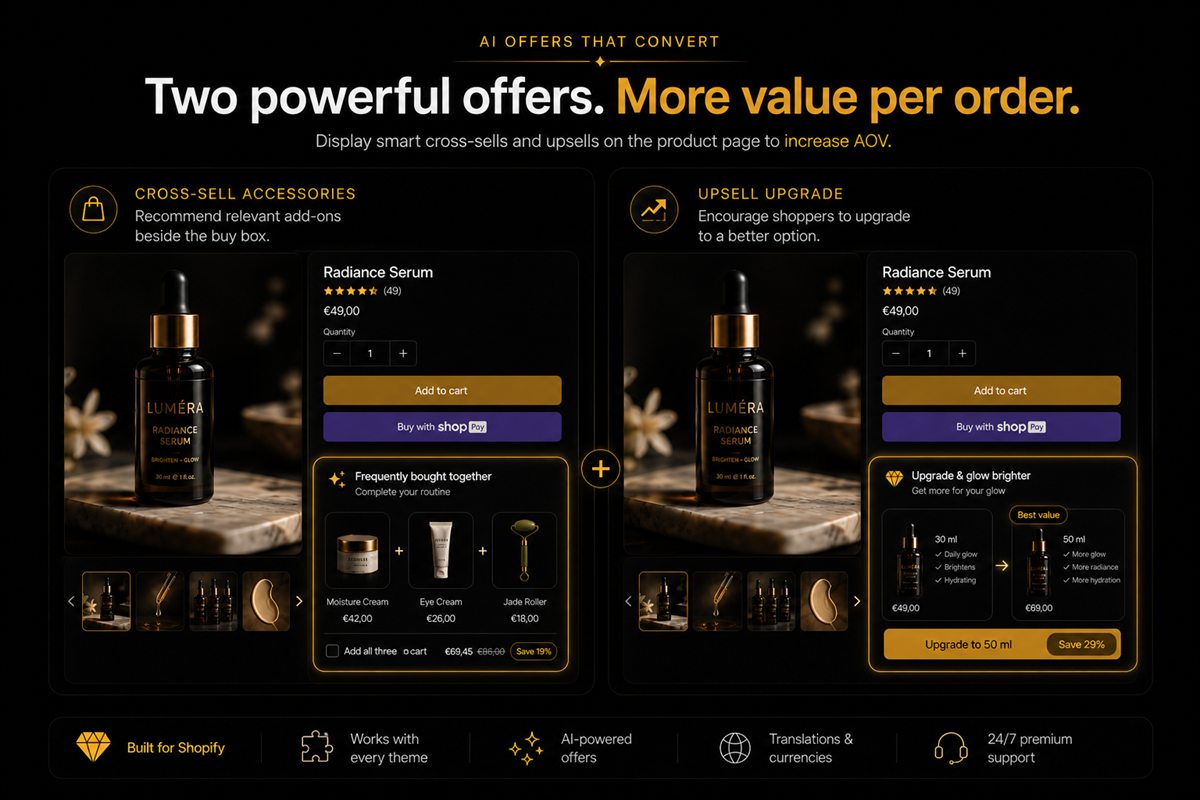
That is different from a related-products carousel. Related products browse the catalogue. Completing the purchase asks one extra yes.
A frequently bought together pair from order history is the foundation. A model becomes useful one layer up: ranking. Inventing pairs you have never sold is improvisation.
Why catalogue similarity fails
A generic similarity model pointed at your catalogue will recommend another pair of running shoes to someone who just added running shoes, because they are similar. The shopper already chose shoes. The complementary SKU is socks, insoles, or a care kit — whatever actually appears on the same orders.
Category similarity also ignores inventory truth. It will happily surface a colourway you are trying not to attach to a hero, or a variant that is out of stock, because "close in embedding space" is not "in stock and allowed."
If your current widget keeps suggesting a second of the same thing, the source is wrong. Switch it to co-occurrence before you tune copy, colours or model parameters.
How to build offers from Shopify purchase history
You do not need a foundation model to notice a pair. You need a query and a place to put the result.
- Export or query orders that contain two or more line items. Single-item orders teach you nothing about pairs.
- Count co-occurrence at the product or variant level. If ceramic mug often appears with 250g beans, that pair is an offer.
- Set a minimum count you would defend to a merchandiser. A pair that happened twice is noise.
- Exclude the parent, its other variants, anything already in the cart, out-of-stock SKUs, and your blacklist.
- Let a model rank inside that set if you have one. Do not let it add candidates from outside the set.
- Render one slot: one or two products, not a carousel of twelve.
Worked example: say the mug is in the cart. History says beans, a lid, and a tea tin have all co-occurred. Beans have the strongest pair rate and an acceptable margin. Show beans. Do not also show the lid and the tin on the same page in the same session.
Guardrails that prevent the obvious failures
Before any model runs, exclude:
- The product already on the page
- Other variants of that product
- Anything already in the cart
- Out-of-stock SKUs
- SKUs you have blacklisted (clearance you do not want attached to full-price heroes, or vice versa)
If your AI offer still looks stupid, the exclusions are incomplete. Fix those before you tune the model.
Add two more rules once the obvious ones work. Do not attach a product the shopper already owns if you can see purchase history for a logged-in customer. Do not attach a product whose price dwarfs the parent (a $90 add-on on an $18 SKU is a new decision, not a completion).
One slot, two products at most
The product page can support a single "complete this" block. Two products in that block is plenty. Twelve is a catalogue dump with nicer copy.
If the model returns a long tail of weak pairs, you do not need a carousel. You need a higher threshold: only show a pair that has actually occurred, at a rate you would defend to a merchandiser.
Use different jobs on different surfaces. On the product page, complete this product — the add-on versus bundle choice still applies. In the cart, complete this order with a complementary SKU they have not already declined. In-cart upsells fail when they repeat the PDP pair.
How to measure the pair, not the click
Clicks on a recommendation are vanity. Attach rate and the margin of the attached SKU are the job. An AI that attaches a low-margin accessory at a higher rate is worse than a merchandiser who attaches a high-margin one less often.
Track, per parent SKU:
- Impression of the offer
- Attach (the extra SKU is in the paid order)
- Gross profit of the attached line after discount
- Whether the parent conversion rate moved
If attach rises and parent conversion falls, the widget is a detour. If attach rises and attached margin is below your floor, the ranking is optimising the wrong number.
When not to turn AI on yet
Keep the AI off when:
- You do not have enough multi-item orders to beat a hand-picked list
- The catalogue is tiny and a merchandiser can name every pair in an afternoon
- You cannot exclude variants and cart contents yet
- You are still deciding which products are allowed to discount
In those cases, curate ten pairs, put them under add-to-cart, and revisit when co-occurrence is real. A guessing engine is not a substitute for data. A short, true list beats a confident model trained on the wrong thing.
Frequently asked questions
Do I need a lot of orders before AI offers work?
You need enough co-occurrence. For a catalogue of a few hundred SKUs, a few thousand orders with two or more line items is usually enough to beat a manual merchandiser. Below that, curate the pairs yourself and keep the AI off. Empty history is not a reason to fall back to catalogue similarity.
Can AI replace a merchandiser?
It can replace the spreadsheet of "what goes with what" once the data exists. It cannot replace a decision about what you are willing to discount, or which products you refuse to attach to which. Margin rules and blacklists stay human.
Why does my AI keep recommending the same product?
Because the cart already contains something in that category and the model is doing category similarity. Switch the source to order co-occurrence and add an exclusion for the parent and its variants. If the same hero SKU still appears, raise the co-occurrence threshold.
Should AI offers be on the product page or in the cart?
Both, with different jobs. On the product page, complete this product. In the cart, complete this order. Do not show the same pair in both places in the same session. Repeating the declined offer trains shoppers to ignore the next one.
Does Shopify have built-in AI product recommendations?
Shopify can surface related products through the theme and some Search & Discovery features, but those are usually catalogue or collection based. They are not the same as pairing SKUs from your own paid orders. If you want frequently-bought-together from history, you still need a query against orders and a place to render the result.
How do I stop AI from attaching clearance to a full-price hero?
Blacklist it. Before any model ranks, exclude SKUs you do not want attached to heroes, and exclude heroes you do not want attached to clearance. This is a merchandising rule, not a prompt. If the pair has never sold together at a rate you would defend, do not show it.