Addy
Addy  Addly
Addly  Goalify
  Monet
Monet  Reviso
  Rankly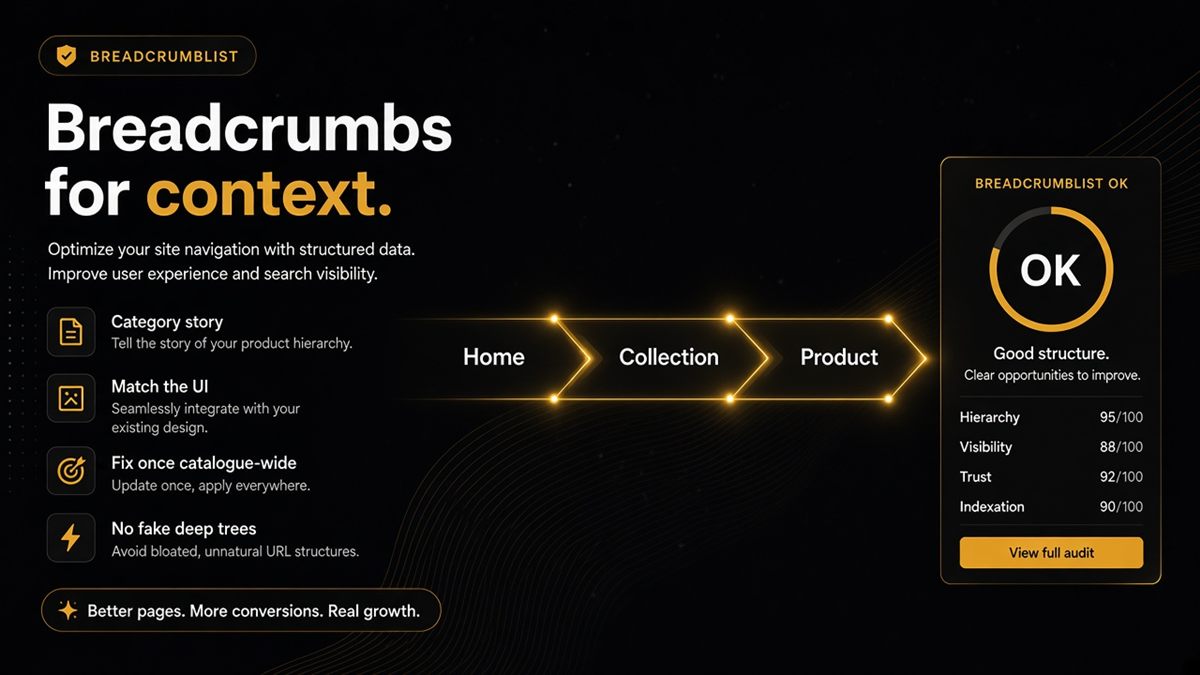
Key takeaways
- Breadcrumbs give products a category story that Google and AI models can parse: Home → Collection → Product.
- Visible breadcrumbs and BreadcrumbList markup should match each other and use the labels shoppers already know.
- Without breadcrumbs, assistants treat product pages as orphans with a name and a price but no category.
- Fix breadcrumb JSON-LD once in the theme and it applies across the whole catalogue.
- Do not invent deep category trees; an honest two-level trail beats a fake four-level one.
Breadcrumb structured data — BreadcrumbList in JSON-LD — tells Google and AI assistants which category trail a Shopify page sits on, such as Home → Trail Running → Shoes → Model X. Visible breadcrumbs do the same job for shoppers. A Shopify store needs both, and they need to match: without a trail, a product page is just a name and a price with no place in your range.
What is breadcrumb structured data?
Breadcrumbs are the small navigation trail near the top of a page: Home › Collection › Product. BreadcrumbList is the machine-readable version. It is a schema.org type (a shared vocabulary for labelling web content) delivered as JSON-LD, a hidden block of code in the page's HTML that lists each step in order with its name and URL.
A minimal example for a product page reads, in plain terms: position 1 is "Home" at your domain, position 2 is "Trail Running Shoes" at /collections/trail-running-shoes, position 3 is "Ridge Runner 2" at /products/ridge-runner-2. Google may display that trail in place of the URL in search results. Assistants use it to understand what kind of thing the page is about.
Why do orphan products confuse AI assistants?
A product page with no category trail gives a model a name, a price and some marketing copy. If the name is "Ridge Runner 2," nothing on the page says whether that is a shoe, a bike or a tent unless the model reads the whole description and infers it. Breadcrumbs remove the inference: "Trail Running Shoes" is right there in the trail. Multiply that across a few hundred products and the difference between a store assistants can summarise and one they hedge about is mostly context like this.
Breadcrumbs also connect products back to collections, which is how models learn what your ranges are and how they relate — the same job collection page markup does from the other direction.
What does good breadcrumb markup look like on Shopify?
- Home → Collection → Product on product pages, Home → Collection on collection pages, Home → Blog → Post on articles.
- Names match the navigation labels shoppers already know, not internal handles.
- The visible trail and the BreadcrumbList contain the same steps in the same order.
- URLs in the trail are canonical URLs:
/products/handle, not/collections/x/products/handle. - Exactly one BreadcrumbList per page.
How do I add breadcrumbs to a Shopify store? (step by step)
- Check the theme settings first. Open Online Store → Themes → Customize, then look in the product page section settings and theme settings for a breadcrumb toggle. Many paid themes include one; Dawn does not ship visible breadcrumbs by default.
- If there is no toggle, add a snippet. Under Online Store → Themes → ⋯ → Edit code, a developer adds a
breadcrumbs.liquidsnippet and includes it in the product, collection and article templates. Shopify's theme docs provide a reference snippet. - Emit BreadcrumbList JSON-LD in the same snippet or in
theme.liquid, built from the same names and URLs the visible trail uses. Use the product's canonical URL so the trail does not leak collection-scoped paths. - Choose which collection to show when a product belongs to several. Shopify exposes the collection the shopper arrived through; for the canonical trail, prefer the product's primary collection so the markup is stable across visits.
- Verify on live URLs (next section).
Where this lives in Shopify
Theme files: Online Store → Themes → ⋯ → Edit code → Snippets and Sections. Collection names: Products → Collections. Navigation labels: Online Store → Navigation (make the breadcrumb names match the menu names). If an SEO app emits breadcrumbs, its settings are in the app, not the theme.
How do I verify breadcrumb structured data?
- Open a product in an incognito window and confirm the visible trail.
- Right-click → View page source and search for
BreadcrumbList. Check the names and URLs. - Paste the URL into Google's Rich Results Test and confirm a valid Breadcrumbs item with no errors.
- In Search Console, watch the Breadcrumbs enhancement report for errors after the theme change.
- Paste the same product URL into the SEO & AI Audit — the free ChatGPT SEO check for Shopify stores. If the breadcrumb row fails, it is usually a single theme fix away.
Worked example: one theme fix, whole catalogue
Say an outdoor store has 600 products and no breadcrumbs. A developer adds a breadcrumb snippet and BreadcrumbList to the product and collection templates in an afternoon. The next day, every product page carries Home → Collection → Product in both pixels and markup. The Rich Results Test shows valid Breadcrumbs on a sample of products across each template, and Search Console begins reporting the trail. One change, 600 pages of category context.
What are the common breadcrumb mistakes?
| Mistake | Why it hurts | Fix |
|---|---|---|
| Markup without visible trail | Mismatch between page and data | Show the trail or drop the markup |
| Theme and app both emit BreadcrumbList | Duplicate, sometimes conflicting trails | Disable one |
| Collection-scoped product URLs in trail | Points at non-canonical duplicates | Use product.url canonical form |
| Handles instead of names ("winter-coats") | Unreadable labels | Use collection titles |
| Four invented levels | Fake hierarchy nobody navigates | Reflect real navigation only |
When should you not add deep breadcrumbs?
Do not invent a taxonomy you do not navigate. If your store has flat collections with no parent categories, a two-level trail is honest and enough. Inventing "Shop → Footwear → Running → Trail → Model X" when no such menu exists is worse than a simple path, because the markup now describes a site that does not exist.
Give every product a place in the store — in pixels and in markup — and keep the two identical.
Frequently asked questions
What is BreadcrumbList structured data?
BreadcrumbList is a schema.org type, delivered as JSON-LD in the page's HTML, that lists the trail from the homepage to the current page as an ordered set of names and URLs. It tells Google and AI assistants which category a product or collection belongs to. Google can also show the trail in search results instead of the raw URL.
Do I need visible breadcrumbs as well as the markup?
Best practice is yes. Visible breadcrumbs help shoppers navigate back to the category, and matching them to the markup keeps the structured data honest. Markup that describes a trail shoppers cannot see is a mismatch that can undermine trust in the rest of your data.
How do I add breadcrumbs to a Shopify theme?
Check Online Store → Themes → Customize first, because many themes have a breadcrumb toggle in product or header settings. If not, a developer can add a breadcrumb snippet to the product and collection templates plus a BreadcrumbList JSON-LD block. Shopify's theme documentation includes a reference breadcrumb snippet.
What do I do for collections without a parent category?
Still mark the relationship you have: Home → Collection on the collection page, and Home → Collection → Product on products. A two-level trail is honest and useful. Only add a deeper level if your navigation genuinely has one.
Should breadcrumbs come from my theme or an SEO app?
Pick one implementation. Running both produces duplicate BreadcrumbList blocks, sometimes with different trails, which confuses validators and models. If your theme already emits BreadcrumbList, turn the app's version off.
Is breadcrumb schema only an SEO nicety?
No. Beyond the search snippet, breadcrumbs supply category context that assistants use for questions like what type of product is this or which of this brand's ranges does it belong to. It is cheap context that pays off on every product page.