Addy
Addy  Addly
Addly  Goalify
  Monet
Monet  Reviso
  Rankly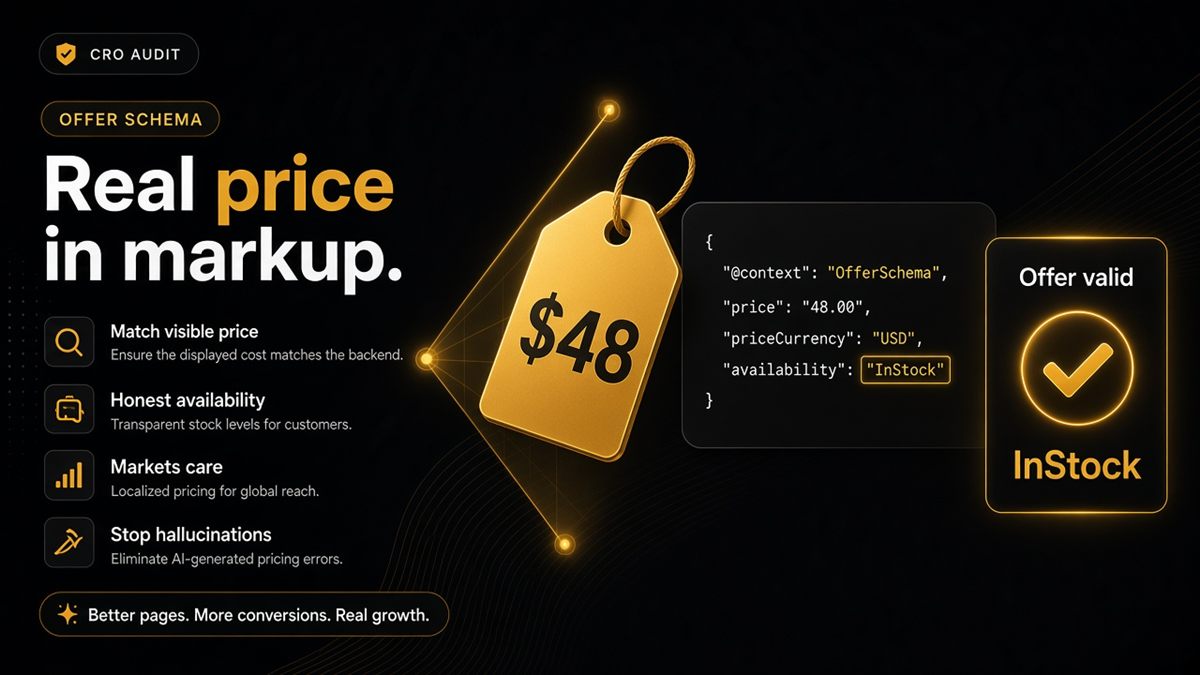
Key takeaways
- Visible prices are not enough — Offer structured data must match what the shopper sees.
- Availability should reflect sold-out reality to avoid AI overselling.
- Currency and Shopify Markets setups need consistent offers on the URL you share.
- Audit each money product after price tests, not only after theme launches.
- Do not fake discounts in schema; keep compare-at claims honest on the page and in markup.
When ChatGPT invents your price, shoppers blame your brand. Usually the Offer markup — not your integrity — is what drifted: the PDP shows one number, JSON-LD shows another, or Offer is missing entirely. Verify price and availability on the live product URL, then confirm with the ChatGPT SEO check for Shopify stores.
What is Offer markup on a Shopify product?
Offer is the structured-data object that states what it costs and whether it can be sold: price, currency, availability. It sits inside Product JSON-LD. Shoppers never see it. Models and Google do.
Visible Liquid prices are the shopper contract. Offer is the machine contract. If they disagree, a careful human believes the page; an assistant often believes the structured number — or a third-party page that scraped the old one.
This is the core of product schema for AI, isolated because money fields are where trust breaks.
The hallucination pattern
Theme shows $48. JSON-LD missing or stuck at an old $42. Assistant answers $42 forever.
Same pattern with stock: page says Sold out; markup still says InStock; a model cheerfully tells someone to buy it. Overselling via AI destroys trust faster than a missing citation.
A/B tests and Markets make this worse when the experiment or market URL changes the visible price but not the graph.
How to verify price and availability
- View the product as a customer (incognito, the market URL you actually share).
- Note the visible price, currency and sold-out state.
- Run the ChatGPT SEO check for Shopify stores on that exact URL.
- If Offer fails, open a developer ticket with both: screenshot of the PDP and the audit row.
- After the fix, re-audit. Then ask ChatGPT the price and stock for that URL.
The audit reads the public page and markup — the same constraints a careful human viewer has. It does not check live stock APIs or admin inventory.
Sold out means sold out
If you cannot sell it, markup should not scream InStock. Use an availability value that matches the PDP: out of stock, backorder, preorder — whatever you actually offer.
Continuing to mark InStock “so we look available in AI” is how you get angry emails. Assistants quoting stock is a fulfilment promise.
Preorder and backorder are allowed when the page says so clearly. Hidden “available” in JSON-LD with a sold-out badge on the PDP is the bug.
Currency, Markets and compare-at prices
Shopify Markets can serve different prices on different URLs. The offer ChatGPT would fetch must match the market URL you share. Do not send a US reporter a .com URL whose JSON-LD is still your UK Offer if that URL charges dollars — or the reverse.
Compare-at prices: do not fake discounts in schema. Keep offers honest. If there is no real compare-at on the page, do not invent one in JSON-LD.
| Situation | What Offer should do |
|---|---|
| Standard PDP | Price + currency + availability match the shopper view |
| Price A/B test | JSON-LD matches the price served on that URL |
| Sold out | Not InStock |
| Market-specific URL | Currency and amount for that market |
| Compare-at | Only if the discount is real on the page |
How to find Offer in the page source
You do not need to be a developer to confirm the number.
- On the live PDP, right-click → View page source (or View page source in the browser menu).
- Search for
Offeror"price". - Read the price and availability next to those keys. Compare to the number and sold-out badge on the page.
- If you see two different prices in two JSON-LD blocks, you have duplicate graphs — turn one app off.
- If you see no Offer at all, the theme snippet is missing or an app overwrote it.
Google’s Rich Results Test is a second view of the same HTML if you want a Google-oriented summary. The ChatGPT SEO check is the merchant-language version of that pass/fail.
Operational rule: re-audit after price tests
Any price test launch checklist includes “re-audit PDP structured data.” Theme launches get this attention; weekend discount tests often do not — and that is when markup freezes on yesterday’s number.
Also re-audit when you:
- Switch a product from manual to Shopify Markets pricing
- Change currency display
- Run a compare-at / “was” campaign
- Restock a SKU that had been sold out (availability must flip back with the page)
Worked example: say you drop a hero SKU from £90 to £75 for a weekend. The theme sale badge shows £75; Offer still says 90.00 GBP. ChatGPT and shopping surfaces quote £90. You update the schema source (theme snippet or SEO app), re-run the audit, and only then announce the sale in channels models might read.
For the rest of the PDP label (name, image, variants), use the JSON-LD merchant checklist. If crawlers cannot fetch the page, price markup will not save you — see GPTBot and robots.txt.
Models quote numbers. Give them the real ones — the same price and stock the shopper sees on that URL.
Frequently asked questions
We A/B test prices. What breaks structured data?
Make sure the served page’s JSON-LD matches the price the shopper sees on that URL. If the experiment shows £54 in the theme and £49 in Offer markup, models will quote the markup. Include a re-audit of PDP structured data on every price-test launch checklist.
How should compare-at prices appear in schema?
Do not fake discounts in schema. If the shopper sees a genuine compare-at, keep the Offer honest. Invented strikethroughs in JSON-LD are a trust problem for Google and for assistants.
How does multi-currency affect Offer markup on Shopify?
Ensure the offer ChatGPT would fetch matches the market URL you share. A UK URL should not advertise a USD Offer that shoppers on that URL cannot pay. Align Markets, currency and JSON-LD per URL.
Does the SEO & AI Audit check live stock APIs?
It reads the public page and markup — same constraints a careful human viewer has. It does not log into admin or poll inventory apps behind the page.
Why does ChatGPT invent my Shopify product price?
Usually the Offer markup is missing, stuck on an old price, or disagrees with the visible amount. Fix JSON-LD so it matches the PDP, allow crawlers to fetch the page, then ask again with the product URL.
Should sold-out products still say InStock in schema?
No. If you cannot sell it, markup should not scream InStock. Overselling via AI destroys trust faster than a missing citation. Match availability to the sold-out state on the page.
How do I verify price schema on a Shopify product?
View the product as a customer, note price and stock, then run the ChatGPT SEO check for Shopify stores. If Offer fails, open a ticket with both the visible price and the audit row. Re-audit after the fix.