Addy
Addy  Addly
Addly  Goalify
  Monet
Monet  Reviso
  Rankly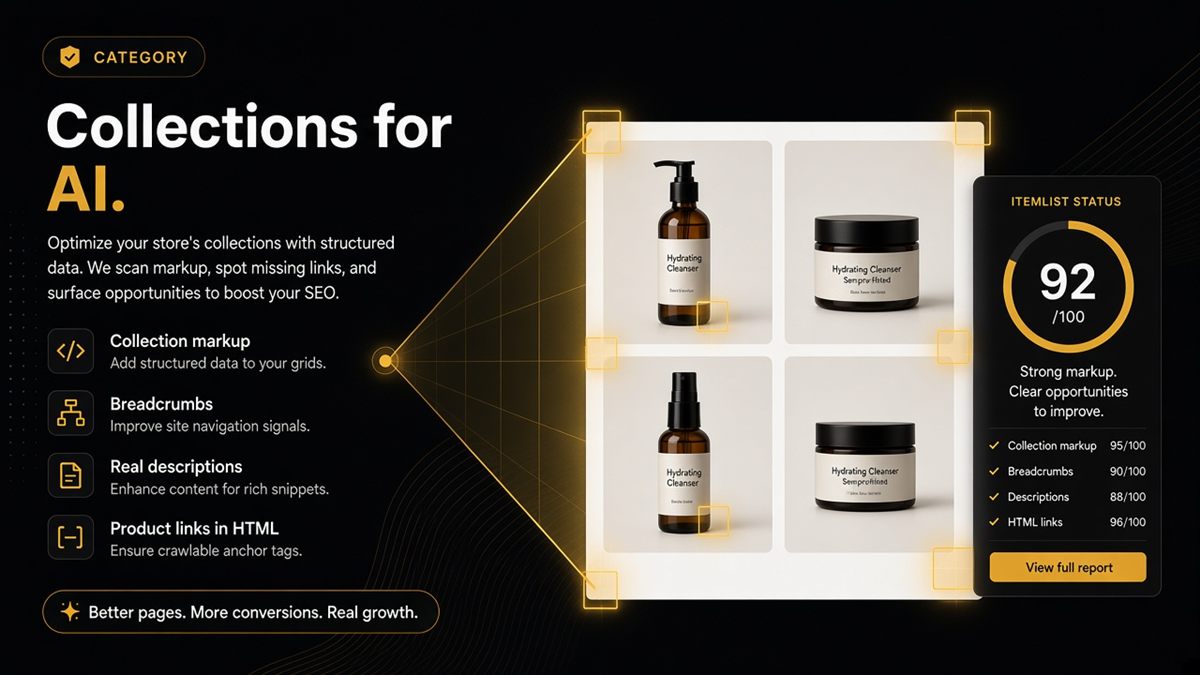
Key takeaways
- Collections are how AI models understand your categories — mark them as CollectionPage or ItemList, not just a grid.
- Breadcrumbs and a real 2–4 sentence description help more than stuffing the title with synonyms.
- Products must be linked in the first HTML response or an ItemList, not only loaded by infinite scroll.
- Run the SEO & AI Audit on the collection URL itself, not only on products inside it.
- Empty or coming-soon collections should be unpublished or noindexed until they hold stock.
A Shopify collection page is AI-ready when it is marked up as a CollectionPage or ItemList, carries breadcrumbs and a real description, and links its products in plain HTML that a crawler can follow without running scripts. Collections are how buyers — and models — understand your categories. A pretty grid without collection markup is a missed answer to "what does this brand sell for X?"
What is collection structured data?
Structured data is a hidden block of code (JSON-LD) in a page's HTML that labels facts for machines. On a collection page, the relevant schema.org types are CollectionPage — "this page is a curated group of things" — and ItemList — "here are the items, in order, with their URLs." Some themes emit one, some both, some neither. The goal is that a machine reading the page learns three things: this is a category, here is what it is called, here are the products in it.
Why do collection pages matter to AI assistants?
Shoppers ask category questions far more often than product questions: "best merino base layers for hiking," "who makes sustainable yoga mats." The honest answer to those questions is a collection page, not a single product. If your collection is machine-readable, an assistant can say "Brand X has a range of merino base layers" and link the collection. If it is an unlabelled grid loaded by script, the assistant either skips you or picks one product out of context.
Collections are also the middle layer of your category graph: brand → collections → products. Breadcrumbs connect products up to collections; collection markup connects collections down to products.
The merchant checklist for a collection URL
- Collection structured data present (CollectionPage and/or ItemList).
- Name in markup matches the visible heading and the og:title.
- og:title and og:image set so shared links preview.
- Description with real substance, visible on the page.
- Breadcrumbs visible and in BreadcrumbList.
- Products discoverable as links in the first HTML response.
- Not noindex; canonical points at the collection itself.
- robots.txt allows the AI bots you want.
How do I make a Shopify collection AI-readable? (step by step)
- Write the description. Products → Collections → your collection → Description. Two to four sentences: who it is for, materials or use cases, how it differs from neighbouring collections.
- Set the search engine listing. At the bottom of the same screen, edit the page title and meta description so they match the visible heading.
- Check the theme shows the description. Online Store → Themes → Customize → open a collection → make sure the collection banner or header section displays the description rather than hiding it.
- Confirm product links render in HTML. View the live collection's page source and search for
/products/. You should see anchors for the first page of products. If not, ask your theme partner to render the first page server-side and keep infinite scroll as an enhancement. - Add or verify collection JSON-LD. In Online Store → Themes → ⋯ → Edit code, look in the collection template or a snippet with
jsonorschemain the name. If nothing emits CollectionPage or ItemList, a developer can add a small block that loops over the collection's products. - Add breadcrumbs if the theme does not already show them.
- Verify (next section), then add durable collections to llms.txt.
How do I verify a collection page?
- Incognito window: confirm heading, description and product grid all appear.
- View page source: search for
ld+json,/products/,noindexandcanonical. - Google's Rich Results Test: confirm Breadcrumbs, and check that the ItemList (if present) has no errors.
- Search Console → Pages: confirm the collection is indexed, not excluded.
- Paste
/collections/your-handleinto the SEO & AI Audit — the free ChatGPT SEO check for Shopify stores — and fix the reds before pouring ad spend into that grid.
Worked example: a skincare store's "sensitive skin" collection
Say a skincare brand runs ads to /collections/sensitive-skin. The page has a heading, twelve products and no description. Markup: none. Products load only by script after the first paint. An assistant asked "which skincare brands have a sensitive-skin range" cannot confirm the range exists from this page. The fixes: a three-sentence description ("Fragrance-free formulas for reactive skin, dermatologically tested, suitable for use with retinoids…"), the first twelve products rendered as HTML links, CollectionPage plus ItemList emitted by the theme, breadcrumbs on. After the change, the collection reads as a named category with twelve named products — a quotable answer.
What are the common mistakes?
| Mistake | Effect | Fix |
|---|---|---|
| Description empty or hidden by theme | Nothing to quote | Write it and show it |
| Grid loaded only by JavaScript | Empty page to crawlers | Server-render first page |
| Title stuffed with synonyms | Reads as spam | One clear name |
| Seasonal collections in llms.txt | Dead links next quarter | Core collections only |
| Collection noindexed by an SEO app test | Invisible to everyone | Remove noindex, re-check |
When should you not optimise a collection for AI?
Empty or "coming soon" collections should be unpublished or noindexed until stocked. Automated campaign collections that last a fortnight are not worth markup effort beyond what the theme gives you for free. Focus on the six to ten collections that define what your brand sells.
Treat collections as category answers, not only filters — and make sure a machine can read the answer.
Frequently asked questions
What is CollectionPage structured data on Shopify?
CollectionPage is a schema.org type, delivered as JSON-LD in the page's HTML, that tells machines the page is a curated group of items. It is usually paired with an ItemList that names and links the products shown. Together they let Google and AI assistants read a Shopify collection as a category rather than an anonymous page of images.
Does infinite scroll hurt AI readability of collections?
If the first HTML response has no product links, yes. Crawlers and AI fetchers that do not run scripts see an empty grid. Make sure the first page of products is rendered as real anchor links in the HTML, with pagination links to the rest, and use infinite scroll only as an enhancement.
Should every Shopify collection be in llms.txt?
Only the durable ones: core categories you will still sell next year. Leave out seasonal filters, sale collections and automated collections created for a campaign. A short list of six to ten collections is more useful to a model than sixty.
What should I do with an empty collection marked coming soon?
Do not advertise it to assistants. Either unpublish it until it has stock or add noindex to that collection's template so models do not learn an empty category. Re-enable indexing once products are live.
How long should a Shopify collection description be?
Two to four sentences that say who the collection is for, what materials or use cases it covers, and how it differs from neighbouring collections. Write for a shopper reading it, not for a keyword tool. Models quote specifics, not synonym lists.
Collection page or product page — which should I fix first for AI?
Both, but for different reasons. Collections explain the set and answer category questions; products hold the offer with price and availability. If a campaign points at a collection, fix the collection and its hero product together before spending.