Addy
Addy  Addly
Addly  Goalify
  Monet
Monet  Reviso
  Rankly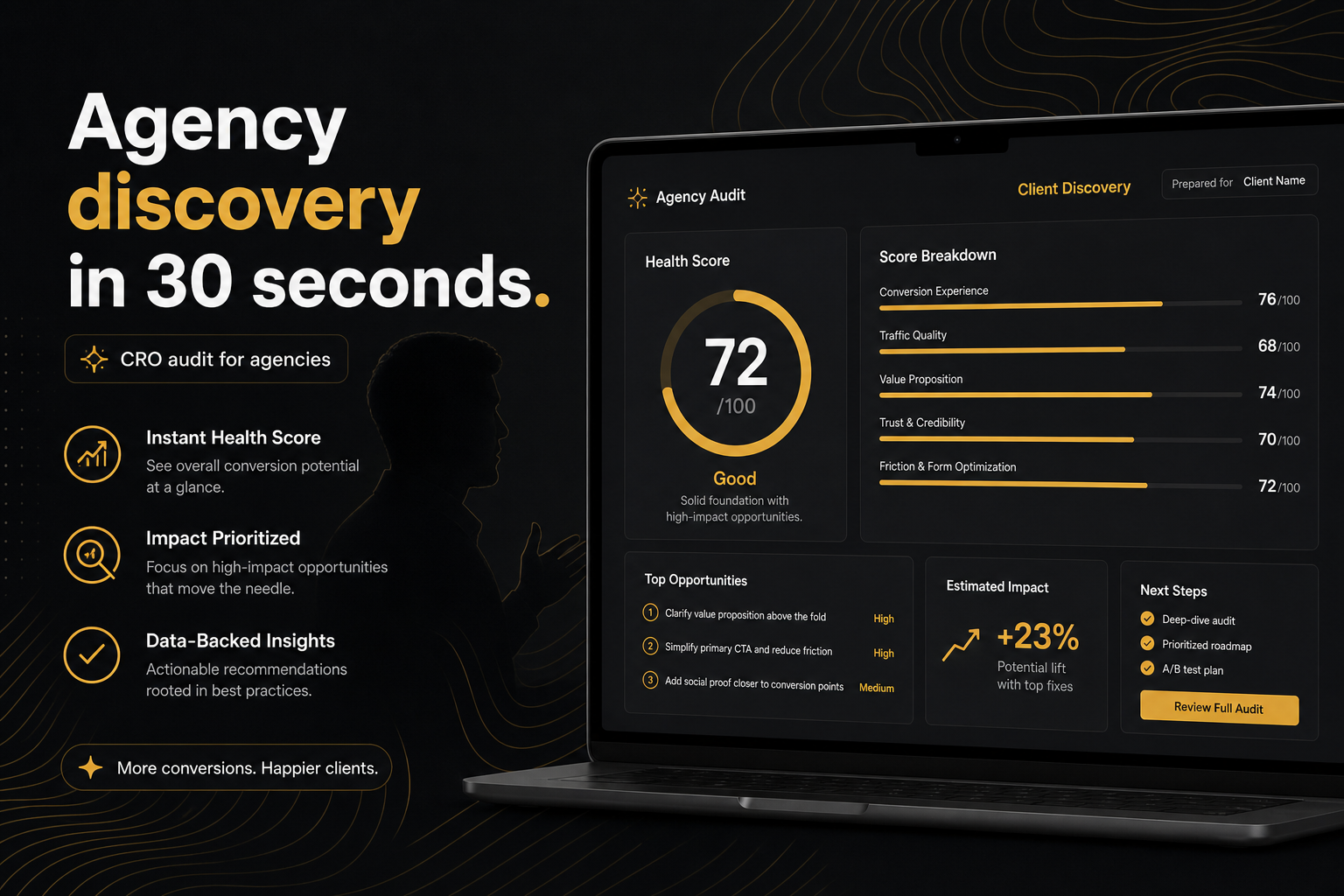
Key takeaways
- Use the audit as discovery, not as a 40-hour CRO programme in a PDF.
- Paste the domain on the call. Homepages resolve to a bestseller so you are not hunting URLs on a screenshare.
- Send ?r= for the snapshot. Recrawl only when you are proving a fix.
- Students: badge plus PDF. Caption the product URL. Do not invent a 100.
- Do not sell the punch list as a full audit of checkout, email and ads.
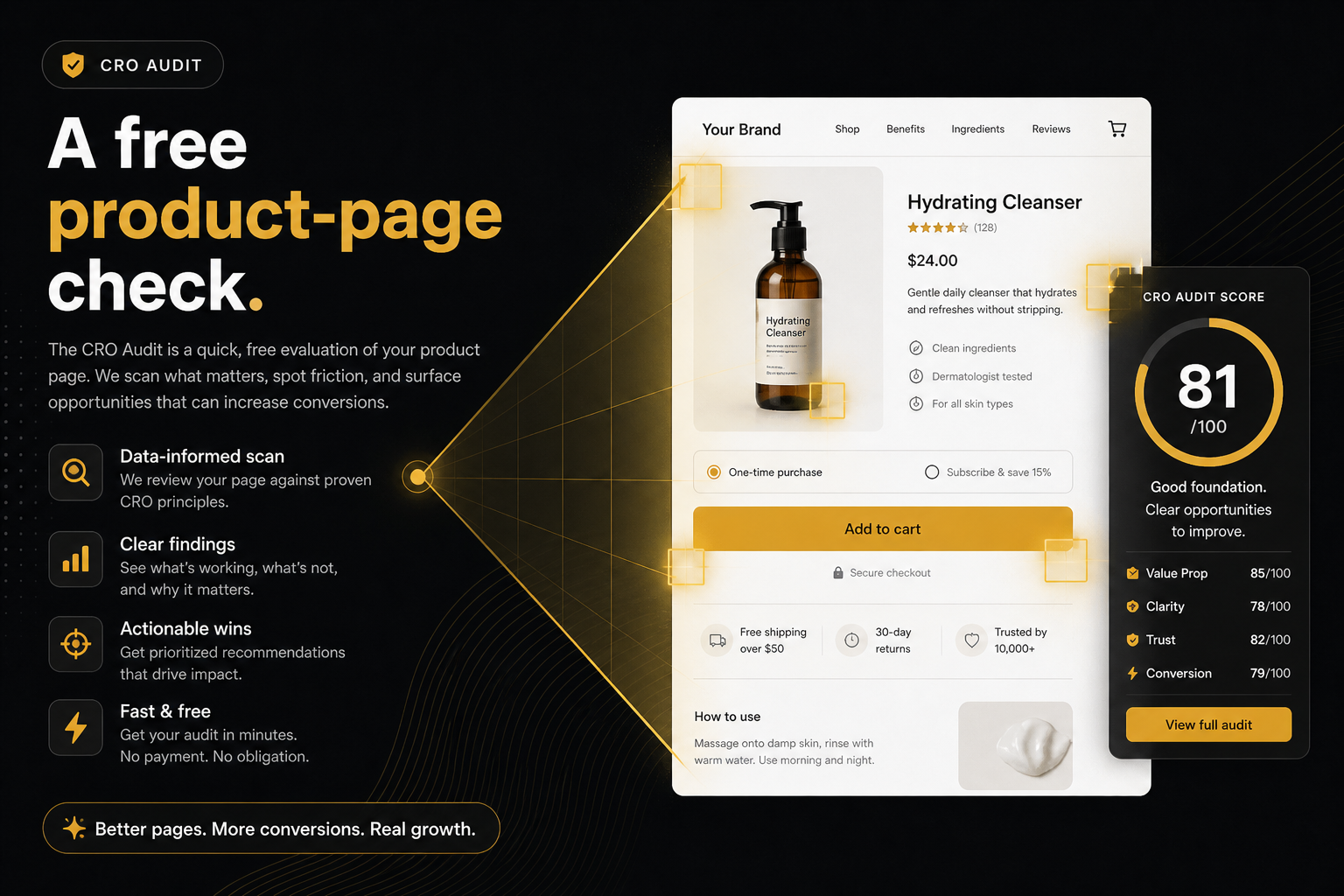
Agencies should use the CRO Audit for Shopify stores as a 90-second discovery artefact, not as a 40-hour CRO programme in a PDF. Paste the client’s domain, get a punch list on a bestseller, share the snapshot. Discovery calls die in the “send us a product URL” moment. This tool is built so you paste client.com and talk about a bestseller 30 seconds later.
Homepages resolve to a bestseller so you are not hunting URLs on a screenshare. If they care about a launch SKU, they will drop the /products/ link themselves.
What the artefact is for
It is a public-storefront check of a live product page: constraints that can stop the sale, then missed AOV. It is enough to stop installing the wrong first app and to staff week one. It is not enough for a retainer on its own. Heatmaps, ads and offer strategy remain your job.
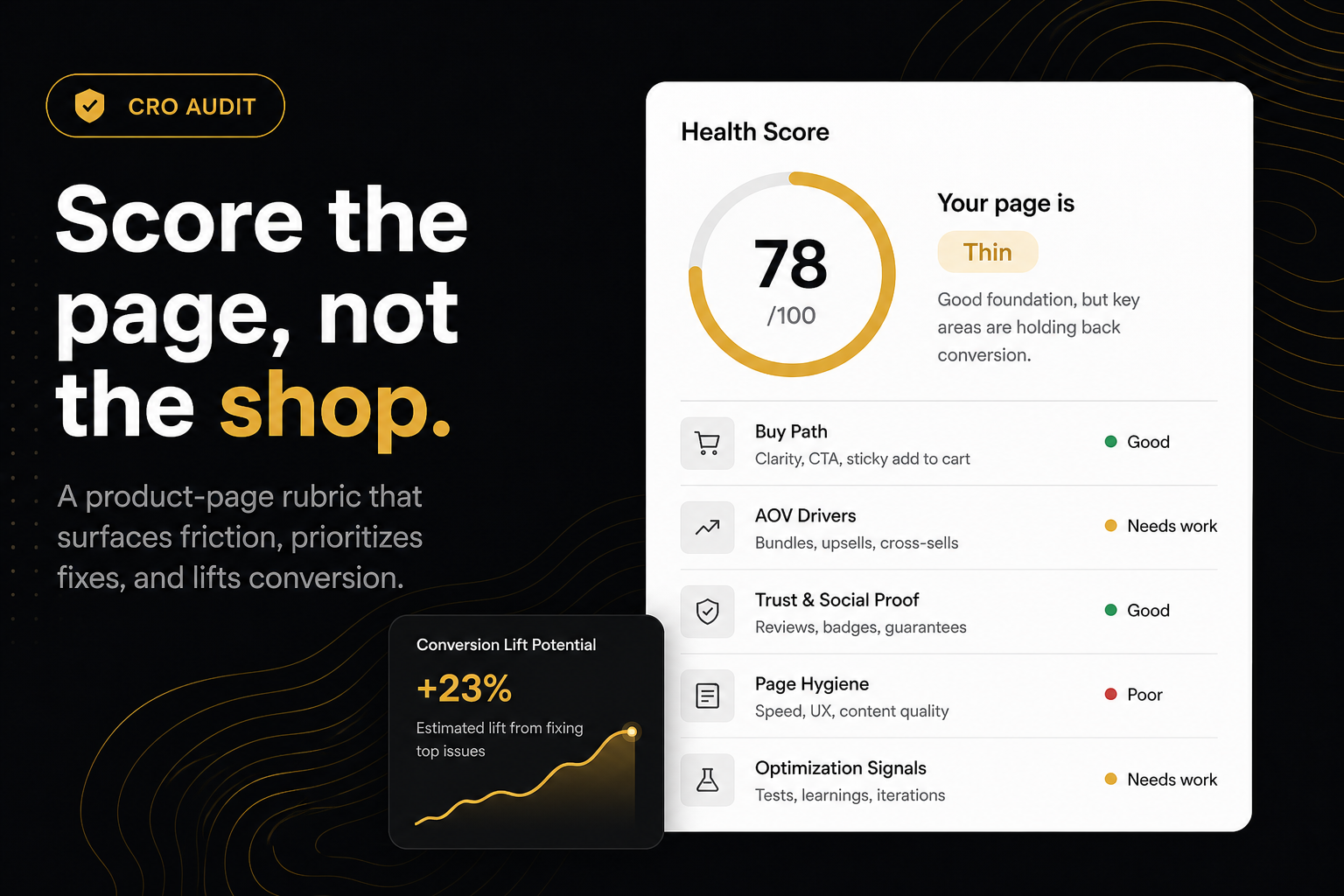
How we score is the basis: Ninety9’s product-page rubric, applied the same way on every public Shopify PDP. It is not a conversion-rate prediction, and it will not fit every store or situation. Say that on the slide.
Agencies: before, on, and after the call
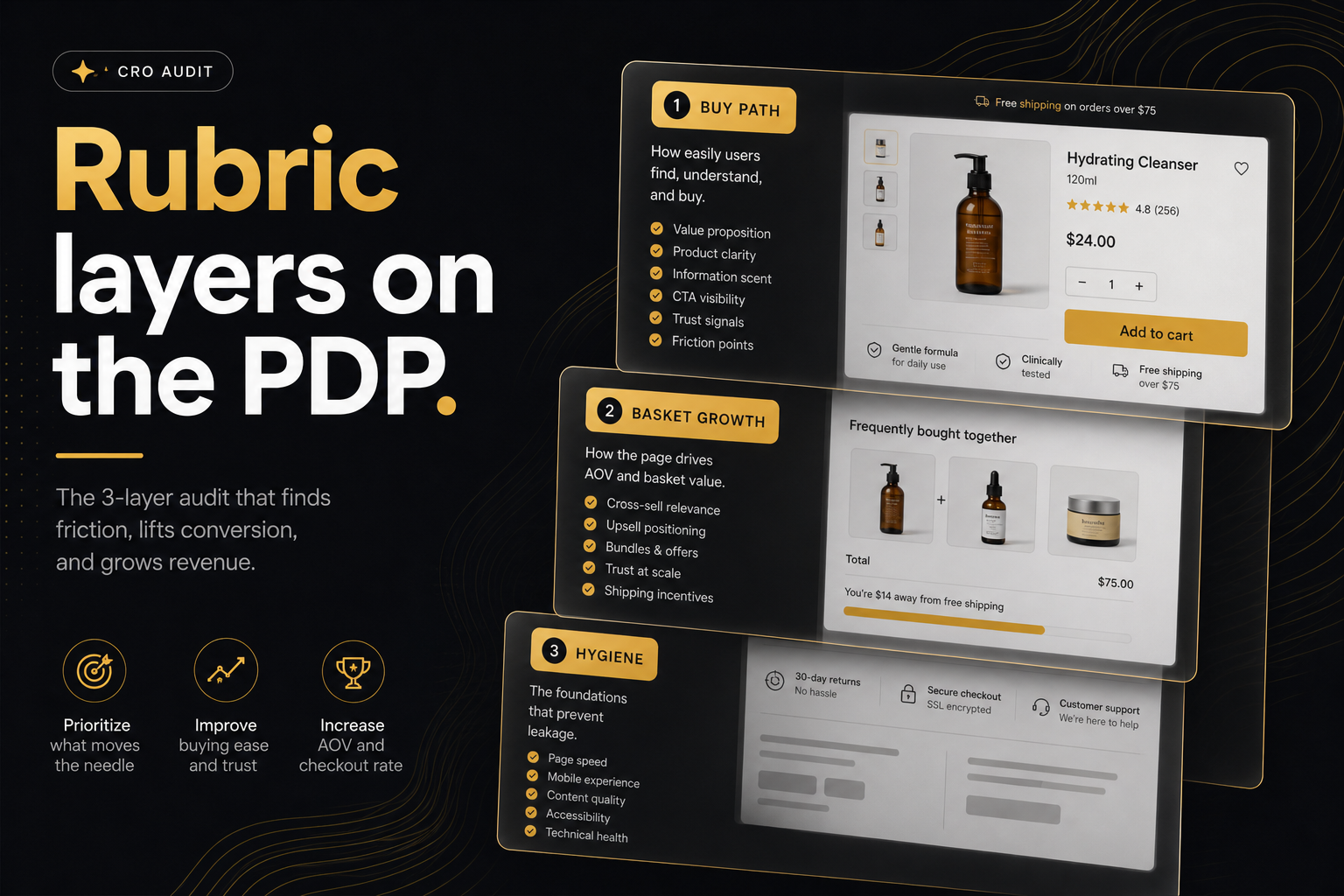
Before the proposal. Run the domain. Screenshot the health, the score-band status, and the top three fails. Buy path vs AOV vs hygiene. Theme vs app. Your scope writes itself: “week one is sticky ATC; week two is the drawer.”
On the call. Paste while they watch. If they care about a launch SKU, they will drop the /products/ link themselves. You did not need a prep doc.
After. Email ?r= so the snapshot does not move overnight. Recrawl when you claim a fix, with Audit again, on that product URL.
Do not sell the punch list as a full CRO audit of checkout, email, and ads. You will get fired in month two when AOV is flat because the offer was wrong.
The on-page report and PDF are Ninety9-branded. You can put findings in your own deck. Do not strip the snapshot link if you are citing the score.
Freelancers
Same tool, less theatre. One leak, one install or one theme ticket, invoice. The report names owners; you can still implement a theme-only fix and ignore the App Store links.
If you stack three apps on day one, you used the audit as a shopping list. That is the failure mode the rubric tries to prevent by capping findings.
How to run the audit is the mechanics. Your value is still the week after the punch list.
Students
Health score on a slide without a source is a fail in any course that cares. Export the badge (QR opens the snapshot) and the PDF (the work). Caption the exact product URL. If you pasted the homepage, say you scored a bestseller, not “the whole store.” Do not invent a 100.
Opt-out tags: if the merchant blocked audits, you cannot complete the assignment on that shop. Pick a public store you are allowed to inspect, or your own development storefront if it is reachable.
A class of 40 should not hammer the endpoint. It is rate-limited. Spread the runs. Cache hits on the same product URL last about 10 minutes.
Rules that keep you honest
- Public pages only. No logging into their admin “to help the crawl.”
- Do not automate the endpoint against a list of 500 stores.
- Privacy: the audit stores the report until the merchant deletes it, IP for rate limits, screenshots of the public PDP. They can erase reports with
content="no,delete"on the CRO audit page. Details are in the privacy policy. Tell the client that before you paste their URL in a webinar. - Competitors: only if you would be comfortable the merchant seeing you did. The tool reads public pages. Professional courtesy still applies.
- Hydrogen: the fetch may fail. Say so. Do not fake a score from a theme you cannot read.
Worked example: you paste client.com on the call, the audit resolves a bestseller, Rubric A fails on sticky add-to-cart, Rubric B misses a cart goal. Week-one scope is the theme sticky bar. You send ?r= with the PDF. You do not promise checkout, Klaviyo, or a 15-point lift.
What not to overclaim
Do not call it a conversion-rate forecast. Do not call it a full-funnel audit. Do not white-label the snapshot as your own crawler if you are citing this score. Do not recrawl overnight and present a new number as the one you showed in the meeting — that is what ?r= is for.
The artefact is short on purpose. Paste the domain in the CRO Audit for Shopify stores, share the snapshot, staff week one. Your value is still the week after the punch list. Recrawl only when you are proving a fix — not the night before a second meeting so the number looks different.
Frequently asked questions
What is this score based on?
Ninety9’s product-page rubric — defaults we apply the same way on every public Shopify PDP. It is not a conversion-rate prediction, and it will not fit every store or situation. How we score.
Can I white-label the report?
The on-page report and PDF are Ninety9-branded. You can put findings in your own deck. Do not strip the snapshot link if you are citing the score.
Should I audit competitors in a pitch?
Only if you would be comfortable the merchant seeing you did. The tool reads public pages. Professional courtesy still applies.
What if the client is Hydrogen?
The fetch may fail. Say so. Do not fake a score from a theme you cannot read.
Is this enough for a retainer?
No. It is enough to stop installing the wrong first app and to staff week one. Heatmaps, ads and offer strategy remain your job.
Can a class of 40 students hammer the endpoint?
It is rate-limited. Spread the runs. Cache hits on the same product URL last about 10 minutes.