Addy
Addy  Addly
Addly  Goalify
  Monet
Monet  Reviso
  Rankly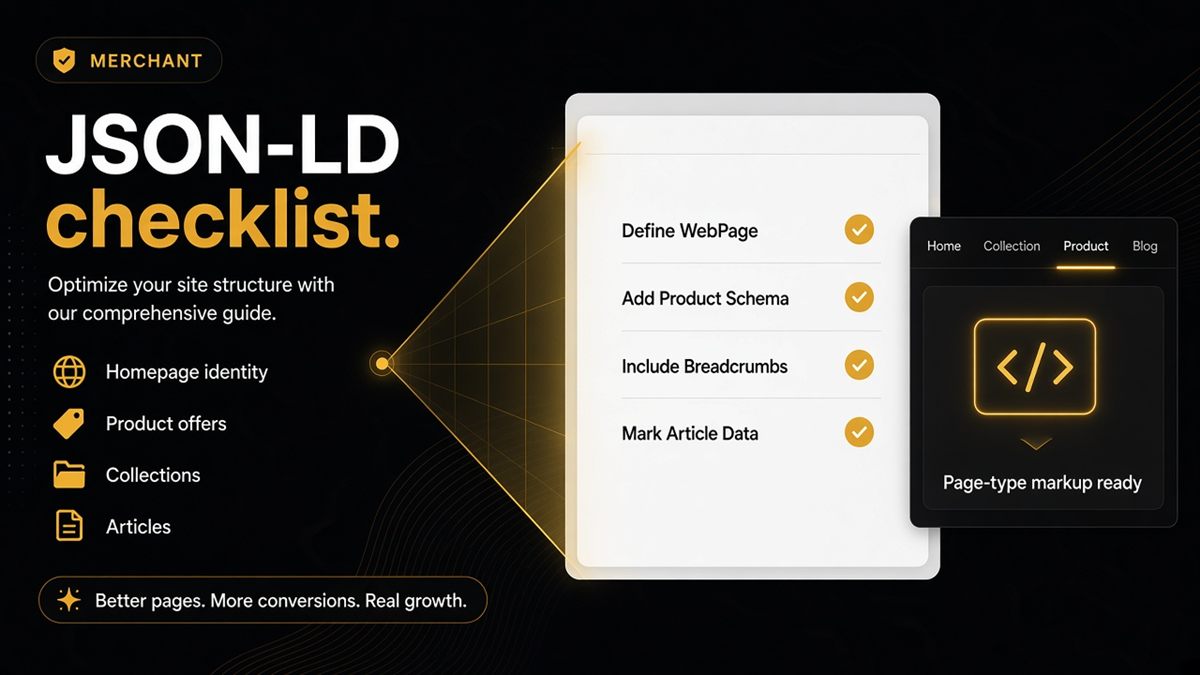
Key takeaways
- JSON-LD is the hidden label on each page type — homepage, collection, product, blog, page.
- Merchants should verify live URLs, not theme editor screenshots.
- Match names: structured title, H1 and social preview should agree.
- Use the SEO & AI Audit as a pass/fail checklist per URL rather than guessing from view-source.
- One clean graph beats three SEO apps emitting conflicting Organization and Product markup.
You do not need to speak “schema.org” fluently. You need a Shopify JSON-LD checklist per page type and a habit of verifying live URLs. JSON-LD is the hidden label that names the shop, the product, the price and the article so Google and AI assistants do not have to guess from theme HTML. Print the list below, then run each URL type through the ChatGPT SEO check for Shopify stores.
What is JSON-LD on Shopify?
JSON-LD is a small block of structured data in the page source, usually inside a <script type="application/ld+json"> tag. It is not visible to shoppers. It tells machines: this page is a Product, this is the shop’s Organization, this is an Article, these are breadcrumbs.
Shopify themes often emit it automatically. Apps add more. Customisations break it. That is why merchants must check the live URL, not a screenshot of the theme editor.
It is not only for Google. Answer engines lean on clear entities too — which is why the SEO & AI Audit reads it.
Homepage checklist
- Organization or WebSite markup with a stable name that matches what shoppers see
- SearchAction only if you actually show site search
- Links into collections or products so a model can walk the catalogue
- Preview title and image set (Open Graph)
- Not noindex by mistake
If the homepage is a video wall with no named organization, assistants have nothing durable to hang the brand on. Pull the shop name from Settings → Store details and keep it identical in the H1 (or logo alt), og:title and Organization name. See also homepage schema for AI.
Campaign homepages that swap every week still need a stable identity block. Seasonal copy can change; the legal shop name should not.
Collection checklist
- Collection or ItemList signalling this is a group of products
- Breadcrumbs
- Enough real product links that the page is not an empty shell in markup (infinite-scroll placeholders without anchors fail this)
- Names that match the visible collection title
Empty merchandising in HTML plus fancy filters is still an empty page to a crawler. View source and search for /products/ — you want real anchors, not only a JavaScript root. Details: collection SEO for AI.
Filtered facet URLs are usually poorer candidates for markup than the parent collection. Keep the merchandised URL clean and do not pretend a ?filter= page is a new product type.
Product checklist
- Product + Offer
- Image (absolute URL that loads)
- Availability that matches sold-out reality
- Variants when the PDP has Size / Colour options
- Reviews in markup only if reviews are on the page
- H1, og:title and structured
namein agreement
Price on the page but missing in Offer is the classic fail. Gift cards, bundles and wholesale templates often skip the snippet the main PDP uses — audit one SKU on each template. Deep dive: product schema for AI and price and availability.
Blog and pages checklist
- Article or BlogPosting with author and date for posts
- WebPage for policy and about
- FAQPage when you truly show FAQs — not on every URL
Blog markup without a date or author is how “evergreen” posts look undated to machines. Policy pages should be boring, specific and marked as pages, not as products. If the shipping page is a screenshot of a table, add the same facts as text so they exist in HTML, not only in an image.
Crawl hygiene on every URL
JSON-LD does not help if the page cannot be used.
- Not noindex by mistake
- robots.txt not blocking the AI bots you want
- Optional llms.txt at the root
- Canonical pointing at the URL you meant to share
Verify in this order: indexable → names agree → page-type markup → crawlers allowed → llms.txt. Skip the order and you polish labels on a page you asked the web to ignore.
How to run the checklist (no jargon)
- Pick one live URL per type: home, collection, product, blog post, policy page.
- Open each in incognito. Note the visible name, price and FAQs.
- View source and search for
ld+jsonif you want the raw block — optional. - Paste each URL into the SEO & AI Audit. Ticket only the reds.
- If two apps both output Product or Organization, disable extras until one graph remains.
Worked example: a merchant pastes a bestseller. Audit says names disagree and Offer is missing. H1 is “Navy Merino Crew”; og:title is a keyword string; JSON-LD name is the SKU. They pick the customer-facing name, align all three, restore Offer from the theme’s product snippet, and re-paste. Then they ask ChatGPT the price and compare.
Common mistakes
- Duplicate Product graphs from theme + SEO app + reviews app
- FAQ schema where there is no FAQ
- Checking a preview link you will not publish
- Assuming Dawn (or any modern theme) is still emitting clean JSON-LD after three app installs
Print this checklist. Run each URL type once through the ChatGPT SEO check for Shopify stores. Ticket only the reds — then keep one source of markup, not three.
Frequently asked questions
Where do I see JSON-LD on a Shopify store?
View page source on the live URL and search for application/ld+json, or run the free ChatGPT SEO check which summarises it in merchant language. Do not rely on the theme editor preview; apps only inject on the published shopfront.
Can an SEO app break JSON-LD?
Yes — duplicate Product graphs and conflicting Organizations are common. One clean graph beats three fighting apps. Turn off markup in extra apps and keep a single source of truth.
Do I need FAQ schema on every Shopify page?
Only where FAQs are visible on the page. Markup without on-page FAQs is noise and can disagree with what shoppers see. Policy pages with a real Q&A block are the usual fit.
Is JSON-LD only for Google?
Google popularised it; answer engines also lean on clear entities. That is why the AI audit reads it. The same Product and Organization labels help ChatGPT, Perplexity and similar tools avoid guessing.
What JSON-LD does a Shopify homepage need?
Organization or WebSite markup with a stable shop name, preview title and image, and links into collections or products so a model can walk the catalogue. SearchAction only if you actually show site search.
What JSON-LD does a Shopify product page need?
Product plus Offer, with image, price, availability and variants when the PDP has options. Include review markup only if reviews are visible on the page.
How do I check JSON-LD without speaking schema.org?
Paste each URL type into the ChatGPT SEO check for Shopify stores and ticket only the reds. Use Google’s Rich Results Test if you want a second, Google-oriented view of the same live HTML.