Addy
Addy  Addly
Addly  Goalify
  Monet
Monet  Reviso
  Rankly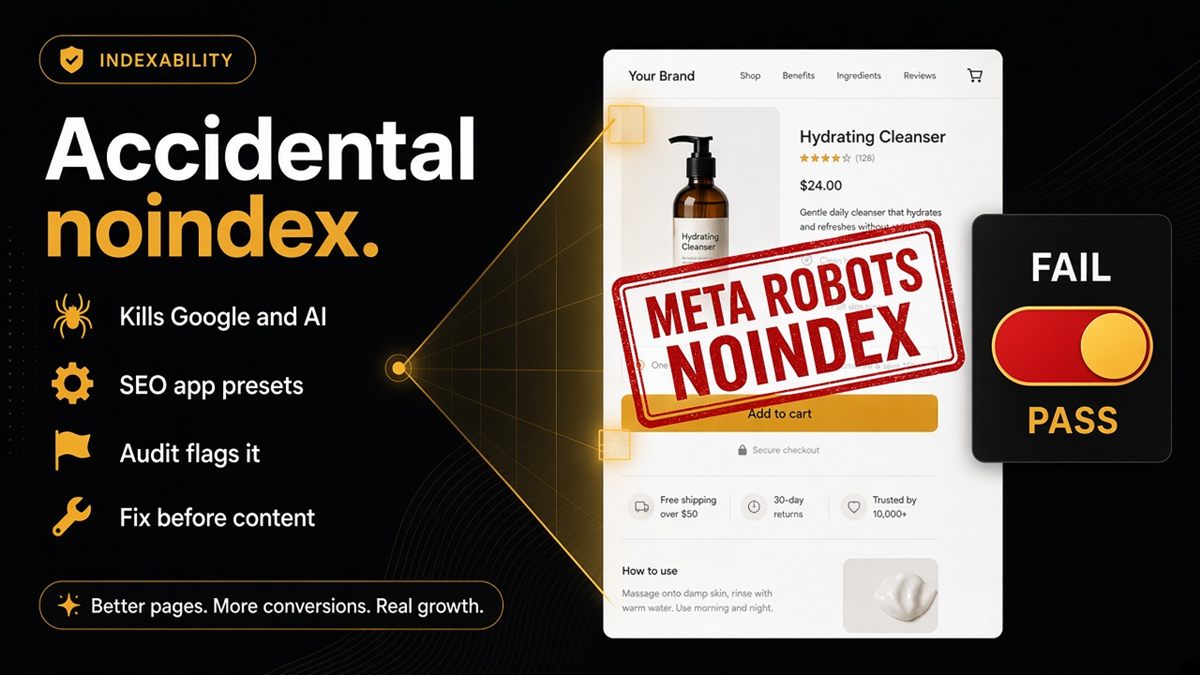
Key takeaways
- noindex means do not use this URL in discovery — Google and AI assistants included.
- SEO apps and theme presets cause most accidental noindex tags on Shopify.
- The SEO & AI Audit flags pages marked noindex so you can stop other AI work until it passes.
- Fix indexability before investing in llms.txt, schema polish or prompt tests.
- Thank-you pages and thin filtered URLs should stay noindex; bestsellers should not.
The fastest way to kill Shopify AI discovery is an accidental noindex tag on a page you wanted found. It tells Google and AI assistants not to use that URL, so ChatGPT, Perplexity and similar tools have nothing public to quote. Catch it on the live page, remove it, then confirm with the free ChatGPT SEO check for Shopify stores before you spend another afternoon on schema or llms.txt.
What is noindex on a Shopify store?
noindex is a robots instruction, usually a meta tag in the HTML head, that means “do not use this URL in discovery.” It is not a password. It is not a 404. The page can still load for a shopper who has the link. Crawlers that honour the tag simply treat it as off-limits for search results and, in practice, for assistant citations that rely on public indexable pages.
On Shopify the tag is rarely typed by hand. It is injected by an SEO app, a theme setting, a Markets configuration or a leftover staging snippet. That is why merchants miss it: the product looks live, ads can still click through, and only the source — or an audit — shows the instruction.
Why noindex kills AI discovery (and Google)
Answer engines cannot cite a page you asked the web not to notice. Allowing GPTBot in robots.txt does not override a page-level noindex. The bot may be allowed to fetch the site; the page still says “do not use this URL.”
Google behaves the same way. A bestseller marked noindex will drop out of Search, sit in Search Console as excluded, and stay invisible to shoppers who type the product name. If ads point at that URL, you pay for traffic to a page Google is simultaneously being told to ignore.
Treat indexability as a gate, not a polish item. Schema, Open Graph and llms.txt only help pages that are allowed to be discovered.
How do merchants accidentally add noindex?
Most accidents come from tools, not from a deliberate policy.
- SEO app “stealth” or launch modes left on after a campaign or a redesign. Collection-level noindex toggles are a frequent leftover.
- Theme presets copied from a development theme, including robots meta tags meant for staging.
- Shopify Markets quirks where a market-specific template or app setting noindexes a locale you thought was public.
- Faceted or filtered collection URLs bulk-marked noindex — useful for thin filters, disastrous if the parent collection or a merchandised landing URL was included.
- Password-free staging URLs that leaked with noindex still present, then got used as the “real” share link.
Merchant red flags look like this: products missing from Google while the PDP loads fine; assistants refusing to acknowledge a public URL; an SEO app dashboard still showing “hide from search” after launch.
How to find and remove noindex on Shopify
- Open the live URL in an incognito window (homepage, a flagship collection, a bestseller). Confirm shoppers can see it.
- Right-click → View page source. Search for
noindex. If you findnoindexin a robots meta tag, that page is asking not to be indexed. - In Shopify admin, check Online Store → Themes → Customize for any SEO or “hide from search engines” theme setting on that template.
- Open your SEO app and look for collection noindex, product noindex, or a sitewide stealth/launch mode.
- In Google Search Console, open Pages (or Indexing → Pages) and filter for “Excluded by noindex tag.” Note which URL patterns appear.
- Remove the tag at the source — app setting, theme setting, or Liquid — not by adding a conflicting “index” tag on top of it.
- Hard-refresh the live URL and search the source again.
noindexshould be gone from the pages you want found.
If you cannot find the injector in the theme, duplicate the theme, disable SEO apps one at a time on the duplicate, and re-check the live preview URL. One source of truth beats three apps fighting over the robots meta tag.
When is noindex the right choice?
Keep noindex where discovery would hurt you:
- Order status and thank-you pages
- Internal search result URLs
- Thin filtered faceted URLs you do not want cited as if they were real collections
- Staging themes sitting on password-free leaked URLs
Do not noindex the homepage, merchandised collections, products you advertise, or policy pages you want assistants to quote (shipping, returns, sizing). Hidden or unlisted products should not be your AI bet either — publish them intentionally if you want them cited.
Common mistakes after you “fix” noindex
- Checking the theme editor preview instead of the live URL. Apps only inject on the published shopfront.
- Fixing one product template and assuming collections are clean. Indexability is per URL and per template.
- Leaving collection filters noindex’d while the canonical collection is still tagged. Confirm the URL shoppers and ads actually use.
- Publishing llms.txt or chasing ChatGPT prompts while “Page can be indexed” still fails. That work cannot land until the page is allowed to be used.
How to confirm the fix
Paste the URL into the SEO & AI Audit (the ChatGPT SEO check for Shopify stores). If “Page can be indexed” fails, stop all other AI work until it passes. Then request inspection in Search Console for Google, and re-ask ChatGPT or Perplexity about the same URL after a recrawl window.
Add “indexability” to your launch checklist beside price and inventory. A theme update or SEO app install is a reason to re-run the same four URLs: homepage, one collection, one product, one policy page.
You cannot be cited if you asked the web not to notice you. Make the page indexable, then make it readable.
Frequently asked questions
What is noindex on a Shopify store?
A noindex tag is a robots meta instruction that tells crawlers not to include that URL in search results or similar discovery surfaces. On Shopify it usually appears as a robots meta tag in the page head, often added by an SEO app, a theme setting or a leftover staging preset. Assistants that honour the instruction will skip the page just as Google does.
When is noindex correct on Shopify?
Use noindex on thank-you pages, internal search results, thin filtered faceted URLs you do not want cited, and staging themes on password-free leaked URLs. Do not noindex the homepage, flagship collections or products you want shoppers — and models — to find.
Does noindex override allowing GPTBot in robots.txt?
Yes. If the page says noindex, you are telling systems not to use it in discovery, even if GPTBot is allowed to fetch the site. Fix the noindex first, then worry about crawler policy.
Can hidden or unlisted Shopify products still be cited by ChatGPT?
Unlisted products should not be your AI bet. If a product is not meant to be public, do not expect assistants to cite it accurately. Publish the products you care about, keep them indexable, and mark them up.
How do I find accidental noindex on Shopify?
Open the live URL, view page source and search for noindex. Check SEO app settings for collection or product noindex toggles, and look in Search Console under Pages for Excluded by noindex tag. The ChatGPT SEO check for Shopify stores also flags pages marked noindex.
How fast does removing noindex help Google and AI?
Help arrives after recrawl, not the moment you save the theme. Request a URL inspection in Google Search Console for Google, then re-ask assistants periodically with the same product or collection URL.
Does Shopify add noindex by default?
A normal published storefront does not noindex your catalogue by default. Accidents come from SEO apps, theme presets, Markets quirks and leftover staging tags. Always verify the live HTML rather than assuming the theme editor preview is clean.