Addy
Addy  Addly
Addly  Goalify
  Monet
Monet  Reviso
  Rankly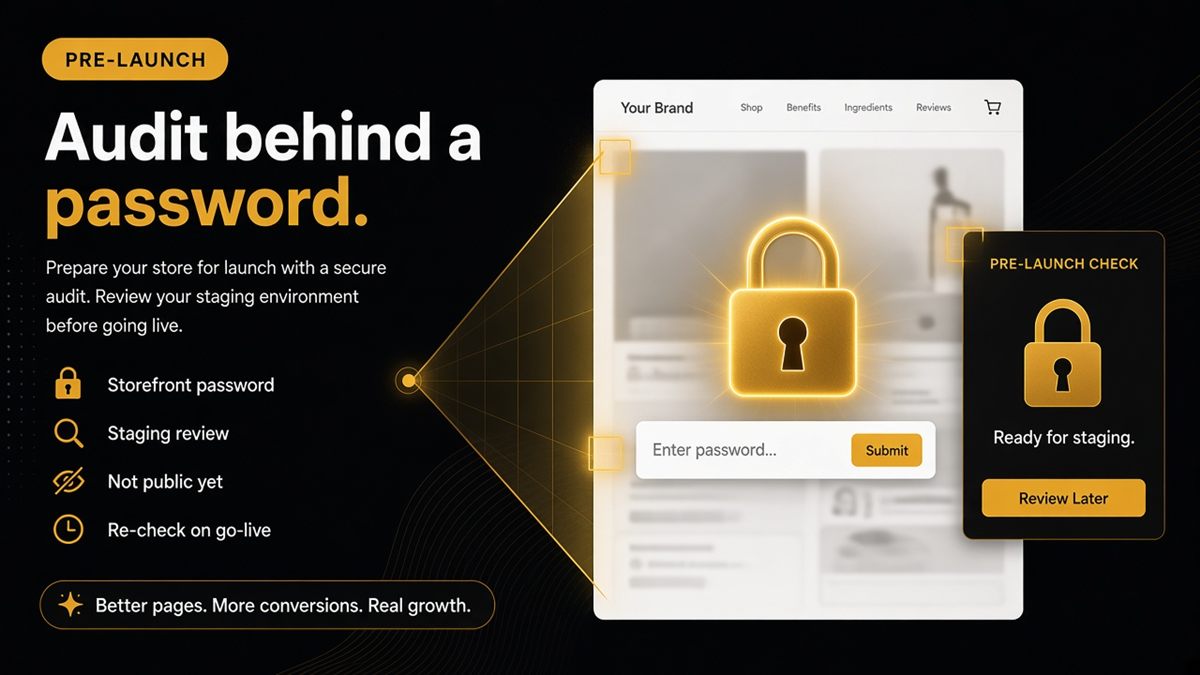
Key takeaways
- Password-protected stores are invisible to public AI crawlers until you publish.
- The SEO & AI Audit can open the shop with the storefront password for a one-time check.
- Use the password shoppers would type — not your Shopify admin login.
- Treat the pre-launch report as a staging review; real ChatGPT users cannot fetch the shop yet.
- Re-run after you remove the password; public robots and llms.txt then matter.
Pre-launch Shopify stores can still run an SEO & AI Audit. Paste the storefront URL into the ChatGPT SEO check for Shopify stores, enter the storefront password when asked, and fix Product and Organization markup while the theme is still cheap to change. Until you remove the password, public AI crawlers cannot see the shop — so re-check on go-live day.
What is a password-protected Shopify storefront?
The storefront password is the gate shoppers type under Online Store → Preferences. It is not your Shopify admin login, not a staff account, and not the collaborator code you give an agency. While it is on, the public web — Googlebot, GPTBot, ClaudeBot, PerplexityBot, Google-Extended — sees a password page, not your catalogue.
That is useful for building in private. It also means “ChatGPT SEO” cannot start in public until the gate is off. A pre-launch audit is a staging review of templates, not proof that assistants can already cite you.
Why pre-launch audits still help
You can fix Product and Organization markup while design is malleable — cheaper than after the campaign launches. Typical pre-launch gaps:
- Homepage with no shop identity in structured data
- Product templates missing Offer price and availability
- og:title and og:image blank because social preview fields were never filled
- Duplicate JSON-LD from an SEO app plus the theme
- Policy pages that exist in the nav but are still placeholder copy
None of those require the store to be public. All of them are expensive to discover the week ads go live.
Crawler policy (allow GPTBot or not) is optional before launch. Priority is correct schema on templates; robots.txt matters most at publish.
How to run the SEO & AI Audit behind a password
- Open the ChatGPT SEO check for Shopify stores.
- Paste the store URL (homepage, a product, a collection, or a policy page).
- Submit. When asked, paste the storefront password from Online Store → Preferences.
- Read the pass/fail list in merchant language. Ticket the reds to whoever owns the theme.
- Repeat for at least four URL types: homepage, one collection, one product, one policy page.
Use the password shoppers would type. Admin credentials will not open the shopfront and should never be pasted into a public-page check.
Development stores work if they are reachable like a normal password-protected Shopify shopfront. Confirm you are looking at the theme you intend to publish, not an abandoned duplicate.
What will still fail publicly
Until the password drops, real ChatGPT users cannot fetch the shop. Search Console will not show your catalogue as indexable in the way a live store does. Treat every green row as “this template is ready,” not “assistants already know us.”
If you want to opt out of checks even with a password, add the readiness meta tag. The CRO audit tag (content="no" or content="no,delete") also stops this check. Merchants who do not want URLs fetched can do the same on public stores.
The password is used to open the shop for the check and is not kept as a long-lived secret. See the privacy policy for details.
A pre-launch checklist that actually ships
| Before password off | Why |
|---|---|
| Product template has name, image, price, availability in markup | Models quote numbers; give them real ones |
| Homepage has Organization or WebSite identity | Shop is not an anonymous URL |
| og:title and og:image work on PDP and home | Shares and unfurls will not look broken on day one |
| Policy pages have real shipping and returns copy | Assistants prefer quotable policies |
| Decide GPTBot / ClaudeBot / PerplexityBot / Google-Extended policy | So you do not inherit an app’s Disallow at publish |
| Draft a short llms.txt | Publish it when the domain is public |
Worked example: say you launch next Monday with three hero products. Audit those three PDPs and the homepage this week. If Offer markup is missing, that is a theme ticket now — not a content rewrite on Sunday night.
Common pre-launch mistakes
- Auditing the admin URL or a theme editor preview instead of the password shopfront shoppers will see.
- Pasting staff credentials into the password field. That never opens the storefront and is a security mistake.
- Fixing one product template and assuming gift cards, bundles or preorder PDPs share it. Audit each template you will publish.
- Spending the last week on campaign copy while Offer markup is still missing on the three hero SKUs.
- Removing the password on launch morning without a robots.txt glance — an SEO app can Disallow GPTBot the moment the shop is public.
- Treating a green staging audit as proof ChatGPT already knows you. It does not, until the gate is gone and a crawler fetches the live HTML.
If several people can change the theme, put the go-live list in the same place as the launch ads checklist. Password off, robots checked, audit re-run, prompts smoked — in that order.
Go-live day
- Remove the storefront password in Online Store → Preferences.
- Open
/robots.txtand confirm the AI bots you chose to allow are not Disallowed by an app snippet. See who can crawl you. - Publish llms.txt at the domain root if you are using one.
- Re-run the audit on the homepage and bestsellers — same URLs as staging.
- Smoke-test prompts: “What does [brand] sell?” and “Does [brand] ship to [country]?” Compare answers to the live pages.
Build readable templates in private. Flip the password when the checklist is green.
A password shop is invisible to public crawlers. Make the templates readable first, then open the door and verify again.
Frequently asked questions
Can I run an SEO & AI Audit on a password-protected Shopify store?
Yes. Open the ChatGPT SEO check for Shopify stores, paste the store URL, and when asked paste the storefront password from Online Store → Preferences. That is a one-time check of the templates, not a public crawl.
Is the storefront password stored?
It is used to open the shop for the check and is not kept as a long-lived secret. See the privacy policy for details. Never paste your Shopify admin login; that will not open the storefront.
Should I allow GPTBot before launch?
Optional. Priority pre-launch is correct schema on templates; crawler policy matters most at publish. Public bots cannot see behind the password anyway until you remove it.
Can I audit a Shopify development store?
If it is reachable like a normal password-protected Shopify shopfront, yes. Paste the preview URL and the storefront password when prompted. Confirm you are auditing the theme you intend to publish.
How do I opt out of readiness checks?
Add the readiness meta tag if you do not want checks even with a password. The CRO audit opt-out tag (content="no" or content="no,delete") also stops this check. Erasing stored CRO reports only happens on the CRO audit page.
Will ChatGPT cite my store while the password is on?
No. Until the password drops, real ChatGPT users cannot fetch the shop. Treat the audit as a staging review of markup and previews, then re-run on go-live day.
What should I re-check the day I remove the password?
Remove the password, verify robots.txt, publish llms.txt if you use one, re-run the audit on the homepage and bestsellers, then smoke-test a few buyer prompts. Public crawlers only start seeing you after the gate is gone.